






OpenAI API Guide
If you are integrating OpenAI today, start with the Responses API. It is the default path for new builds, and it gives you one cleaner surface for text generation, image input, tool use, and multi-turn state.
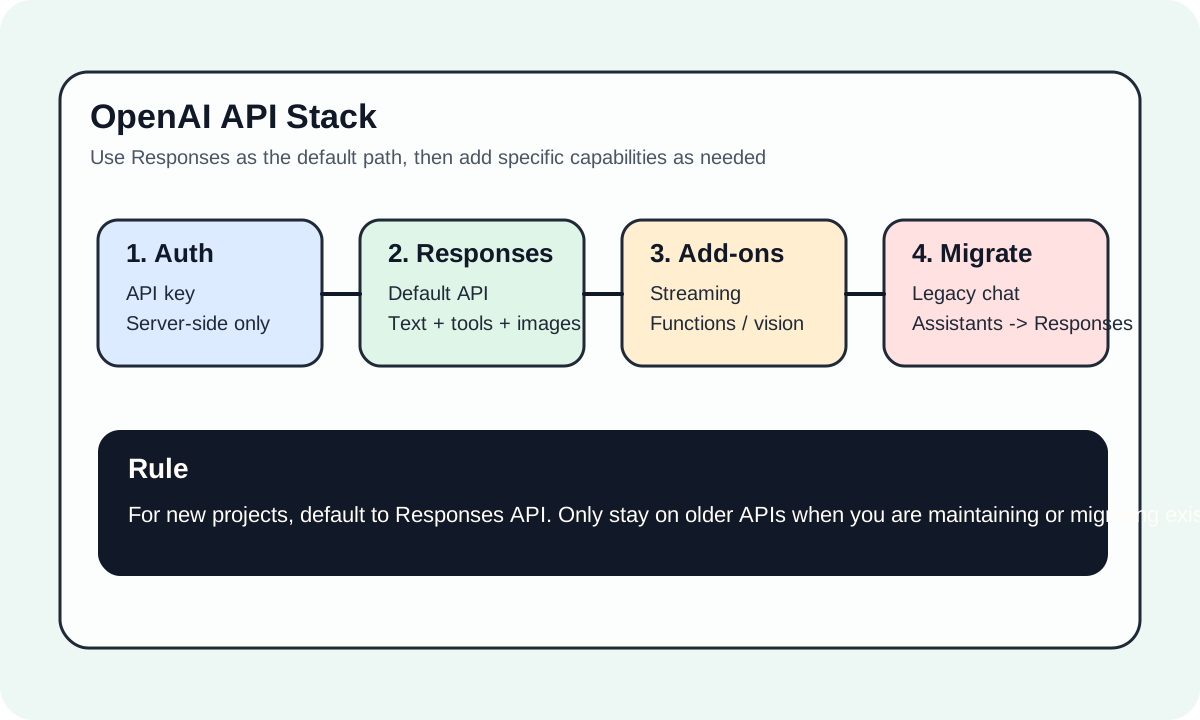
#The shortest useful mental model
For most new projects, the API surface breaks down like this:
Responses API: the default entry pointChat Completions: mainly for older systems and compatibilityEmbeddings: for retrieval, clustering, and recommendationAssistants: mostly relevant when you are reading or maintaining legacy implementations
That framing saves a lot of time because it stops you from learning the stack backward through outdated tutorials.
#Who this guide is for
- backend or full-stack engineers shipping the first real OpenAI integration
- teams moving from prototype code to something operational
- technical leads choosing the default API path for a product
#Why Responses API should come first
The case for Responses API is not just that it is newer. It is that it brings the main capabilities behind one more coherent interface:
- text generation
- image input
- tool use
- function calling
- multi-turn interactions
That leads to a cleaner implementation model and fewer branching decisions early on.
#What to get working in phase one
Most teams only need four things at the start:
- load the API key safely
- make the first successful
responses.createcall - handle errors and rate limits properly
- add streaming, tools, or image input only when the product actually needs them
That matters more than touching every advanced feature on day one.
#Recommended reading order
#Official sources
- Quickstart: https://platform.openai.com/docs/quickstart↗
- Migrate to Responses: https://platform.openai.com/docs/guides/migrate-to-responses↗
- Models overview: https://platform.openai.com/docs/models↗
