






ChatGPT Guide
ChatGPT changed more than the idea of talking to AI. It changed how people begin work. Instead of drafting everything from zero, you can start with something structured enough to react to, reshape, and finish.
#What ChatGPT is actually good at
ChatGPT is strongest when you use it as a drafting and thinking partner, not as an answer oracle.
Its best use cases usually include:
- drafting headlines and copy
- building outlines before full writing
- rewriting existing material
- creating versions for different audiences
- turning vague ideas into workable text
The pattern is simple: you are not asking it to make the final call. You are asking it to move the work into a shape a human can finish well.
#Why some people get far more value from it
The gap is not mainly about "better prompts." In real work, the bigger questions are:
- can you explain the task clearly?
- can you reject weak output quickly?
- can you fit the model into a repeatable workflow?
That is where casual use and professional use separate.
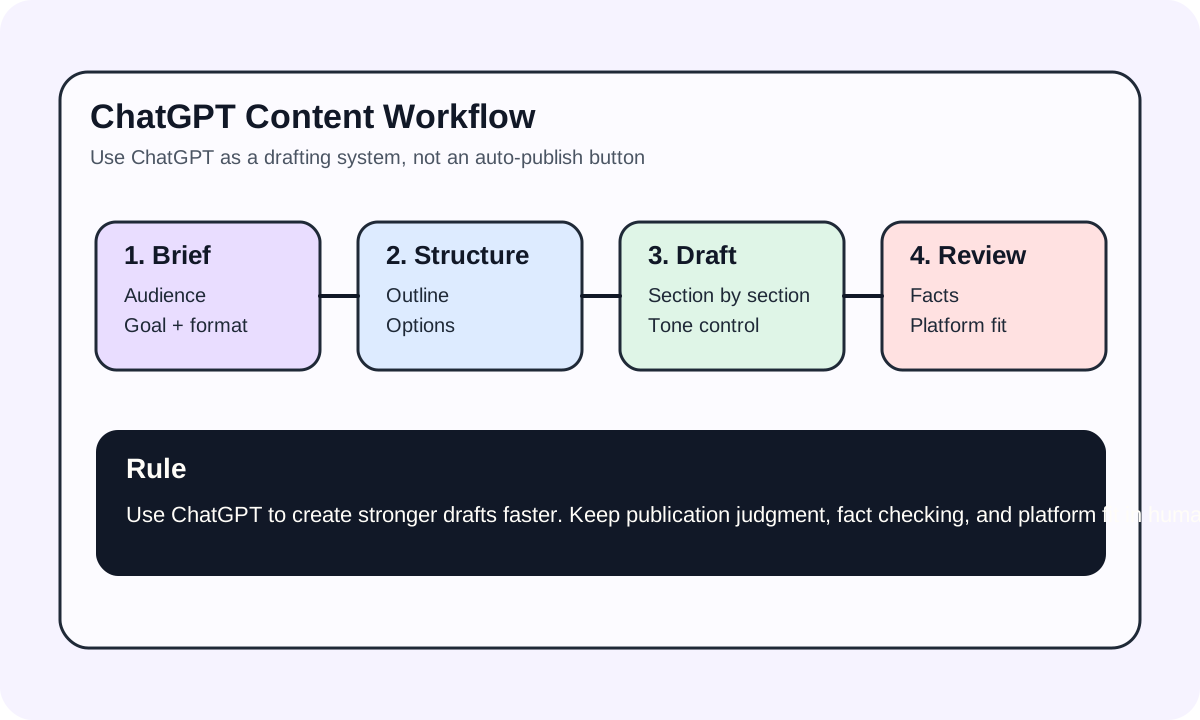
#A steadier way to use it
- give the background first
- ask for structure or a few directions
- choose the direction yourself
- ask for expansion, rewriting, or cleanup
- review before publishing or shipping
This is slower than saying "write everything now," but it usually creates less rework.
#ChatGPT for long-term content
ChatGPT is already good enough for fast copy and light drafting. But if the goal is durable website content, the bar is higher. You still need to check:
- whether the topic is narrow enough
- whether the headings match real search intent
- whether the content answers concrete problems
- whether the final draft has enough information density
At that point, ChatGPT is a collaborator, not an auto-publish button.
