






Claude Guide
Claude is easy to misread if you treat it as just another chatbot. The better way to think about it is as a workflow stack built around reasoning, writing, persistent context, and coding. For many teams, the difference is not one slightly better answer. It is that Claude fits naturally into longer-running work.
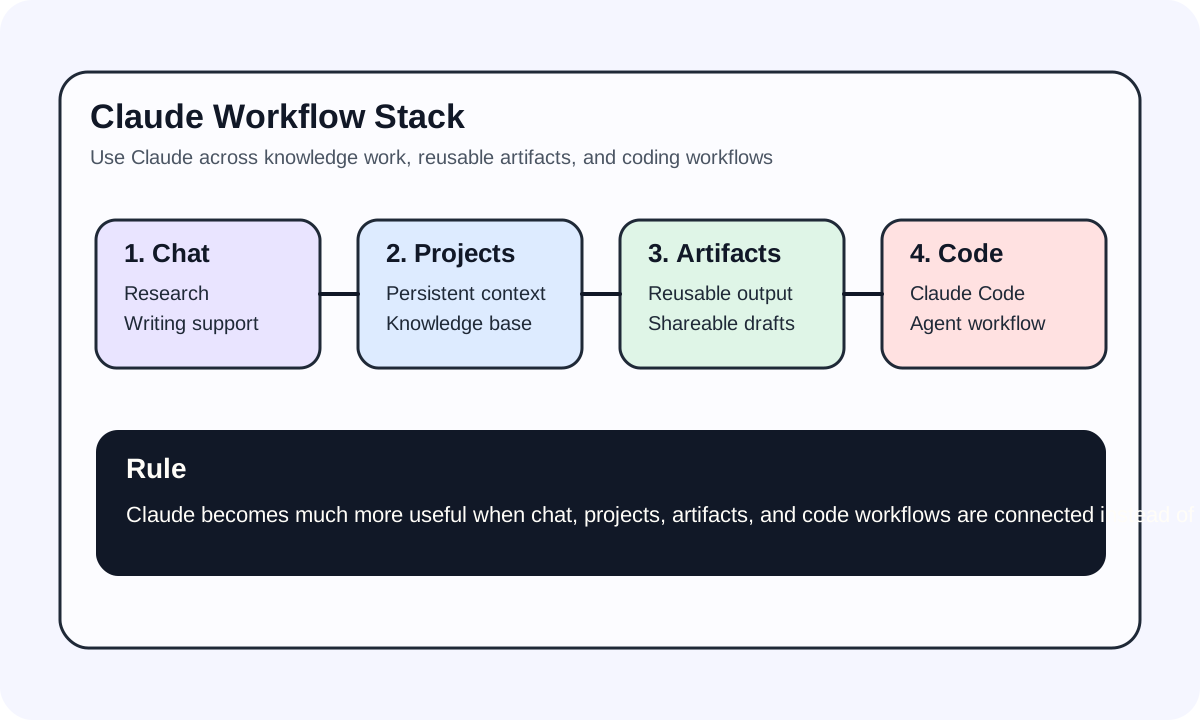
#The product makes more sense when you split it up
Claude is easier to understand when you separate it into a few layers:
Claude.aifor chat, Projects, and knowledge workArtifactsfor reusable outputsClaude Codefor agentic coding in the terminal- the
Anthropic APIfor model access, tools, streaming, and structured output
That is why Claude often makes more sense as a workflow system than as a single feature.
#Where Claude is strongest
- long documents and research-heavy context
- writing, rewriting, and summarisation
- code analysis, debugging, and review
- repeatable work that benefits from persistent context
If your work depends on continuity and stable expression, Claude usually feels stronger there.
#The value is not one chat window
Many people try Claude a few times, ask generic questions, and decide it feels similar to everything else. The bigger difference shows up once the pieces connect:
- keep long-running material inside
Projects - save reusable outputs in
Artifacts - switch to
Claude Codefor engineering work - use the
Anthropic APIinside products
Once those layers connect, Claude stops feeling like "just chat."
