






GitHub Copilot Guide
GitHub Copilot still wins a lot of teams over for a very simple reason: it does not ask them to change much. If a company already lives in VS Code, JetBrains, GitHub, and the usual review workflow, Copilot slides into that setup without forcing a bigger tooling conversation on day one. That sounds less exciting than a brand-new AI editor, but in real teams it matters a lot.
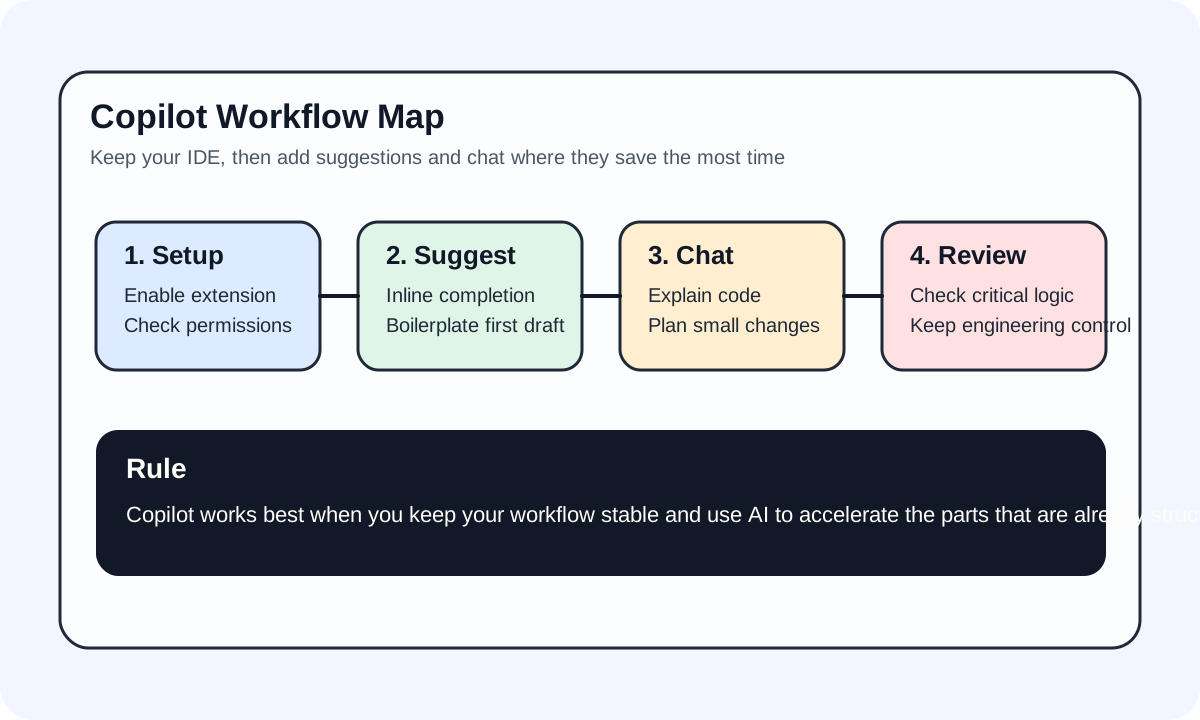
#Where Copilot fits naturally
Copilot tends to fit best when the team wants help inside the tools it already uses:
- you want AI help without changing editors
- you already work inside VS Code, JetBrains, or Visual Studio
- you want stable completion and chat before trying heavier agent workflows
In practice, Copilot feels more like an AI layer inside your existing workflow than a tool that asks you to rebuild your setup.
#What people often miss about Copilot now
Copilot is no longer just autocomplete. It now spans a few useful layers:
Suggestionsfor faster code draftingChatfor explanation, modification, and codebase questions- IDE, CLI, and GitHub surfaces that extend the workflow beyond one sidebar
Plenty of people still think of Copilot as autocomplete with branding. That is not really the full picture anymore. If you only use it for inline suggestions, you are using the safest and shallowest part of what it offers.
#A more realistic way to adopt it
- get inline suggestions working properly
- use chat on real code explanation and small edits
- decide whether it deserves a place in your daily workflow
That order matters because a lot of teams overbuy into AI tooling before they know whether the basics are even useful in their actual codebase.
#When Copilot is a better choice than an AI-native editor
- you care most about staying in your current IDE
- you do not want AI tooling to change your habits much
- your team values GitHub alignment and enterprise acceptance
That is one reason Copilot is often easier to roll out inside companies.