
Generate Web Apps with Bolt
Honestly, the first time I opened Bolt.new I thought it was a toy. Type one sentence, and 30 seconds later a complete React app is running in your browser -- with routing, styling, clickable interactions. The experience was so wild that you'd wonder: "Can this thing actually be used in production?"
The answer: it depends. Bolt is currently the fastest prototyping tool in specific scenarios. Bar none. But it's not a silver bullet, and you need to know where its boundaries are.
What Is Bolt.new
One-liner: Bolt is a browser-based AI full-stack development environment where you describe requirements in natural language and it generates a complete, runnable web application.
Analogy: Like walking into a restaurant and telling the waiter "I want something spicy, with meat, served with rice," and the kitchen just brings out a dish. You don't need to know what the kitchen looks like, and you don't need to chop anything yourself.
How to use this at work: PM needs to validate an idea, designer needs an interactive prototype, developer needs to quickly build an internal tool -- open bolt.new, describe the requirement, 3-minute result.
Most common mistake: Thinking Bolt can handle complex backend logic. Its strength is frontend. Backend capabilities are very limited. Someone on our team built what looked like a complete SaaS with Bolt, only to discover the data was stored in browser memory -- refresh and it's gone.
Under the Hood: StackBlitz WebContainers
Bolt doesn't run your code on a remote server. It uses StackBlitz's WebContainers technology -- running a Node.js environment directly in the browser.
This means:
- Zero config: No need to install anything, just open a webpage and start coding
- Instant preview: Change code, the preview panel updates in real time
- Offline friendly: Most operations don't need internet (except AI generation)
But it also means:
- Can't run Python, Go, or other non-Node.js backends
- Can't connect to a real database (unless via external APIs)
- Browser memory and performance have ceilings
From Zero to Deploy: Complete Flow
Step 1: Open bolt.new
Go to bolt.new. You can start without signing up (limited free credits). Simple interface: an input box and a preview area.
Step 2: Write Your First Prompt
This is the most critical step. Prompt quality directly determines output quality.
Bad example (don't do this):
Make me an app
This prompt is like going to a restaurant and saying "give me some food." AI will generate a generic todo app that has nothing to do with what you want.
Good example (do this):
Build a personal expense tracker with the following requirements:

Tech stack: React + TypeScript + Tailwind CSS

Pages:
1. Dashboard - shows total expenses this month, a pie chart by category, and recent transactions list
2. Add Expense - form with fields: amount (number), category (dropdown: Food, Transport, Entertainment, Bills, Other), date (date picker), note (optional text)
3. History - searchable/filterable table of all expenses, sorted by date descending

Data: Store in localStorage with a clear data structure. Use a custom hook useExpenses() for all CRUD operations.

UI: Clean, modern design. Use a bottom navigation bar for mobile. Color scheme: white background, indigo-600 as primary color.

Must include: loading states, empty states, form validation, responsive design.
Step 3: Review and Iterate
After Bolt generates code, a live preview appears on the right. At this point you need to:
- Click through every feature -- check for errors
- Test responsiveness -- resize the browser window, check mobile view
- Look at code structure -- browse the file tree on the left
Found issues? Add follow-up instructions in the chat:
The pie chart is not showing. Fix it and also:
- Add a "delete expense" button with confirmation dialog
- Make the category dropdown have colored dots next to each option
- Add a dark mode toggle in the header
Step 4: Deploy
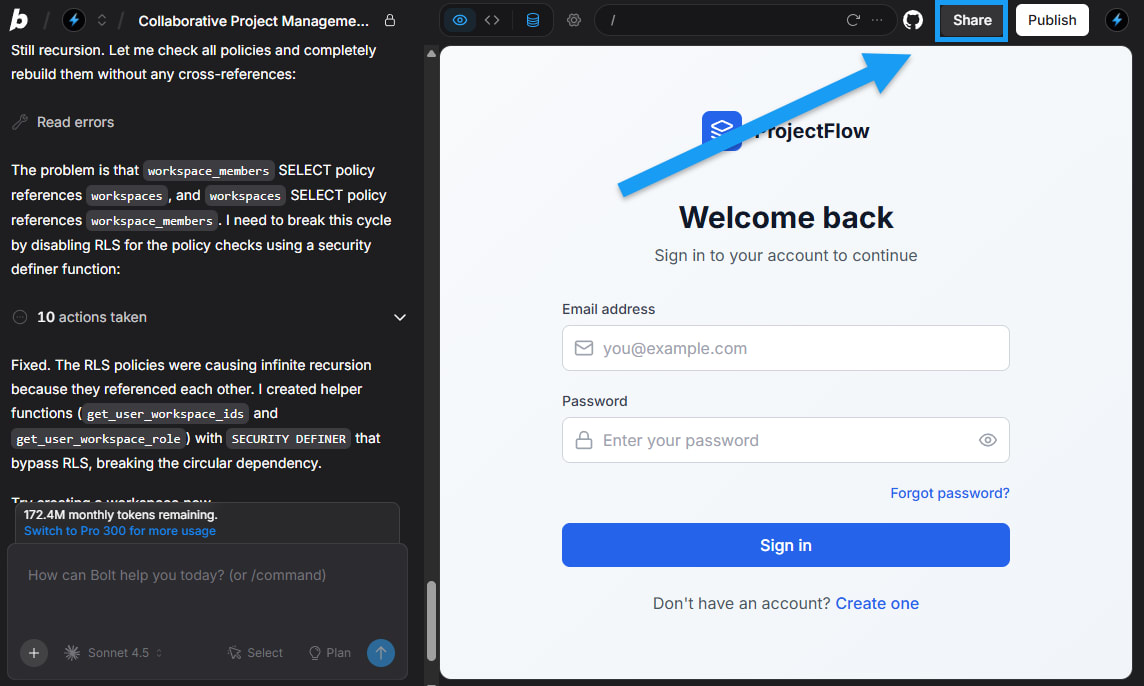
Bolt has built-in Netlify deployment. Click the "Deploy" button and you'll get a public URL in seconds.
Bottom line: if it's just for demos, Bolt's built-in Netlify deploy is fine. For long-term maintenance, download the code and push to your own GitHub repo.
Good Prompt vs Bad Prompt
We've hit many pitfalls and found a pattern: Bolt's output quality is 80% determined by your prompt.
| Dimension | Bad Prompt | Good Prompt |
|---|---|---|
| Tech stack | Not specified | "React + TypeScript + Tailwind" |
| Page structure | "make some pages" | List specific content for each page |
| Data storage | Not mentioned | "localStorage" or "mock API" |
| UI details | "make it pretty" | Specify colors, layout, component library |
| Interaction states | Not mentioned | "loading, empty, error states" |
| Responsive | Not mentioned | "mobile-first, bottom nav on mobile" |
Quick note: Bolt works much better with English prompts than Chinese. Not bias -- its training data is mostly English technical docs. Chinese prompts create ambiguity, and generated code quality drops noticeably.
Bolt's Strengths
- Unbeatable speed: From idea to interactive prototype in 3-5 minutes. Nothing else is faster
- Zero environment setup: No Node.js install, no npm install, no ESLint config. Open browser and go
- Instant preview: Change one line, right side updates immediately. Cursor can't give you this feedback loop
- Simple deployment: One-click Netlify, no CI/CD needed
- Version switching: Can revert to previous versions, no fear of breaking things
Bolt's Weaknesses (Honestly)
I need to be upfront here. Our team found these issues in real projects:
1. Backend capabilities are basically zero
Bolt's "backend" is actually browser-side mocking. Those API calls you see? Data's all in memory. Refresh the page, data's gone.
If you need: user login, data persistence, file uploads, third-party API calls -- Bolt can't handle it. Switch to Lovable or Replit Agent.
2. Complex state management breaks easily
Beyond 5-6 interconnected states, Bolt's generated code starts having logic bugs. It doesn't handle complex useEffect dependency chains, nested Contexts, or cross-component communication well.
3. Code quality is hit-or-miss
Bolt's generated code runs, but isn't necessarily maintainable. Common issues:
- All logic crammed into one component (hundreds of lines in a god component)
- Randomly generated CSS class names with poor readability
- No error boundaries
- Sloppy TypeScript type definitions (lots of
any)
4. Gets lost on large projects
Beyond 15-20 files, Bolt starts "forgetting" previous code. You ask it to modify page A, and it might break page B's logic. This is a context window limitation.
Pricing (2025 data)
| Plan | Price | Token allowance | Good for |
|---|---|---|---|
| Free | $0 | Limited (~5-10 full generations) | Testing the waters |
| Pro | $20/mo | Significantly more | Regular individual developers |
| Team | $40/mo/person | Shared team quota | Small teams |
My suggestion: Try the free credits on one or two projects first. If you like it, Pro at $20/mo is solid value. But if your project needs backend, that $20 is better spent on Lovable.
Complete Prompt Template: Copy and Use
Here's a battle-tested prompt template you can apply directly:
Build a [app type] with the following specifications:

## Tech Stack
- React 18+ with TypeScript
- Tailwind CSS for styling
- React Router for navigation
- localStorage for data persistence

## Pages & Features

### Page 1: [page name]
- [specific feature 1]
- [specific feature 2]
- [specific feature 3]

### Page 2: [page name]
- [specific feature 1]
- [specific feature 2]

## Data Model
```typescript
interface [EntityName] {
  id: string;
  [field]: [type];
  createdAt: string;
}
UI Requirements
- Color scheme: [primary] background, [accent] as primary
- Mobile-first responsive design
- Bottom navigation on mobile, sidebar on desktop
- Include: loading states, empty states, error handling
- Smooth transitions between pages
Must Include
- Form validation with helpful error messages
- Search and filter functionality where appropriate
- Confirm dialogs for destructive actions
- Toast notifications for success/error feedback
---

## When to Use Bolt vs When to Switch Tools

| Scenario | Recommended tool | Why |
|------|---------|------|
| Quick UI idea validation | **Bolt** | Fastest, zero config |
| Landing page / showcase | **Bolt** or **v0** | Pure frontend, Bolt's strength |
| SaaS with user login | **Lovable** | Supabase integration |
| Complex backend API needed | **Replit Agent** | Real server environment |
| Adding UI components to existing project | **v0** | Component-level generation |
| Large project iterative dev | **Cursor / Claude Code** | Full IDE experience |
| Python / data projects | **Replit Agent** | Supports Python |

---

## Our Team's SOP in Practice

After months of trial and error, we settled on this SOP:

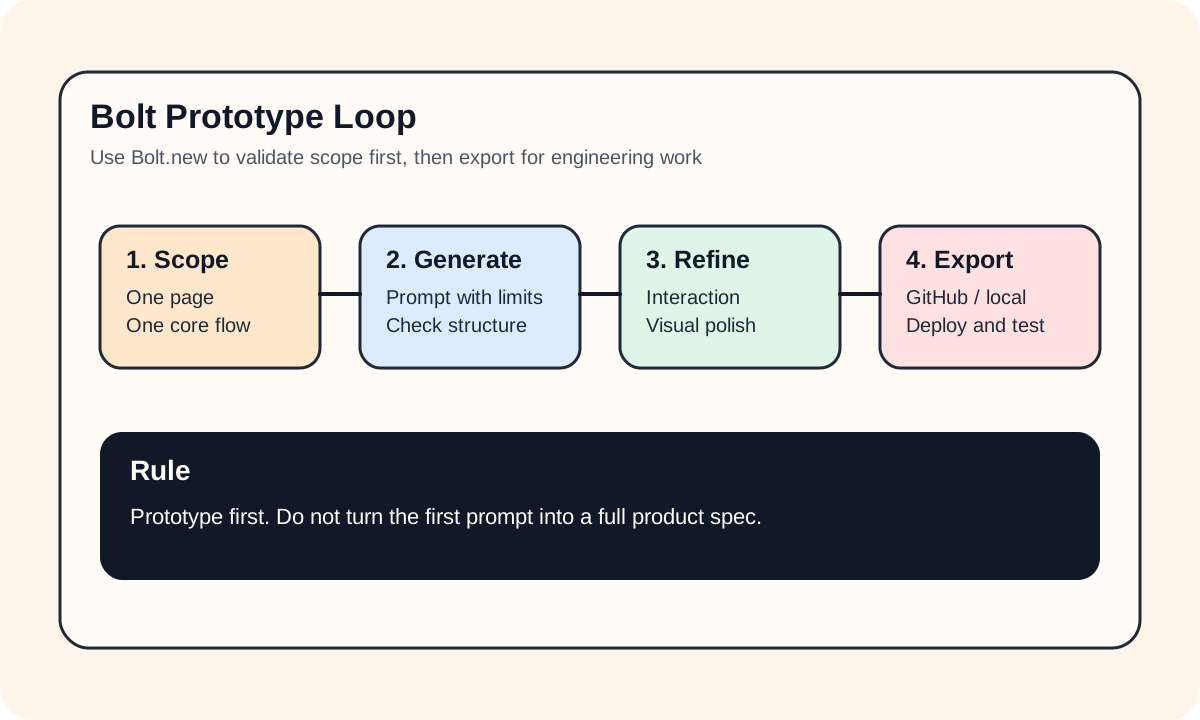
1. **Use Bolt for prototyping** (within 30 minutes)
   - Write the prompt, generate first version
   - Quick iterate 2-3 rounds, confirm UI and interactions

2. **Screenshots + screen recordings for the team**
   - Bolt prototypes are more intuitive than Figma because they're clickable

3. **Decide whether to upgrade**
   - If it's just internal tools / demos -> deploy directly from Bolt
   - If it's going to production -> export code, continue development in Cursor

4. **Code cleanup**
   - Bolt's exported code needs refactoring: split components, add types, write tests
   - This step can't be skipped, but it's 10x faster than starting from zero

---

## Pitfall Diary

We had a classic situation: PM built a dashboard prototype in Bolt, showed it to the client, client loved it and said "just ship this." PM turned to engineering and said "Bolt already built it, you just need to deploy."

Engineering took one look: all data was hardcoded mock, no API integration, no error handling, mobile view was completely broken.

Lesson: **Bolt generates prototypes, not products.** There's still a ton of work between prototype and product. Set this expectation with stakeholders early to avoid a lot of back-and-forth.

---

## Summary

Bolt is one of the most exciting prototyping tools of 2024-2025. It compressed "idea to interactive product" from days to minutes. But its positioning is **rapid prototyping + simple frontend apps**, not a full-stack development tool.

The laziest approach:
- Prototype validation -> Bolt
- Add backend -> Lovable
- Complex projects -> Cursor + Claude Code

Knowing each tool's boundaries is more valuable than asking "which tool is the best."