
Full-Stack Apps with Lovable
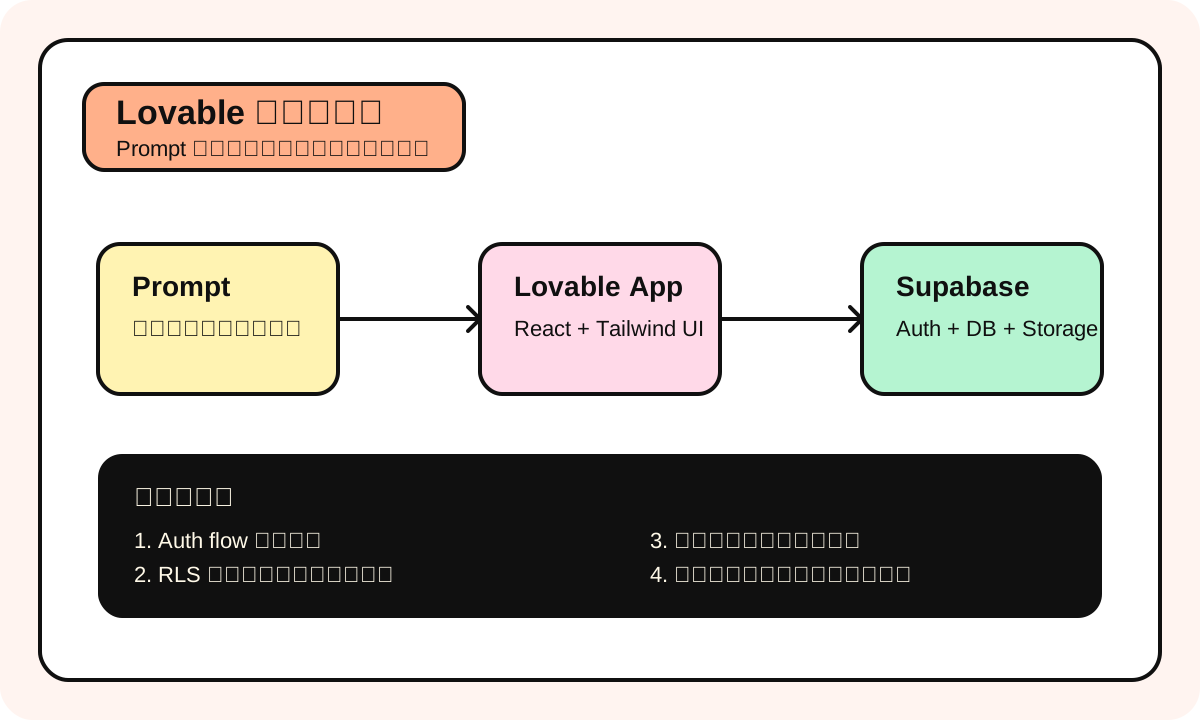
Bottom line up front: if you want to build a web app with user login, a database, and deployable to production -- the path of least resistance in 2025 is Lovable + Supabase. Not because it's the most powerful, but because it has the least friction from idea to launch.
Our team built an internal customer management tool with Lovable. From describing requirements to a working version: 4 hours. Same functionality with traditional development: at least a week. Not an exaggeration -- real experience.
What Is Lovable
One-liner: Lovable (formerly GPT Engineer) is an AI full-stack app generation platform with built-in Supabase backend integration, capable of generating complete apps with real databases and user authentication.
Analogy: If Bolt is "drawing an architectural rendering for you," Lovable is "building the house with plumbing and electricity connected."
How to use this at work: Founders validating SaaS ideas, teams building internal management tools, freelancers delivering client projects fast.
Most common mistake: Supabase's Row Level Security (RLS) policies. Lovable creates database tables for you, but RLS rules are often wrong -- either everyone can see all data, or nobody can see anything. We had one case: during a client demo, user A could see user B's orders. Awkward moment right there.
Lovable vs Bolt: Why They're Different
Many people treat Lovable and Bolt as the same kind of tool, but their positioning is completely different.
| Dimension | Bolt | Lovable |
|---|---|---|
| Core capability | Frontend prototypes | Full-stack apps |
| Backend | None (mock data) | Supabase (real database) |
| User auth | None | Built-in (email, Google, GitHub) |
| Data persistence | localStorage | PostgreSQL (via Supabase) |
| File uploads | Not supported | Supabase Storage |
| Deployment | Netlify (static) | Lovable Hosting / custom domain |
| Code style | React + random CSS | React + shadcn/ui + Tailwind |
| Best for | Quick prototypes, Landing Pages | SaaS MVP, admin dashboards, CRUD apps |
| Price | $20/mo Pro | $20/mo Starter |
Straight talk: If your app doesn't need user login and a database, Bolt is faster. Once you need backend, Lovable is the better choice.
Lovable's Killer Feature: Supabase Integration
Supabase is the open-source Firebase alternative, built on PostgreSQL. Lovable made Supabase integration nearly seamless.
When you tell Lovable "I need user login," it'll:
- Create a Supabase project (or connect an existing one)
- Configure Auth (email registration, OAuth)
- Create user-related database tables
- Set up Row Level Security policies
- Generate login/signup pages on the frontend
- Wire up the frontend-backend auth flow
Doing all this manually takes an experienced developer at least half a day. Lovable does it in minutes.
What Supabase Gives You
| Feature | Description | Lovable integration level |
|---|---|---|
| PostgreSQL database | Real relational DB with SQL support | Auto-creates tables and queries |
| Authentication | Email, Google, GitHub login, etc. | Auto-configured, generates login UI |
| Storage | File/image upload storage | Auto-configured buckets |
| Row Level Security | Data permission control | Auto-generates policies (needs manual review) |
| Realtime | Real-time data subscriptions | Partial support |
| Edge Functions | Server-side logic | Limited support |
From Zero to Launch: Complete Flow
Step 1: Create Project
Go to lovable.dev, sign up, click "New Project."
Step 2: Describe Your App
This is the most critical step. Like Bolt, prompt quality is everything. But Lovable prompts need one extra dimension: data structure and permissions.
Full Prompt Example -- SaaS Customer Management Tool:
Build a customer management SaaS application.

## Authentication
- Email/password signup and login
- Google OAuth login
- After signup, redirect to dashboard
- Protect all routes except landing page

## Database Schema

### customers table
- id (uuid, primary key)
- user_id (uuid, references auth.users - the owner)
- name (text, required)
- email (text)
- phone (text)
- company (text)
- status (enum: 'lead', 'active', 'inactive')
- notes (text)
- created_at (timestamp)
- updated_at (timestamp)

### interactions table
- id (uuid, primary key)
- customer_id (uuid, references customers)
- user_id (uuid, references auth.users)
- type (enum: 'call', 'email', 'meeting', 'note')
- content (text)
- created_at (timestamp)

## Row Level Security
- Users can only see their own customers
- Users can only see interactions for their own customers

## Pages

### Landing Page (public)
- Hero section with product description
- Features grid (3 columns)
- Pricing section
- CTA button → signup

### Dashboard (authenticated)
- Stats cards: total customers, active customers, new this month
- Recent interactions list
- Quick add customer button

### Customers List (authenticated)
- Searchable, filterable table
- Filter by status
- Click row → customer detail page
- Bulk actions: export CSV, change status

### Customer Detail (authenticated)
- Customer info card (editable)
- Interaction timeline
- Add interaction form
- Delete customer (with confirmation)

## UI
- Use shadcn/ui components
- Clean, professional design
- Color scheme: slate gray + blue accents
- Responsive: works on mobile and desktop
- Toast notifications for all actions
Step 3: Connect Supabase
Lovable will prompt you to connect Supabase. Two options:
- Let Lovable auto-create -- easiest, one click
- Connect existing project -- enter Supabase URL and anon key
I'd recommend auto-create for your first time. Use an existing project once you're comfortable.
Step 4: Review Generated Results
After Lovable generates, you need to check:
- Database table structure -- Go to Supabase Dashboard and verify tables
- RLS policies -- This is where things go wrong most often, check permissions carefully
- Auth flow -- Register a test account, walk through the complete flow
- CRUD operations -- Test create, read, update, delete
Step 5: Iterate
Add requirements in the chat:
Add these changes:
1. Add a "tags" field to customers (array of strings, multi-select input)
2. Add an export to CSV button on the customers list page
3. Add a simple chart on the dashboard showing customers added per month (last 6 months)
4. Fix: the phone field should format as you type (Australian format: 04XX XXX XXX)
Step 6: Deploy
Lovable has built-in hosting. Click "Publish" and you're live. Custom domains are supported too.
Lovable's UI Quality
Honestly, this is a hidden advantage. It uses shadcn/ui for generated interfaces, and the results look significantly better than Bolt.
shadcn/ui is the hottest React component library of 2024-2025 -- strong design sense, customizable, zero dependencies. Lovable's generated code uses shadcn/ui components directly, which means:
- Visual consistency (no mismatched styles across components)
- High component quality (accessible, keyboard navigable)
- Easy post-generation customization (all component code lives in your project, not an npm package)
Compare to Bolt's generated UI -- often "works but ugly," needing lots of manual style tweaking. Lovable's generated UI is basically presentable to clients without major changes.
Lovable's Weaknesses
1. Complex business logic isn't handled well
Multi-table join queries, complex calculation logic, multi-step workflows -- Lovable generates runnable code, but the logic often has holes.
We had this happen: generated an order management system, Lovable implemented "cancel order" as directly deleting the database record instead of marking status as cancelled. No refund logic either. AI can't guess business logic like this -- you need to spell it out in your prompt.
2. RLS policies need manual review
Mentioned earlier -- this is the biggest gotcha. Lovable's generated RLS policies might be:
- Too permissive: everyone can see everything
- Too restrictive: nobody can even see their own data
- Missing: some tables forgot RLS entirely
Laziest fix: After every time Lovable creates or modifies table structure, go to Supabase Dashboard -> Authentication -> Policies and manually verify.
3. Can't use non-Supabase backends
If your backend is NestJS, Django, Express -- Lovable can't help. It's deeply coupled to Supabase. That's both its advantage and limitation.
4. Maintenance after code export
Lovable's code structure is reasonably clean, but issues exist:
- Component granularity sometimes too coarse (300+ line components)
- State management leans simple (heavy useState, no Zustand or Redux)
- API calls scattered throughout components, no unified service layer
If you plan to maintain this project long-term, first thing after exporting code is one round of refactoring.
Pricing (2025 data)
| Plan | Price | Core limits | Good for |
|---|---|---|---|
| Free | $0 | 5 generations/day | Testing waters |
| Starter | $20/mo | More generation credits | Personal projects |
| Launch | $50/mo | Much more + custom domain | Serious products |
| Scale | $200/mo | Team collab + priority gen | Teams/companies |
Note: Supabase has its own pricing too. Free plan is enough for development and testing, but once production data volume grows you might need paid ($25/mo starting).
So actual cost is: Lovable monthly + Supabase monthly. For MVP stage, both free plans are sufficient.
What Lovable Is Best For
Straight conclusions -- Lovable is the optimal choice for these scenarios:
| Scenario | Why choose Lovable |
|---|---|
| SaaS MVP | Auth + DB + UI in one shot |
| Internal management tools | CRUD apps are its sweet spot |
| Dashboard apps | Data display + charts + filters |
| Products needing user systems | Supabase Auth works out of the box |
| Working prototype for client demos | More "real" than Bolt, with actual data |
Not ideal for Lovable
| Scenario | Use instead |
|---|---|
| Pure frontend/Landing Page | Bolt or v0, faster |
| Complex backend APIs | Write it yourself, use Cursor |
| Python/ML projects | Replit Agent |
| Mobile apps | React Native + Cursor |
| Have backend, only need frontend | v0 + manual integration |
Complete Prompt Template
Build a [app type] SaaS application with Supabase backend.

## Authentication
- [login methods: email/Google/GitHub]
- Protected routes for authenticated users
- Landing page is public

## Database Schema

### [table1] table
- id (uuid, primary key)
- user_id (uuid, references auth.users)
- [field] ([type], [constraint])
- created_at (timestamp)

### [table2] table
- id (uuid, primary key)
- [foreign key field] (uuid, references [table1])
- [field] ([type], [constraint])
- created_at (timestamp)

## Row Level Security
- [permission rule 1: who can see what]
- [permission rule 2: who can modify what]

## Pages

### [page name] ([public/authenticated])
- [feature description]
- [UI description]

## UI Style
- shadcn/ui components
- [color scheme]
- Responsive design
- Toast notifications for feedback
Pitfall Diary
Here's a real case we ran into.
Built an event registration system with Lovable. Simple functionality: user signs up -> selects event -> registers -> pays. Lovable generated it fast, UI was beautiful.
Problem showed up with "concurrent registration." Two users register for the last spot at the same time. Lovable's generated code had no optimistic locking or transaction handling, so both registrations succeeded. Capacity exceeded.
No AI Builder tool can automatically handle this kind of concurrency issue right now. You must either explicitly write it in your prompt or manually add database functions in Supabase after generation.
Lesson: AI Builder is great for 80% of standard functionality. The remaining 20% of edge cases you must think of and handle yourself.
Graduating from Lovable
When your project reaches these stages, it's time to move out of Lovable:
- Need custom API endpoints -- Supabase Edge Functions have limitations
- Need complex background jobs -- Scheduled tasks, queue processing
- Team exceeds 3 concurrent developers -- Lovable's collaboration features are limited
- Need microservices architecture -- Beyond Lovable's capability range
Migration path: Lovable export code -> GitHub -> Cursor/VS Code -> manage Supabase yourself or migrate to another backend.
This migration is smoother than Bolt because Lovable's code structure is relatively standard, and Supabase itself is a service you can manage independently.