
Visual Orchestration with Dify
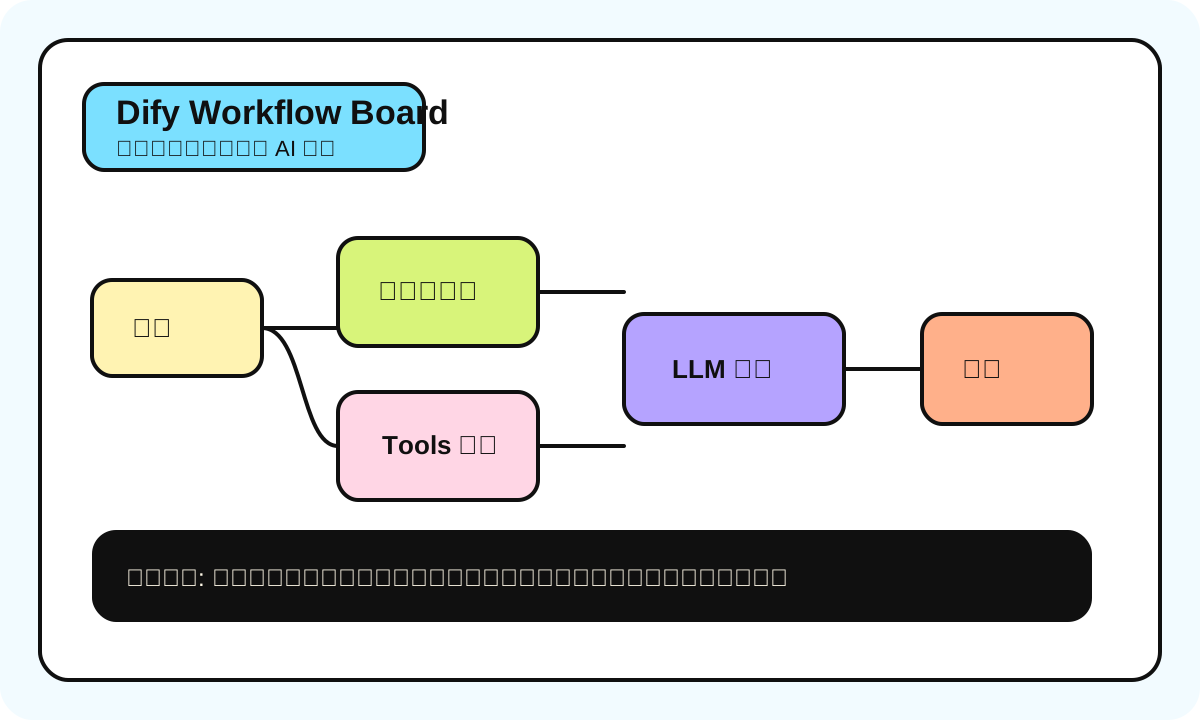
Honestly, most people hearing "AI workflow orchestration" for the first time imagine writing Python, calling APIs, doing prompt engineering. But Dify did something: turned all of that into drag-and-drop. You don't need to write a single line of code to build a working AI application.
Sounds like magic? After building a few real workflows, you'll realize it's more like assembling Lego. Each block (node) has a fixed function. Your job is figuring out how to connect them.
What Is Dify
One-liner: Dify is an open-source LLMOps platform that lets you build AI applications through visual drag-and-drop instead of writing code.
Analogy: If you've used Zapier or Make.com for automation -- Dify is the AI version. Zapier connects SaaS tools (Gmail -> Slack -> Google Sheets). Dify connects AI models and data sources (user question -> knowledge retrieval -> LLM generation -> formatted output).
How to use this at work: A PM wants to quickly validate "adding an AI assistant to customer service." No waiting for dev sprints -- just drag and drop one yourself, connect company FAQ docs, half-day demo done.
Most common mistake: Thinking Dify can replace all backend development. It handles AI-related logic really well, but complex business logic (multi-step approvals, permission management, database transactions) isn't its strength. Someone on our team built a "smart approval system" with Dify, and 80% of the time was spent writing HTTP Request nodes to call external APIs. Should've just written code.
Self-Hosted vs Cloud: Which One
Bottom line:
| Dimension | Dify Cloud (dify.ai) | Self-hosted (Docker) |
|---|---|---|
| Setup speed | Register and use, 5 minutes | Need a server + Docker, 30 min minimum |
| Free tier | 200 messages/day (Sandbox Plan) | Unlimited, but you pay for LLM API fees |
| Data privacy | Data on Dify servers | Data on your own server |
| Best for | Personal learning, quick validation | Enterprise production, sensitive data |
| Maintenance | Zero | Version updates, DB backups, server costs |
| Version | Always latest | Must manually docker-compose pull to update |
My advice: Start with Cloud to learn workflow building. Only self-host once you've confirmed you're going to production. Too many people jump straight into Docker deployment without understanding Dify's basic concepts.
Quick note: Dify's self-hosted version updates very frequently -- nearly every two weeks. From v0.6 to v0.7, the database structure changed, and quite a few people's workflows broke after upgrading. So if you self-host, always back up the database before upgrading.
Core Concepts: Four Things You Must Understand
1. Workflow
A processing chain from input to output. User gives input, it goes through a series of nodes, and produces a result.
Two types:
- Chatflow: Conversational, good for customer service bots and Q&A assistants. Has context memory, supports multi-turn dialogue.
- Workflow: Single execution, good for batch processing. Input -> process -> output, no conversation history.
Honestly, 90% of scenarios work fine with Chatflow. Only batch processing (like "translate all 100 of these articles") needs Workflow mode.
2. Knowledge Base
Upload documents (PDF, Word, web pages, Notion), and Dify chunks, vectorizes, and stores them in a vector database. Then the LLM can retrieve these documents when answering questions.
This is what people call RAG (Retrieval-Augmented Generation).
Key parameter: chunk size
This is where we've hit the most pitfalls. Chunk size determines how big each document segment is:
| Chunk Size | Effect | Good for |
|---|---|---|
| 200-300 words | Precise retrieval, but might lose context | FAQ, Q&A pairs, short entries |
| 500-800 words | Balance between precision and context | Best starting point for most scenarios |
| 1000+ words | Rich context, but retrieval may be imprecise | Long documents, technical manuals |
We had a real case: fed a 200-page product manual to a customer service bot using default chunk size (1000 words). User asked "what's the return policy," and the AI returned a long block containing return info mixed with shipping info. Changed to 300-word chunks and answers got much more precise.
3. Tools
Dify has built-in tools (Google search, weather queries, calculator), and you can connect your own APIs via OpenAPI schemas.
The value here is making AI not just "chat" but actually "do things." Like when a user says "check today's weather in Beijing," AI calls a weather API, gets data, and replies in natural language.
4. Variables
Nodes in a workflow pass data between each other via variables. One node's output becomes the next node's input.
Written as {{node_name.output}}, similar to template engines. Anyone who's done frontend will find this familiar.
One gotcha: Variable names are case-sensitive. {{LLM.output}} and {{llm.output}} are not the same thing. I've wasted 2 hours debugging this.
Node Type Quick Reference
Dify workflows are composed of various nodes, each doing one thing:
| Node | Function | Usage frequency | Notes |
|---|---|---|---|
| Start | Define input variables | Every workflow has one | Set user input fields and types |
| LLM | Call large language model | ★★★★★ | Core node -- write prompt, pick model, set temperature |
| Knowledge Retrieval | Retrieve from knowledge base | ★★★★ | RAG core -- configure top-k and score threshold |
| IF/ELSE | Conditional branching | ★★★ | Route based on variable values |
| Code | Run Python/JS | ★★★ | Data processing, format conversion, complex logic |
| HTTP Request | Call external APIs | ★★★ | Connect any REST API |
| Template | Text template | ★★ | Format output with Jinja2 |
| Variable Assigner | Variable assignment | ★★ | Modify variable values mid-flow |
| End | Define output | Every workflow has one | Determine final content returned to user |
Hands-On: PDF Summary + Email Notification Workflow
Real business scenario: team receives tons of supplier PDF reports daily. Someone needs to read them, write summaries, then email relevant colleagues.
Flow Design
Start (upload PDF URL)
  -> HTTP Request (download PDF content)
  -> Code (extract text)
  -> LLM (generate summary)
  -> IF/ELSE (does summary contain urgent keywords)
  -> HTTP Request (send email notification)
  -> End (return summary)
Step 1: Start Node
Add a file_url input variable, type String.
Step 2: HTTP Request to Download PDF
- Method: GET
- URL:
{{start.file_url}} - This step gets the raw PDF content
Step 3: Code Node to Extract Text
def main(inputs):
    # Dify's Code node supports simple Python
    raw_content = inputs["http_response"]
    # In real scenarios you might need PDF parsing
    # Simplified handling here
    return {"text": raw_content[:5000]}
Step 4: LLM Generates Summary
Prompt design:
You are a professional business analyst. Read the following document and generate a concise summary in Chinese.

Requirements:
1. Keep it under 200 words
2. Extract key data points and conclusions
3. Flag whether there are urgent items requiring attention

Document content:
{{code.text}}
Model selection: For summary tasks, GPT-4o-mini or Claude 3.5 Haiku is sufficient. No need for the most expensive model.
Step 5: IF/ELSE for Urgency
Condition: {{llm.output}} contains "urgent"
- If yes -> Take urgent notification path (email + Slack)
- If no -> Take normal path (just log it)
Step 6: HTTP Request to Send Email
Send via webhook or email API (like SendGrid or Resend).
This workflow takes about 15 minutes to build. Implementing the same functionality in code, plus error handling and deployment, would take at least half a day.
Dify vs Coze vs n8n: Which One
This is what everyone cares about most. Direct comparison:
| Dimension | Dify | Coze | n8n |
|---|---|---|---|
| Positioning | AI app dev platform | AI bot builder | General automation platform |
| Open source | ✅ Apache 2.0 | ❌ Closed | ✅ Limited open source |
| Self-host | ✅ Docker one-click | ❌ Official platform only | ✅ Docker deployment |
| AI focus | ★★★★★ Built for AI | ★★★★ Bot-focused | ★★★ AI is one of many features |
| Non-AI integrations | ★★ Basic HTTP | ★★★ Plugin marketplace | ★★★★★ 400+ integrations |
| Learning curve | Medium | Low | Medium-high |
| Chinese ecosystem | ✅ Good docs | ✅ Natively Chinese | ⚠️ Community translations |
| Best for | Developers, technical PMs | Ops, content creators | DevOps, automation engineers |
Bottom line:
- Building AI apps (customer service, Q&A, content generation) -> Dify
- Quick multi-platform bot -> Coze
- Complex cross-system automation where AI is just one piece -> n8n
- Data can't leave your servers -> Dify self-host
Pricing: Don't Get Fooled by "Free"
| Plan | Price | Messages | Knowledge base | Team |
|---|---|---|---|---|
| Sandbox | Free | 200/day | 5MB | 1 person |
| Professional | $59/mo | 5,000/mo | 200MB | 3 people |
| Team | $159/mo | 10,000/mo | 1GB | Unlimited |
| Self-hosted | Free (open source) | Unlimited | Unlimited | Unlimited |
Quick note: Sandbox's 200/day includes your own testing messages. During development with repeated debugging, 200 a day isn't enough. I've burned through the quota in one afternoon, then had to wait until the next day.
Self-hosted looks free, but don't forget you're paying for:
- Server costs (minimum 2C4G, ~$20/mo)
- LLM API fees (this is the big one)
- Vector database storage (gets large with lots of docs)
The Version Management Pain
Dify's iteration speed (as of late 2025) is "aggressive" level. v0.6 -> v0.7 -> v0.8 -> v0.9, nearly every major version has breaking changes.
Version disasters we've lived through:
- v0.6 -> v0.7: Workflow variable reference syntax changed. All
{{#node_id.output#}}had to become{{node_id.output}}. Dozens of workflows to fix manually. - v0.8 knowledge base: Introduced new embedding model switching, but after upgrade, old embedding indexes were incompatible. Had to re-index all documents.
- Docker image tags: For a while, the
latesttag pointed to nightly builds, not stable releases. People runninglatestin production cried.
Laziest approach:
- Self-hosted: Lock to specific version numbers, don't use
latest - Check GitHub Release Notes for Breaking Changes before every upgrade
- Run in staging before upgrading production
Common Errors and Solutions
| Error | Cause | Solution |
|---|---|---|
| Knowledge base retrieval returns empty | Chunk size too large, or embedding model mismatch | Reduce chunk size (300-500), ensure embedding and retrieval models match |
| LLM node timeout | Prompt too long or model response slow | Shorten prompt, switch to faster model (GPT-4o-mini) |
| Variable reference error | Wrong case or node not connected | Check node connections, confirm variable names match exactly |
| HTTP Request fails | Target API requires auth or has CORS restrictions | Add Authorization in Headers. Self-host has no CORS issues |
| Workflow behaves differently after publishing | Editor uses draft version | Must click "Publish" after each change -- it doesn't auto-save |
From Workflow to API: One-Click API Endpoint
Workflows built in Dify can directly generate API endpoints. In the app settings page, find API Access and you'll get:
- Base URL
- API Key
- Curl example
curl -X POST 'https://api.dify.ai/v1/workflows/run' \
  -H 'Authorization: Bearer app-xxxxxxxxxxxx' \
  -H 'Content-Type: application/json' \
  -d '{
    "inputs": {
      "file_url": "https://example.com/report.pdf"
    },
    "response_mode": "blocking",
    "user": "user-123"
  }'
response_mode has two options:
blocking: Wait for workflow to finish, then return (good for short tasks)streaming: Return results as they come (good for generating long text)
This means any workflow you build in Dify can be called by other systems. Frontend apps, WeChat bots, enterprise internal systems -- anything that can make HTTP requests.
When NOT to Use Dify
Honestly, Dify isn't a silver bullet. These scenarios, just write code:
- Complex state management: Multi-step approvals, flows needing rollback and retry
- High concurrency: Hundreds of requests per second -- Dify's performance isn't enough
- Deep UI customization: Dify's built-in WebApp interface is basic. Nice frontends still need custom code
- Model fine-tuning: Dify supports calling fine-tuned models, but fine-tuning itself needs other tools
But if your need is "connect LLM + knowledge base + simple logic + ship fast," Dify is currently the laziest option. Especially for non-full-time developers -- PMs, ops people, founders -- Dify lowered the AI app development barrier to "if you can use Excel, you can build this."
Get it running first, then optimize. That's the right AI Builder mindset.