
MVP Planning & Tool Selection
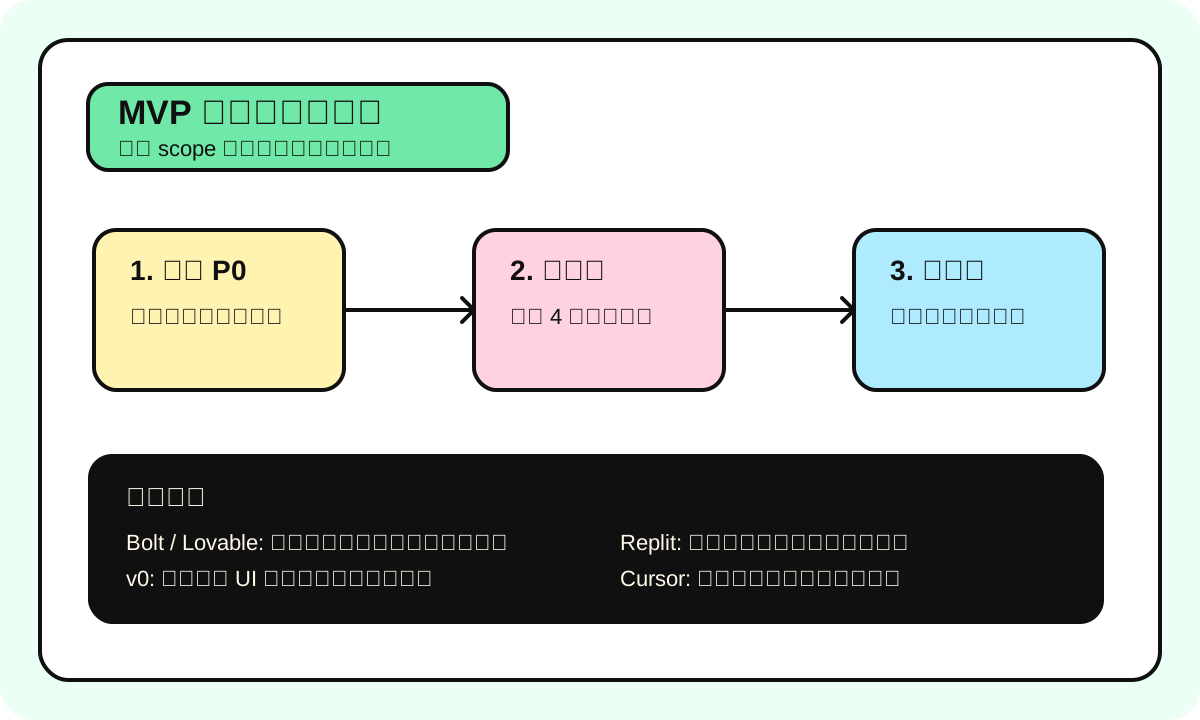
If you've spent more than 10 minutes and still can't explain what your MVP does to someone else, it's too complex. Cut features, don't add them.
We call this the "10 minute rule" internally: can you whiteboard all your MVP pages and core flows to a non-technical friend in 10 minutes? If not, you haven't thought it through yet.
This chapter covers two things: how to plan MVP scope, and what tools to use.
How Small Should an MVP Actually Be
One-liner: MVP is Minimum Viable Product -- the smallest product that can validate your core hypothesis. Note it's "minimum" not "crappy" -- the core experience must be complete.
Analogy: It's not giving users a wheel and saying "imagine this is a car." It's giving them a skateboard -- simple, but you can actually get from point A to point B. The boundary of this analogy: skateboards and cars might target different users, but an MVP's users and the final product's users should be the same people.
How to use this at work: Your PRD has P0 through P2 feature lists. MVP = only P0. P1 and P2 come after MVP validation succeeds.
Most common mistake: Stuffing a user system into the MVP. Honestly, 90% of MVPs don't need user registration. Store data with localStorage, or just allow anonymous use. Validate core value first.
Time Expectations for Different MVP Types
Manage expectations first. A lot of people get misled by Twitter posts like "I built a SaaS in one weekend with AI." What those posts don't tell you: they spent two months on ideation and research, the weekend was just writing the code.
| MVP Type | Typical Example | Reasonable Time | Core Skill Needed |
|---|---|---|---|
| Landing Page + Waitlist | New product teaser page | 1-2 days | Basic HTML/CSS taste |
| Static content site | Blog, docs site, portfolio | 2-3 days | Content prep is the bottleneck |
| Single-function tool | An AI text converter | 3-5 days | API integration |
| Web App with database | Simple CRUD + AI feature | 1-2 weeks | Understanding data models |
| SaaS + Auth + Payment | Full subscription product | 2-4 weeks | Handling Stripe, auth, etc. |
| Two-sided platform | Marketplace (buyer + seller) | 4-8 weeks | Two flows, double complexity |
Honestly, if this is your first AI Builder project, start with a "single-function tool." It's small enough to let you run through the complete cycle: idea -> PRD -> development -> launch -> collect feedback. Do one, then tackle something complex.
Tool Selection: 2025 Mainstream AI Builder Tools Compared
This is the part you care about most. Straight to the table:
| Tool | Positioning | Best at | Not great at | Free tier | Paid price |
|---|---|---|---|---|---|
| Bolt.new | Full-stack AI dev | Fast prototypes, one-sentence app generation | Complex backend logic, limited customization | Limited daily tokens | Pro $20/mo |
| Lovable | AI full-stack dev | High UI quality, good Supabase integration | Pure backend projects, complex APIs | Limited free credits | $20/mo+ |
| v0 by Vercel | UI component gen | Individual React components, high code quality | No backend generation, not full-stack | Free to use | Pro $20/mo |
| Replit | Online IDE + AI | Full-stack dev, one-stop deployment | UI design quality is mediocre | Free tier available | Core $25/mo |
| Cursor | AI code editor | Professional devs, complex projects | Completely non-technical people can't use it | Free 2-week trial | Pro $20/mo |
Which One? Follow This Decision Tree
Can you write code?
│
├─ Not at all ─→ Bolt.new or Lovable
│               │
│               ├─ Care more about UI looking good ─→ Lovable
│               └─ Care more about speed ─→ Bolt.new
│
├─ A little (can read HTML/CSS/JS) ─→ Replit or Bolt.new
│               │
│               ├─ Want to learn code ─→ Replit (full code visibility)
│               └─ Just want fast results ─→ Bolt.new
│
└─ Fairly skilled ─→ Cursor or v0 + local dev
                │
                ├─ Mostly frontend ─→ v0 for components + Cursor to assemble
                └─ Full-stack project ─→ Cursor directly
Real Usage Experience for Each Tool
I've used all these tools on at least one real project. Here's what it's actually like:
Bolt.new
Speed is genuinely fast. Type "build me a TODO app with AI prioritization," and 30 seconds later you've got a running demo. Problem is: once you want to tweak details, like "change button color to #FF5757 and add a hover animation," it often breaks other things while making changes. Good for showing prototypes to people, not for using as production code.
After the early 2025 update it supports Supabase integration, so backend capabilities improved, but complex queries still don't work.
Lovable
Default UI quality is noticeably better than Bolt. What it generates looks more like a "real product," not a demo. Supabase integration is out of the box, so building an app with auth is smooth. Downside is it's a bit slower than Bolt, and if your needs lean backend-heavy, it struggles.
v0
Only does UI components. But in that lane, it's the best. Type "a pricing table with 3 tiers, dark theme, with toggle for monthly/yearly" and the generated code quality might actually be better than what you'd write by hand. Works well paired with other tools: v0 generates components -> copy into your Next.js project -> Cursor handles backend and integration.
Replit
All-in-one philosophy. Write code, run code, deploy -- all in the browser. The AI Agent mode improved significantly in early 2025, handling fairly complete full-stack projects. Biggest advantage is beginner-friendliness -- you see the full code, live preview, and can deploy directly. Biggest downside is performance. The IDE loads slowly, especially for large projects.
Cursor
Honestly, this is the one I use the most. But it's better suited for people with development experience. Cursor's AI completion and chat experience is the best among all tools, supports Claude and GPT model switching, and context understanding is accurate. But you need to set up the project yourself, install dependencies, configure the environment. For people who can't write code, the barrier is too high.
Cost Reality: Don't Get Fooled by "Free"
| Scenario | Tool combo | Monthly cost | Good for |
|---|---|---|---|
| Landing page to test | v0 (free) + Vercel (free) | $0 | Everyone |
| AI small tool MVP | Bolt Pro + OpenAI API | ~$30/mo | Non-technical founders |
| SaaS with auth | Lovable + Supabase (free tier) | ~$20/mo | Product managers |
| Serious product | Cursor Pro + Vercel + Supabase | ~$40/mo | Devs with experience |
| Team collaboration | Cursor Business + GitHub + Vercel Pro | ~$80/mo/person | Small teams |
Fun fact: Supabase free tier gives you 500MB database + 50,000 monthly active users + 1GB storage. More than enough for an MVP. Vercel free tier limits are mainly bandwidth (100GB/mo) and serverless function execution time. Most MVPs won't hit these limits.
My Recommended MVP Tool Combos
Straight conclusions by product type:
Landing Page to collect waitlist -> v0 to generate page + Vercel to deploy + Tally for forms (free) -> Time: half a day
Single-function AI tool (text processing) -> Bolt.new or Lovable to generate directly -> Time: 1-2 days
Web App with database -> Lovable (generates frontend + Supabase backend) or Cursor (more flexible but needs coding skills) -> Time: 1-2 weeks
SaaS (needs Auth + Payment) -> Cursor + Next.js + Supabase Auth + Stripe -> Time: 2-4 weeks -> Honestly, Stripe integration is the most time-consuming part -- it's not an AI capability issue, it's documentation and edge cases
Chrome Extension -> Cursor + CRXJS + Vite -> Time: 1-2 weeks -> Budget an extra 3-7 days for Chrome Extension review process
MVP Planning Checklist
Before writing any code, confirm each of these:
- Can describe what the MVP does in one sentence
- P0 User Stories are no more than 5
- Clearly listed "what we're NOT doing" (Out of Scope)
- Picked a tool and built at least one small demo with it
- Calculated API costs and confirmed budget is sufficient
- Have a clear "validation success" criterion (not "users think it's good")
- Timeline doesn't exceed 4 weeks (if it does, cut features)
Three Most Common Crash Moments
We've done dozens of MVP projects. The crash reasons are highly repetitive:
Moment 1: Day 3 scope creep
You're working on the core feature, suddenly think "it would be great to add XX." So you go add it. Then you think of another one. Three days later you realize the core feature is half-done while you've built a pile of side features.
Solution: Create a "parking lot" doc. All new ideas go there first. Evaluate after MVP launch.
Moment 2: Day 7 tool selection regret
"Should've used Lovable instead of Bolt." "Should've used Supabase instead of Firebase." Once you've started, don't switch. Unless you hit an actual blocker (the tool has a bug preventing you from continuing), the cost of switching tools is way higher than you think.
Moment 3: Pre-launch perfectionism
"This loading animation isn't smooth enough." "This error message wording isn't great." MVP standard is "works," not "perfect." Ship it, collect feedback, then iterate.
We have an internal motto: "If you're not embarrassed by your MVP, you launched too late." That's a quote from LinkedIn founder Reid Hoffman, and it still holds true today.
Next Steps
Tools picked, scope defined, now it's time to build. Recommended order:
- Run a hello world with your chosen tool to confirm the environment works
- Build the core AI feature first (this is your product's soul -- validate it works first)
- Then wrap the UI
- Finally handle edge cases and error handling
- Ship it, collect feedback
Don't try to make it perfect in one go. Done is more important than good -- at least at the MVP stage.