






Pika Guide
Pika makes the most sense when the job is small, fast, and visual. If you need a short clip, a quick effect, a local edit, or a fast concept pass for social content, it can be genuinely useful. If you are expecting a full video production environment, though, it will probably feel narrower than you hoped.
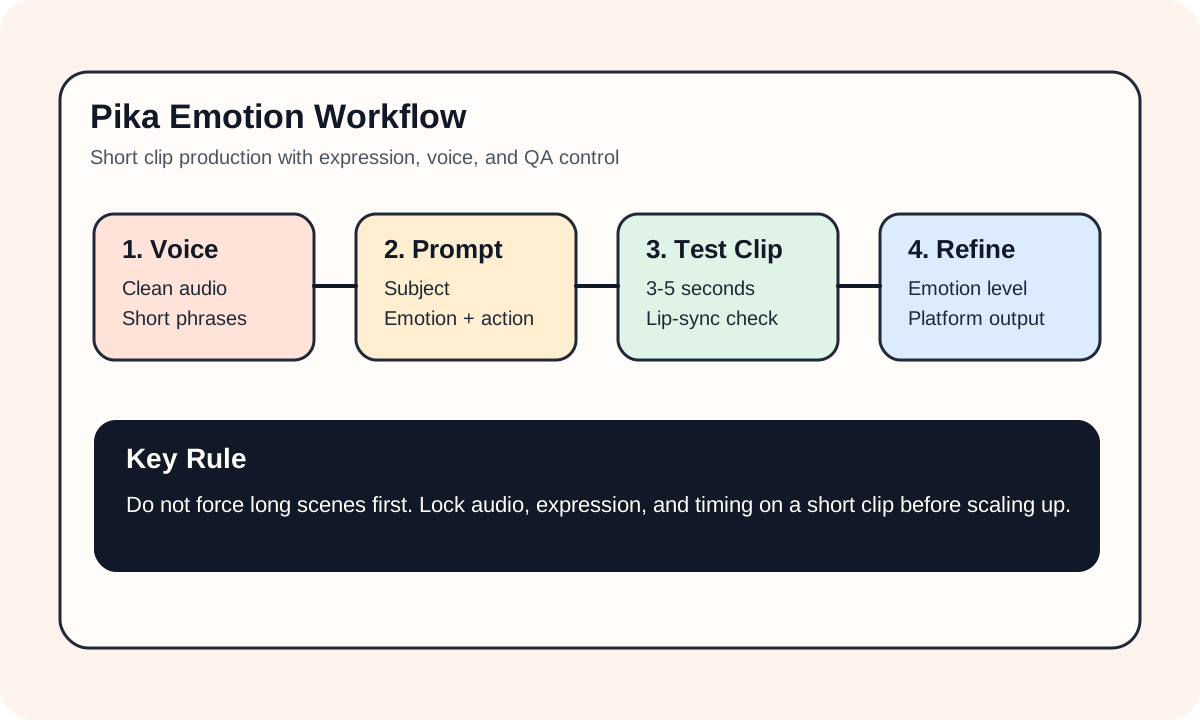
#Where Pika feels most comfortable
- short social clips
- quick product or character concepts
- object replacement and add-on edits
- fast testing of visual variants
If the goal is a short clip that is easy to try, revise, and publish, Pika is often a better fit than heavier tools.
#What actually matters when you use it
The important variables are usually not endless style words. They are:
- whether the subject stays stable
- whether the edits look natural
- whether the clip length matches the platform
- whether the style is explicit enough
That is why Pika works best in tightly scoped workflows.
#A practical workflow
- define the content task clearly
- start with a 3 to 5 second test
- check subject stability and motion quality
- unify style and output settings before scaling up
#Bottom line
Pika is a strong short-form creation and editing tool. Use it when speed, local edits, and fast iteration matter more than cinematic complexity or long-form production control.