






Runway Guide
Runway gets more interesting once the work goes beyond "generate me a clip." That is usually the moment a team realizes it needs more than prompting. It needs editing, reference-driven iteration, exports, and some way to keep the whole workflow in one place. That broader shape is why Runway often feels more practical than video tools that stop right after generation.
#Who usually finds Runway worth the effort
- marketing teams producing campaign video regularly
- creators making concept clips and visual drafts quickly
- startups validating ideas before hiring a full video crew
- design and growth teams extending still images into motion assets
If you want more of the path from concept to usable cut to live in one place, Runway is often smoother than tools that only generate isolated clips.
#What Runway does well once the workflow gets real
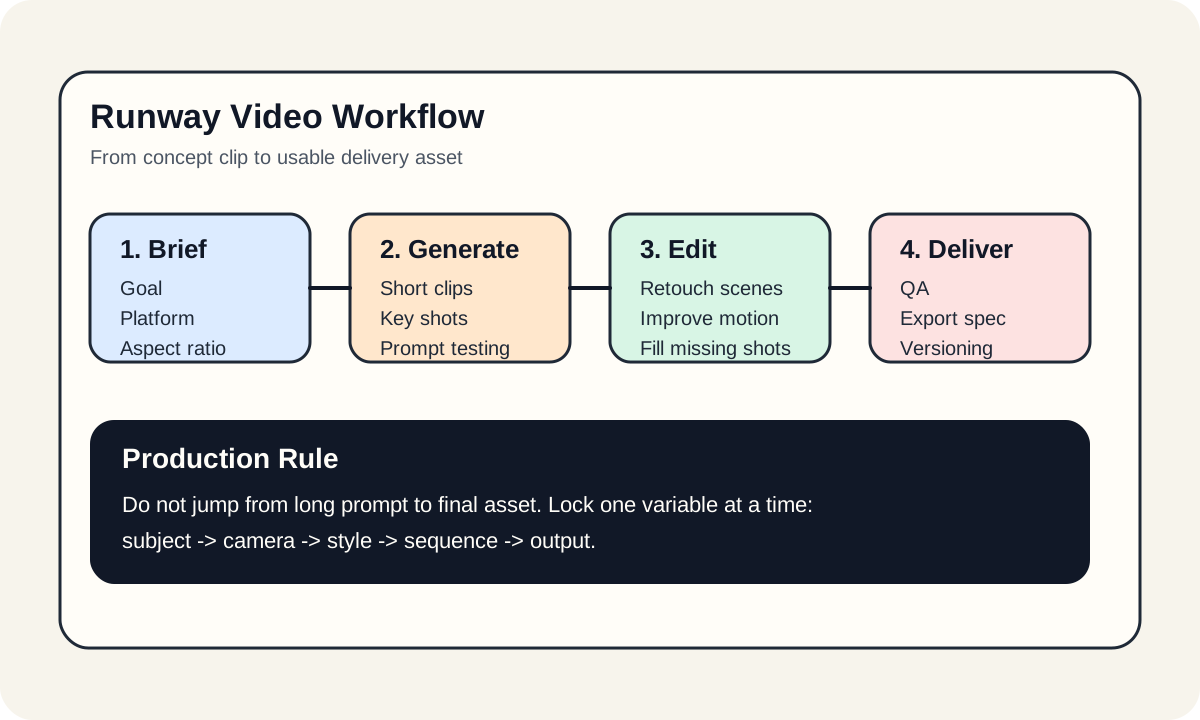
From a production perspective, Runway gives you four practical layers:
- generation for shot drafts and visual direction
- editing around existing footage and assets
- style and motion consistency
- export for different platforms and use cases
That is why it feels closer to a workflow tool than a single generation endpoint.
#A practical way to use it
- define the asset goal clearly
- start with short key shots
- validate style and subject consistency
- unify the clips through editing and QA
#Bottom line
Runway is strongest when the job is not just "generate one clip" but "turn an idea into a usable video asset." If the workflow needs both generation and editing, it is one of the best tools in the category.