
Image Generation & Composition Techniques
AI image generation is very powerful now, but what actually determines final output quality still isn't the model name. It's composition judgment. Many images are "technically generatable" but commercially unusable -- unclear subject, wrong hierarchy, insufficient negative space, style that's not part of a system.
If you're making content, campaigns, course assets, or product visuals, this page should focus on how to control composition, not just chasing new models.
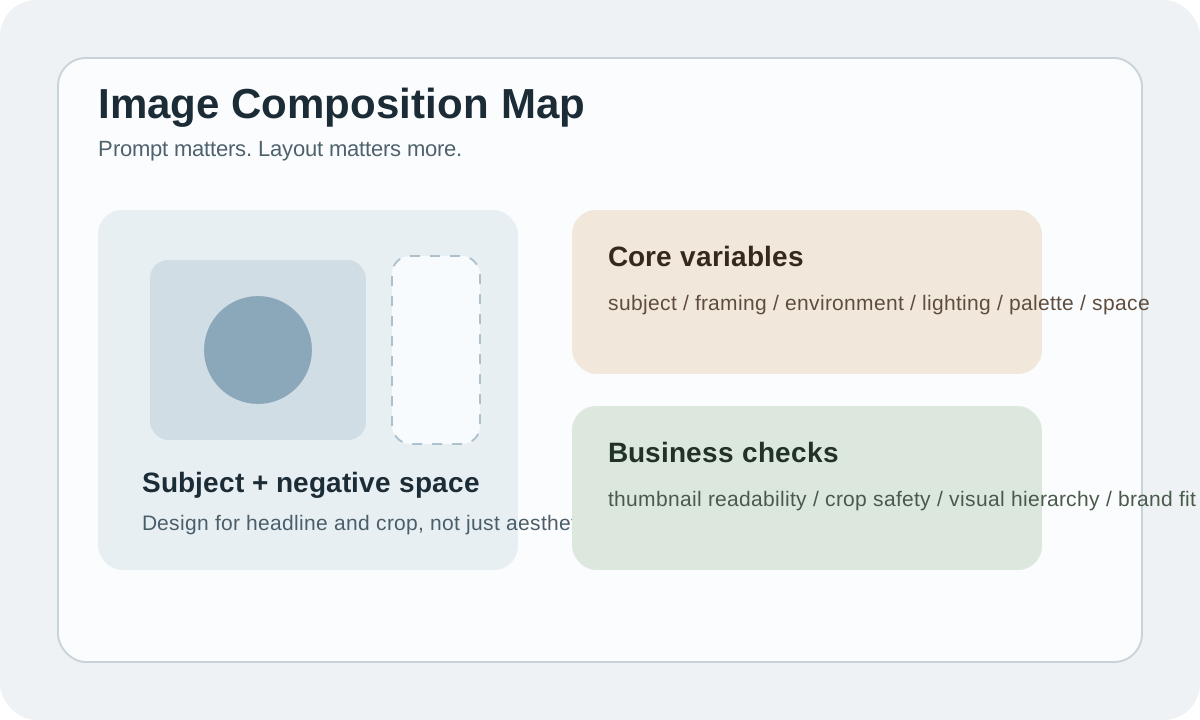
Bottom Line: Prompt Is Just the Entry Point -- Composition Is the Control Lever
Same prompt, why does it sometimes produce stunning images and sometimes stock garbage? The core difference usually isn't "vocabulary" -- it's whether you specified:
- Where the subject is
- How far the camera is from the subject
- What role the background plays
- Which area needs to be left for text / UI / crop
Without these decisions, AI just guesses based on training biases.
4 Most Common Commercial Image Tasks
| Task type | Focus | Common pitfall |
|---|---|---|
| Hero visual | Strong atmosphere, strong recognition, can carry a headline | Image too busy, no room for copy |
| Product image | Product clear, materials realistic, commercial feel | Subject proportions unstable, details look fake |
| Social cover | Readable even at small sizes | Too many elements, becomes muddy when shrunk |
| Explainer visual | Information structure is clear | Image looks cool but doesn't convey the knowledge point |
Know which type you're making before deciding prompt style and image structure.
A Sufficient Set of Composition Variables
Don't write prompts as adjective piles. It's more stable to write by variables.
| Variable | What you decide |
|---|---|
| Subject | Who's the main character of the image |
| Framing | Close-up, medium, wide, top-down |
| Environment | Is background narrative or supportive |
| Lighting | Clean studio, soft daylight, cinematic contrast |
| Palette | Warm neutral, tech blue, editorial monochrome |
| Space | Which side is left for title, logo, or crop |
Think through these 6 variables first and prompts naturally become more stable.
Commercial Composition Matters More Than "Looking Good"
Whether an image is usable isn't about how stunning it looks opened alone. It's about whether it still works in its real context.
For example:
- Landing page hero needs headline space
- Short video cover needs small-screen readability
- Article cover needs the subject to survive cropping
- Ad creative needs product + message hierarchy
This is why many "AI masterpieces" are completely unusable in business.
A More Stable Image Generation Approach
Use case
  -> Layout intent
  -> Prompt draft
  -> Generate variants
  -> Pick the strongest composition
  -> Edit / expand / adapt
The key isn't hitting it on the first try. Generate a few composition directions first, then pick the one that best serves the use case.
Tool Selection
| Tool | Best for | Watch out for |
|---|---|---|
| Midjourney | Mood, style, composition aesthetics | Commercial text and refinement still need post-processing |
| ChatGPT image / DALL-E types | Instruction following, concept art, simple commercial | Style stability needs references |
| Stable Diffusion / Flux workflow | Controllability, batch, custom pipeline | Cost is setup and operational complexity |
Most content teams don't need to master all tools. Getting one core workflow smooth matters more than tool collecting.
Prompt Formula: Good Enough Is Good Enough
A sufficiently stable image prompt usually looks like:
[subject], [framing], [environment], [lighting], [palette], [style],
clear focal point, commercial composition, negative space on the right
Example:
A premium skincare bottle, front-facing medium shot, placed on a matte stone surface,
soft daylight, warm neutral palette, clean commercial photography style,
clear focal point, negative space on the right for headline
Each word in this prompt serves a composition decision. That's the key -- not fancy language.
Practical Example 1: Course Cover Image
Goal: Hero image for an AI learning page.
Better thinking isn't "make a flashy tech image." It's:
- Topic must be readable at a glance
- Colors can't clash with site style
- Center visual should work with landscape crop
- Ideally leave room for a title
If you're generating course covers, overly complex backgrounds often weaken information delivery.
Practical Example 2: E-commerce Product Visual
The most common product image problem isn't lack of beauty -- it's not looking sellable.
Usability standards:
| Check item | Standard |
|---|---|
| Product shape | No distortion |
| Material feel | Looks believable |
| Light logic | Shadows and reflections make sense |
| Hierarchy | Subject is most prominent |
| Crop safety | Works at 4:5, 1:1, and 16:9 |
If the same image can't work at both 1:1 and 4:5 crop, composition wasn't planned from the start.
Practical Example 3: Knowledge Content Illustrations
The most common mistake for knowledge content: making "illustrations" that look like "wallpapers."
Better approach: make visuals directly serve the information structure:
- Use 3-layer structure to represent workflow
- Use left-to-right to represent process
- Use color blocks to distinguish input / model / output
These images don't need to be photo-realistic. But they must be clear.
Negative Prompts and Constraints
Constraint words aren't optional, especially in commercial scenarios.
Common constraints include:
- no extra hands
- no distorted text
- no cluttered background
- no low-detail face
But don't turn negative prompts into a long junk list. The real approach is defining the positive structure clearly first, then using minimal constraints to clean up boundaries.
Common Crash Points
| Problem | Cause | Fix |
|---|---|---|
| Image too busy | Didn't plan for headline and crop | Specify negative space direction |
| Subject not prominent | Prompt lacks focal point | Add framing and hierarchy |
| Style drifting | Writing style words ad-hoc each time | Fix palette and style rules |
| Looks like AI art | Too many details, fake lighting | Reduce element count, unify light logic |
Review Checklist
- What use case is this image serving
- Is it still readable as a small thumbnail
- Is there a clear focal point
- Are negative space and crop safe
- Does it match existing visual language when placed in the page
Practice
Take a real use case -- course cover, social media cover, product visual. Don't generate yet. Write these 5 items first:
- Subject
- Framing
- Palette
- Negative space
- Crop ratio
Once these 5 are clear, generation success rate goes up noticeably.