
AI PM Toolbox: Productivity Tools Overview
Master the practical use of ChatGPT, Claude, Notion AI, Figma AI, and other AI tools across every stage of product management
Master the practical use of ChatGPT, Claude, Notion AI, Figma AI, and other AI tools across every stage of product management
A reviewable product artefact: an assumption, prototype, evaluation result or launch decision.
State the decision, the supporting evidence and the gate for moving to the next stage.
An AI PM's competitive edge isn't about how many tools you've installed. It's about whether you can string research, PRDs, prototypes, reviews, and data into a smooth workflow. Plenty of people collect tool names. Far fewer actually turn tools into delivery speed.
So this page isn't a "most comprehensive tool ranking." It's a more practical AI PM toolbox map.
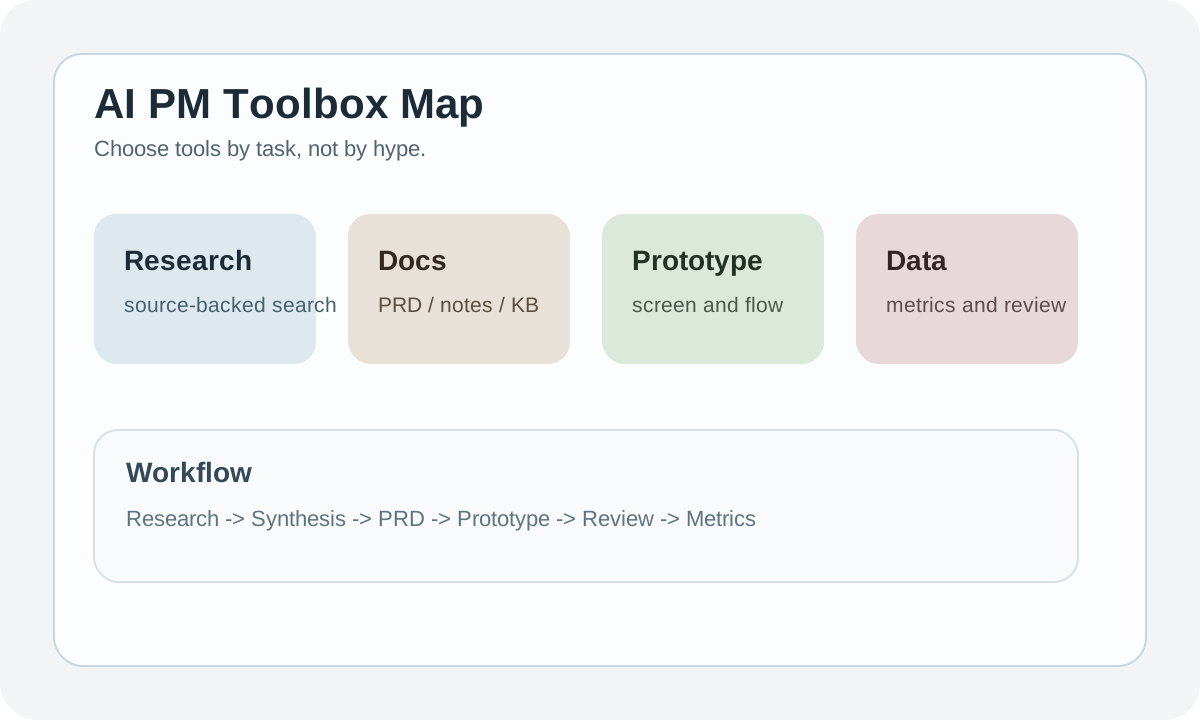
Bottom Line: Your Tool Stack Doesn't Need to Be Big, But Roles Must Be Clear
Most PMs really only use 4 types of tools frequently:
- General reasoning
- Research / search
- Docs / collaboration
- Prototype / data
The problem isn't too few tools. It's often grabbing the wrong tool for the wrong job.
Organizing by Task Is More Useful Than by Product Name
| Task | Better tool type | Why |
|---|---|---|
| Requirement clarification | Chat-based reasoning tool | Good for back-and-forth questioning |
| Industry research | AI search / source-backed tool | Better for checking sources and comparing info |
| Long doc review | Long-context model | Less likely to lose information mid-way |
| PRD / meeting notes | Docs-native AI | Lands directly in the collaboration environment |
| Prototype drafts | UI generation tool | Quickly turns abstract requirements into screens |
| Data insights | Code interpreter / notebook-like tool | Better for running tables and visualizations |
If you force a general chat tool to do everything, things get messy fast.
A Workflow That's Good Enough
Research
  -> Synthesis
  -> PRD / spec
  -> Prototype
  -> Review
  -> Metrics follow-up
The most common inefficiency in this pipeline isn't "one step missing AI." It's re-entering context at every step.
So more mature teams start to build up:
- Reusable prompts
- Meeting summary templates
- PRD review checklists
- Experiment write-up formats
That's where real leverage comes from.
General Chat Tools Work Best For
These tools are best at:
- Requirement decomposition
- Risk brainstorming
- Solution comparison
- Writing first-draft outlines
Not great for final fact-checking, especially on time-sensitive research. If the question clearly involves "latest models, latest pricing, latest policies," switch to a source-backed workflow.
Why AI Search Tools Matter for PMs
PMs working on AI projects fear nothing more than making roadmaps with stale information.
AI search / source-backed tools are better for:
| Scenario | Reason |
|---|---|
| Competitor scan | Need to compare multiple public info sources |
| Vendor evaluation | Need to verify pricing, policy, integration |
| Market trend check | Need to confirm if this is current |
| Compliance fact check | High stakes, can't guess from memory |
If you're doing AI PM work in 2026 and still relying on "I think that model supports this," your decision quality will be poor.
Docs-Native AI Determines Whether the Team Can Scale
Solo PMs can survive on chat history. Teams can't.
The real value of docs-native AI isn't "writing a couple paragraphs for you." It's:
- Reusable document structures
- Meeting notes entering a knowledge base
- Review comments being preserved
- Historical decisions being searchable for next time
This matters especially for AI PMs, because many problems aren't encountered for the first time -- they keep recurring.
Prototype Tools Aren't Just for Designers
PMs use prototype tools not to achieve pixel perfection, but to quickly answer:
- Does this flow make sense
- Can users understand this AI interaction
- Is this state change worth building
A very practical experience: Many AI features, once drawn as screens, reveal they're not as useful as imagined.
Data Tools Are Required for AI PMs, Not Extra Credit
After an AI feature ships, you shouldn't only be tracking usage numbers.
You should also be tracking:
- Completion rate
- Satisfaction
- Regenerate rate
- Cost per task
- Complaint patterns
Without a handy data tool for these numbers, AI PMs easily degrade to "making decisions based on user group feedback."
A More Realistic Tool Stack Combo
| Team stage | Recommended combo | Reason |
|---|---|---|
| Solo PM / small team | 1 chat tool + 1 docs tool + 1 prototype tool | Low cost, covers daily needs |
| Growing team | Add 1 research tool + 1 data analysis tool | More stable decisions and retrospectives |
| Complex AI team | Add eval, observability, feature flag tools | Entering systematic operations |
Don't fill up the stack from day one. Solve high-frequency tasks first, then add specialized tools.
4 Most Overlooked Things When Picking Tools
| Overlooked area | Why it's dangerous |
|---|---|
| Data policy | Directly affects whether you can upload internal docs |
| Collaboration fit | What works for one person may not work for teams |
| Output portability | If you can't export, it's hard to enter formal workflows |
| Cost creep | A few dozen bucks per person per month adds up fast |
Tool evaluation isn't about flashy demos. It's about whether it fits into your real workflow.
Practice
Write out your current AI tools, organized not by name but by task:
- Which tool handles research
- Which tool handles writing / review
- Which tool handles prototyping
- Which tool handles metrics / data
If you've got 3 tools for the same task type, switching back and forth, it's probably already too complex.
Use a Real Task to Create a Tool Decision Record
Do not assign one vague overall score. Run the same real task and record:
| Field | What to capture |
|---|---|
| Task | Input, expected deliverable, and completion criteria |
| Quality | First-pass usability, human edits, and failure samples |
| Workflow | Permissions, collaboration, export, and integration |
| Data boundary | Allowed data, retention, and admin controls |
| Cost | Seats, usage, human review, and switching cost |
| Decision | Adopt, Pilot, Keep existing, or Reject |
| Review date | Which price, capability, or policy change triggers reassessment |
Completion Criteria
- Candidates use the same tasks and samples
- The record includes failure samples, not only best results
- Data and permission checks happen before procurement
- The team names one primary tool and exit conditions
Chapter Deliverable
Leave a Tool Decision Record and bind the tool to a specific research, prototype, evaluation, or launch step. Tools are infrastructure for the product loop, not the learning path's final outcome.
📚 Related resources
❓ Common questions
Open a question to review the practical answer.
How big does an AI PM's tool stack actually need to be?
Four categories cover it: general reasoning (chat), research/search (source-backed AI search), docs/collaboration (docs-native AI), and prototype/data. A solo PM gets by with 1 chat + 1 docs + 1 prototype; growth-stage teams add research and data analysis; complex teams layer on eval, observability, and feature flags. The problem is rarely 'not enough tools'—it is wrong tool, wrong task.
Why should a PM not use one general chat tool for everything?
General chat tools are great for breaking down requirements, brainstorming risks, comparing options, and drafting outlines—but not for final fact judgments, especially when the question involves the latest model, latest price, or latest policy. Those queries should move to a source-backed AI search tool, otherwise you build roadmaps on stale info.
What is the real value of docs-native AI for a PM team?
It is not 'write two paragraphs for me'—it is reusable document structure, meeting notes flowing into the knowledge base, review comments accumulating, and past decisions being searchable. A solo PM survives on chat history; a team does not, because most problems are recurring and without accumulation you redo the same work.
What are the easiest-to-miss criteria when picking AI tools?
Four: data policy (does it allow internal-doc uploads?), collaboration fit (great for one user does not mean great for a team), output portability (if it cannot export, it cannot enter formal workflow), and cost creep (a few dozen dollars per seat per month compounds fast). The demo's polish does not matter—whether it slots into your real workflow does.
Which post-launch metrics should an AI PM watch?
Usage alone is not enough. Track completion rate, satisfaction, regenerate rate, cost per task, and complaint patterns. Without a data tool that surfaces these, an AI PM degrades into making decisions off whatever the user-group chat happens to complain about.