
Prompt Engineering for PMs: Document Automation
Master structured prompt design, PRD/BRD generation frameworks, and business SOP automation to boost document output by 10x
Master structured prompt design, PRD/BRD generation frameworks, and business SOP automation to boost document output by 10x
A reviewable product artefact: an assumption, prototype, evaluation result or launch decision.
State the decision, the supporting evidence and the gate for moving to the next stage.
PMs learning prompt engineering -- the real value isn't "can you write really long prompts." It's whether you can quickly turn vague requirements into structured output. Many PMs think they're using AI to boost efficiency, but they're actually just copying their usual vague verbal requirements to the model, then spending more time fixing bad drafts.
So this page skips the "prompt mysticism" and focuses on the most common PM scenarios -- documents, SOPs, reviews -- and how to write reusable, collaboratable, actionable prompts.
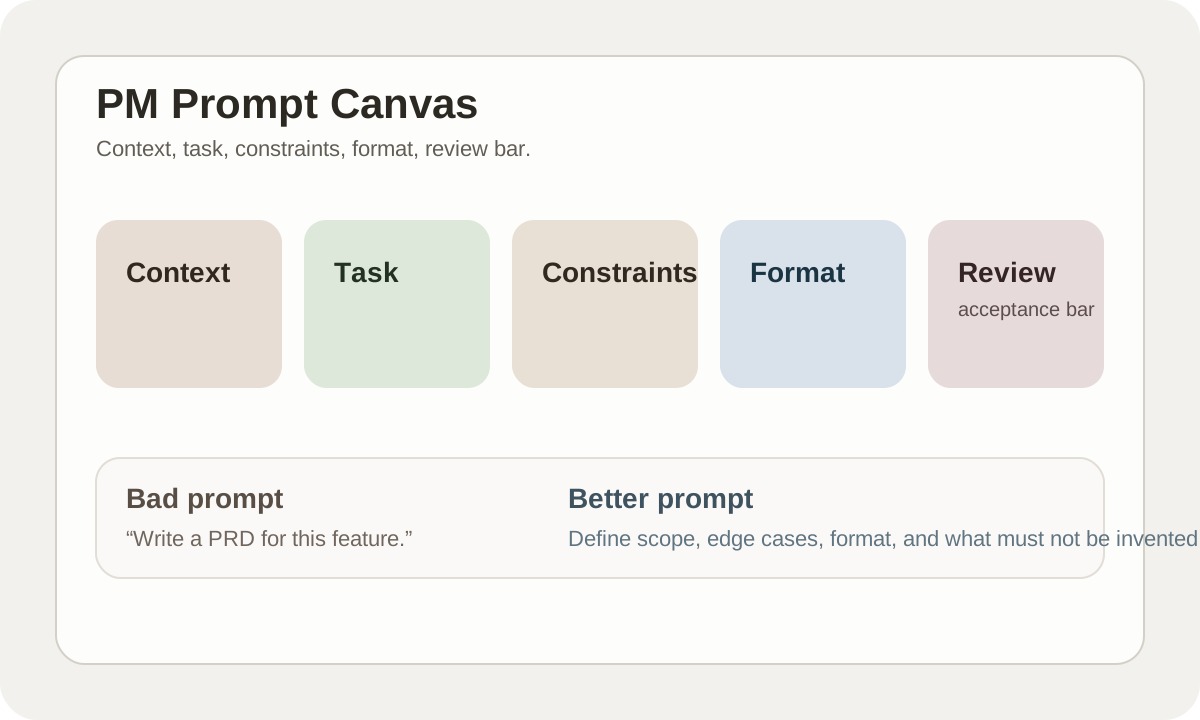
Bottom Line: PM Prompts Are About Constraining, Not Over-Describing
The most common problem with AI-written documents isn't generation failure. It's:
- Structure looks complete but has no decision value
- Tone sounds professional but info is empty
- Lots of text but none of it can be directly used by the team
So the most important thing in PM prompts isn't "describe more." It's constraining 4 variables first:
- Context
- Task
- Format
- Acceptance bar
If these four aren't clear, output quality won't be stable.
Why PMs Crash Hardest When Using AI
| Problem | Root cause |
|---|---|
| PRD is long but pointless | Only wrote the topic, not goals and boundaries |
| SOP looks complete but isn't executable | Missing owner, timebox, exception handling |
| Meeting summary drops key info | Didn't define "what must be preserved" |
| Requirement review doc too broad | Didn't specify audience and usage scenario |
AI won't automatically understand "what you really want in your head." It just tries to fill in whatever blanks you leave.
A Prompt Framework Better Suited for PMs
Rather than generic frameworks, PMs work better with this:
| Module | What to write |
|---|---|
| Context | Product background, users, business goals |
| Task | What document or analysis to generate |
| Constraints | What must be included, what can't be fabricated |
| Output format | Sections, tables, checklists, word count |
| Review bar | What counts as acceptable output |
The names don't matter. Whether you've filled in the content does.
PRD Generation: Don't Let AI Write the Whole Thing at Once
A more stable approach breaks it into 3 steps:
step 1: clarify problem
step 2: generate PRD skeleton
step 3: fill each section with constraints
If you just say "help me write a PRD," AI tends to produce a formally complete but substantively empty standard template.
A More Reliable PRD Prompt
You are acting as a senior product manager.

Context:
- product: [name]
- target user: [who]
- business goal: [why this matters]

Task:
Create a PRD draft for the following feature:
[feature summary]

Constraints:
- clearly separate must-have scope from nice-to-have scope
- include unacceptable failure cases
- do not invent technical certainty
- mark assumptions as [assumption]

Output format:
1. problem statement
2. user task
3. feature scope
4. success metrics
5. edge cases
6. risks and dependencies
This prompt's value is that it forces the model to write "what's needed for decisions" first, rather than stacking paragraphs of filler.
SOP Prompts: The Most Overlooked Parts
Many SOP prompts only ask for "process steps." But a truly executable SOP also needs:
| Item | Why it can't be skipped |
|---|---|
| Owner | Nobody responsible = nobody executes |
| Trigger | What situation activates this SOP |
| Exception path | What to do when things go wrong |
| Handoff | How roles transfer between each other |
| Done definition | What counts as process complete |
Without these, AI-written SOPs look like training materials, not actual operating documents.
Meeting Summary Prompts: First Define "What Can't Be Dropped"
If you just say "help me summarize this meeting," you'll probably get a smoothly-written version that drops key signals.
A more practical approach:
Summarize this meeting transcript.

Must preserve:
- decisions already made
- open questions still unresolved
- action items with owner
- deadlines if explicitly mentioned

Do not:
- turn discussions into confirmed decisions
- invent missing owners
- compress away disagreement
When PMs use AI to summarize meetings, the scariest thing is turning "discussed" into "decided."
What a Prompt Library Should Actually Capture
What PM teams should actually capture isn't hundreds of scattered prompts, but high-frequency templates.
Recommend prioritizing:
- PRD draft prompt
- Meeting summary prompt
- Competitor analysis prompt
- Research clustering prompt
- Risk review prompt
- Weekly update prompt
Once these templates are fixed, team document quality gets noticeably more consistent.
Prompts Aren't One-Off Inputs -- They're Team Assets
A mature PM team starts doing these things with prompts:
- Versioning
- Owner assignment
- Example inputs
- Expected outputs
- Known failure modes
This is basically the same thing as building internal template libraries. Just that before it was spreadsheet templates, now it's AI instruction templates.
Common Crash Points
| Problem | Fix |
|---|---|
| AI keeps writing filler | Enforce sections and length limits |
| Over-confident fabrication | Explicitly require marking assumptions |
| Inconsistent output style | Fix voice and format |
| Everyone on the team writes their own | Build a prompt library with review process |
Practice
Take your most-used PM prompt. Check these 4 things:
- Is context clearly stated
- Is output format specified
- Does it say "what not to fabricate"
- Is there a definition of what counts as acceptable
If 2+ of these are missing, the prompt isn't stable enough yet.
Treat the Prompt as a Product Decision Asset
A PM prompt that enters a team workflow needs six fields beyond the prompt text:
| Field | Purpose |
|---|---|
| Use case | Which product decision it supports |
| Input contract | Required evidence, allowed data, and redaction rules |
| Output schema | Fixed fields, order, and unknown-value format |
| Acceptance examples | One passing and one failing example |
| Version | Prompt, model, and knowledge-source versions |
| Owner | Who may edit it and who approves production use |
If the prompt produces a PRD, “complete document” is not acceptance. Research, evidence, assumptions, boundaries, and open decisions must be ready for engineering and design to take separately.
Chapter Deliverable
Leave a Product Decision Prompt Card with input contract, output schema, failure example, and owner. Return to AI User Research for evidence, or continue to No-Code MVP to turn an assumption into a testable interaction.
📚 Related resources
❓ Common questions
Open a question to review the practical answer.
What is the core of prompt writing for PMs?
Not 'write more'—the core is constraining 4 variables: context (product background, user, business goal), task (what to generate), format (sections, tables, checklist, word count), and acceptance bar (what counts as a passing output). Without these four, output never stabilizes—AI does not infer what you 'really want', it just fills whatever blanks you leave.
Why should you not ask AI to write a whole PRD in one shot?
Asking AI to 'write a PRD' produces a structurally complete but content-empty template. Split it into 3 steps: (1) clarify the problem (2) generate the PRD skeleton (3) fill each section with constraints. Force the model to produce decision-grade content first, not boilerplate filler.
How do I fix AI-generated SOPs that look complete but are not executable?
Five fields tend to go missing: owner (no owner = no execution), trigger (when does the SOP fire?), exception path (what to do on failure), handoff (how roles transfer the work), and done definition (what 'complete' means). Add all five to the prompt's Constraints block and the SOP reads like an ops doc, not training material.
When writing a meeting-summary prompt, what must be defined upfront?
Define what cannot be dropped: already-made decisions, still-open questions, action items with explicit owners, and deadlines if mentioned. Then add bans: do not turn discussion into confirmed decisions, do not invent owners, do not compress away disagreement. The biggest risk in PM meeting summaries is 'discussed' silently becoming 'decided'.
What should a PM team's prompt library actually hoard?
Not hundreds of one-off prompts—just the high-frequency templates: PRD draft, meeting summary, competitor analysis, research clustering, risk review, weekly update. Each entry needs versioning, owner, example input, expected output, and known failure modes. It is the same discipline as maintaining internal doc templates, just written as AI instructions instead of tables.