
Continuous Improvement & Automation
What actually separates people in Vibe Coding isn't who writes the fanciest prompt on the first try. It's who captures what works and reuses it faster next time. A lot of people hit a plateau with AI coding: individual tasks get noticeably faster, but there's no stable workflow, so efficiency depends on inspiration rather than a system.
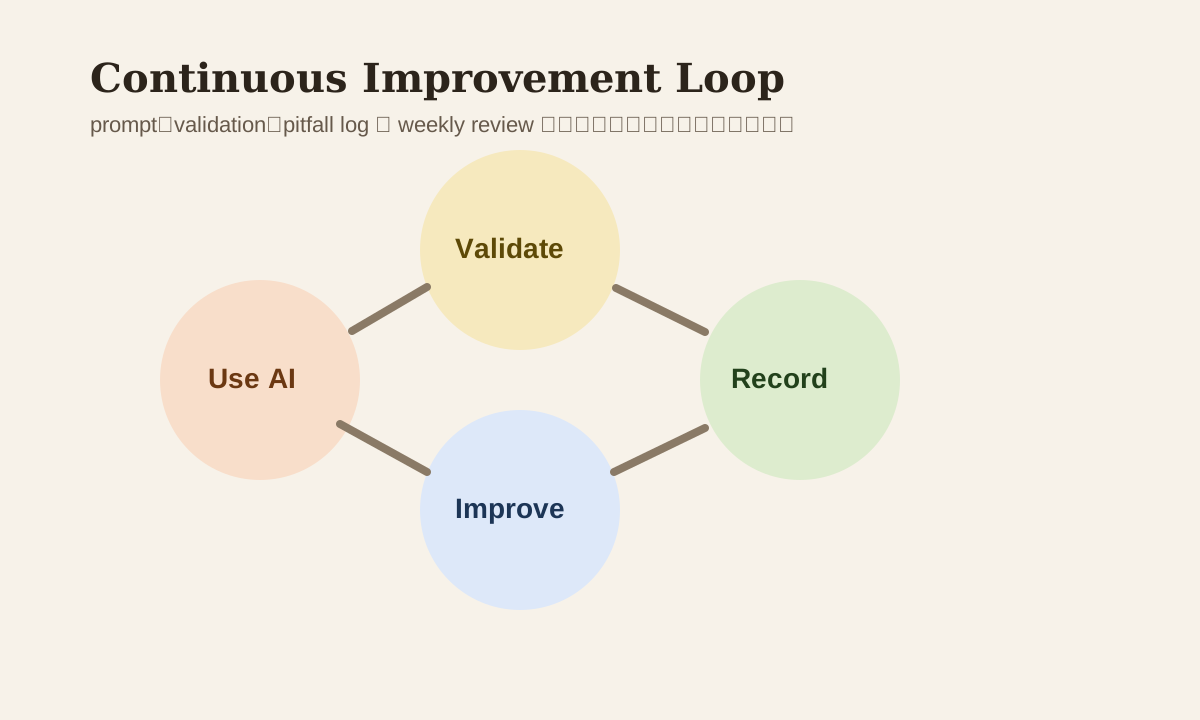
A better approach is to treat your AI usage habits as a continuous improvement system: record, review, iterate, automate.
Why Many People's AI Efficiency Drops Off After a While
The most common reason isn't that the tools aren't good enough. It's the lack of accumulation:
- Good prompts never get saved
- Which task types suit AI never gets documented
- Pitfalls that were hit never get recorded
- Every project starts from scratch again
This creates a classic pattern: You feel like you "already know how to use AI," but you keep hitting the same walls on different projects.
The Core of Continuous Improvement Isn't Collecting Prompts — It's Reviewing Workflows
What you should really be accumulating isn't 100 random prompts. It's these:
| Asset | Why It Matters |
|---|---|
| Prompt templates | Cuts repeated description effort |
| Task checklists | Keeps execution order consistent |
| Failure logs | Prevents repeating the same mistakes |
| Validation scripts | Enables quick result verification |
| Decision notes | Records why you did it this way |
If you only save prompts without saving context and validation methods, the reuse value is limited.
Step 1: Build Your Own Prompt Library — But Don't Just Save the Prompt Text
A reusable prompt should carry at least these fields:
- Use case
- Repo / file context
- Expected output
- Validation method
- Common failure modes
Example
Title: PR review summary
Use case: Quick summary of changes and risks before submitting
Expected output: summary + risks + test note
Validation: Cross-reference with diff and test results
Failure mode: Tends to miss rollback points
This way, next time you reuse it, you don't have to remember "why did this prompt work back then."
Step 2: Automate Repetitive Verification
If you're manually running the same set of checks every time, that's worth automating. For example:
- Lint
- Typecheck
- Unit tests
- Build
- Snapshot checks
AI is great at drafting these scripts. But the key isn't "the script exists" — it's that you've locked down the verification pipeline.
Example workflow
AI generates patch
  -> run check script
  -> collect failures
  -> feed errors back to AI
  -> iterate
Way more reliable than "eyeballing the code and thinking it looks fine."
Step 3: Recording Failures Is Worth More Than Recording Successes
Many teams love documenting best practices. But what actually moves the needle is failure patterns:
- Prompt was too big, AI started going off the rails
- Changed too many files at once, introduced regressions
- Didn't give acceptance criteria, result missed the point
- Didn't paste logs, AI had to guess at root cause
Keep at least a simple AI pitfall log:
| Issue | Trigger Condition | Fix |
|---|---|---|
| Change scope too large | Gave 10 requirements at once | Split into 2-3 smaller tasks |
| Patch looks right but doesn't run | Didn't run validation first | Add check script first |
| Reviewer pushes back | PR description too weak | Add risk / rollback template |
Step 4: Do a Lightweight Review Every Week
No need for a full retrospective. Just answer 4 questions each week:
- Which task types worked best with AI this week?
- Which task types still shouldn't go to AI?
- Which prompt is most worth reusing?
- Which failure case is most worth logging?
This kind of weekly review makes your AI usage feel like a maintainable system instead of random tricks.
Step 5: Let AI Help Improve the AI Workflow
This one's genuinely useful. You can straight-up ask AI to review your own usage patterns:
Based on this task session, summarize:
- Which step wasted the most time
- Which prompt lacked sufficient info
- Which validation steps could be automated
- How to split the task better next time
You're not just optimizing code anymore — you're optimizing your own interaction patterns.
Common Mistakes
| Mistake | Problem | Better Approach |
|---|---|---|
| Only save prompts | Missing context when reusing | Save validation info too |
| Don't log failures | Keep hitting the same walls | Build a pitfall log |
| Manual verification every time | Inconsistent efficiency gains | Automate checks |
| Only look at individual outputs | No long-term methodology | Do weekly reviews |
Practice
Look back at your last 3 AI coding tasks:
- Pick 1 prompt most worth reusing
- Pick 1 most common failure pattern
- Write 1 minimal check script
- Record 1 "don't do this again" rule
Once you do this, AI becomes more like a continuous improvement engine and less like a chat tool that occasionally helps out.
📚 Related resources
❓ Common questions
Open a question to review the practical answer.
Why do many people see AI productivity gains fade over time?
It is not the tool — it is the lack of accumulation. Four symptoms: useful prompts never saved, no taxonomy of which tasks AI suits, no log of past pitfalls, restarting from scratch every time. The result is feeling “fluent with AI” while repeatedly hitting the same potholes across projects — gains depend on inspiration, not a reusable workflow.
What fields make a prompt library actually reusable?
Storing the prompt body alone is not enough. The chapter requires five fields per entry: use case, repo / file context, expected output, validation method, and common failure modes. That way next time you don't have to remember why the prompt worked, and you don't lose the validation steps that came with it — reuse value stays high.
Why is logging failures more valuable than logging successes?
Successes have many causes and are hard to replicate; failures have fixed triggers you can sidestep next time. The chapter recommends an AI pitfall log with problem / trigger / fix — e.g. “prompt too large → AI drifts → split into smaller tasks” or “patch looks right but breaks → add check script first”. This log moves the productivity needle more than a best-practices doc.
What 4 questions should a weekly AI workflow review answer?
Four questions: (1) Which tasks suited AI best this week? (2) Which tasks should still not be handed off? (3) Which prompt is most worth reusing? (4) Which failure case belongs in the pitfall log? No need for a complex retrospective — 5–10 minutes a week answering these turns AI usage into a maintainable system instead of random tricks.
How can AI help review my own AI usage patterns?
After a task, ask AI to debrief on four points: (1) which step wasted the most time; (2) which prompt lacked info; (3) which validation steps can be automated; (4) how to break down the task more reliably next time. This optimizes your interaction pattern, not just your code — AI becomes both worker and process coach.