
Tooling & Model Updates
AI coding tools change fast. That's fine. What actually causes problems is when teams chase updates too casually: today someone hears a model is amazing, tomorrow the whole team switches, day after they switch back because the cost or workflow didn't fit. After a few rounds of this, the team is just confused.
A better approach is to establish a lightweight but consistent tooling update cadence — not chasing hype.
Why "Knowing the Latest" Doesn't Mean "Using It Better"
Because a tool's value doesn't just come from capability. It also depends on:
- Whether your use case matches
- Whether the team has formed usage habits
- Whether prompts/workflows need reconfiguration
- Whether the cost is acceptable
A new model crushing benchmarks doesn't mean it's worth replacing your primary workflow right now.
A More Reasonable Update Cadence
Here's what we'd recommend:
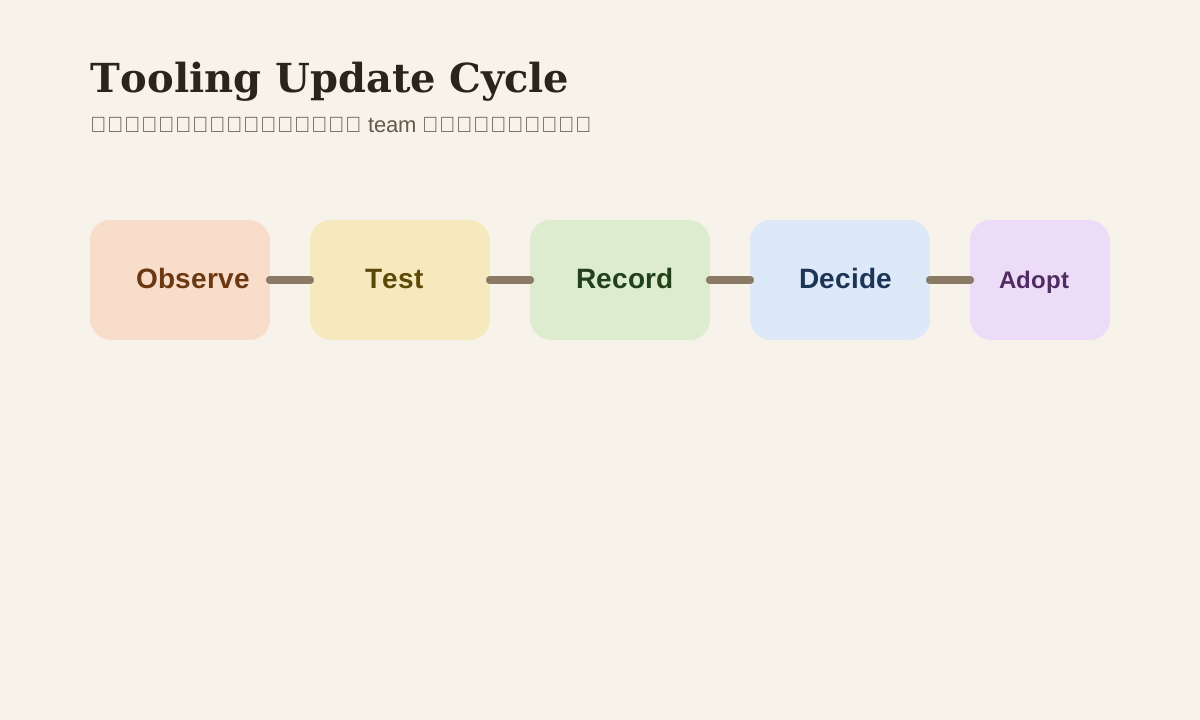
- Observe the new tool/model
- Test-drive it on small tasks
- Record the experience and cost
- Then decide whether it earns a spot on the team's recommended list
Not "see an update, immediately switch your primary tool."
Step 1: Categorize by Task, Not by Hype
You shouldn't be asking "which is strongest." You should be asking:
- Which is more reliable for code generation?
- Which handles long context better?
- Which is faster for daily completions?
- Which makes PR summaries easier?
- Which small model has the best cost-performance ratio?
Only when you categorize by task does your update process become an engineering decision, not trend-following.
Step 2: Only Test New Tools on Small Tasks
Try these low-risk scenarios first:
- Generating tests
- Writing small scripts
- Summarizing diffs
- Rewriting PR descriptions
- Doing code explanations
Don't hand your main feature branch or a complex refactor to a brand new tool.
Step 3: Record More Than Just "How It Feels"
Every time you try a new tool, log at least these:
| Item | What to Record |
|---|---|
| Task type | What you used it for |
| Response quality | Was the output consistent? |
| Latency | How did the speed feel? |
| Cost | Worth using long-term? |
| Workflow fit | Did it require major habit changes? |
This way you're building comparable selection criteria, not subjective opinions.
Step 4: Keep a Team Recommendation List — Update It Regularly, But Not Too Often
A stable cadence is usually monthly or bi-weekly review. You can maintain a lightweight recommendation table:
Task -> Recommended tool -> Backup tool -> Notes
For example:
- Diff summary -> Claude
- Daily code assist -> Cursor
- Cheap drafts -> small model
- Long doc review -> long-context model
This table is worth far more than "whoever thinks of something drops it in the group chat."
Step 5: Don't Ignore Migration Cost
Every time you switch your primary tool, you typically pay these costs:
- Team re-adapts
- Prompts get rewritten
- Workflows get adjusted
- Validation approaches change
If the new tool's improvement isn't significant enough, frequent switching actually drags overall efficiency down.
Common Mistakes
| Mistake | Problem | Better Approach |
|---|---|---|
| Switch primary tool whenever benchmarks look good | Real workflow may not fit | Test on small tasks first |
| Tool updates spread by word of mouth | Experience doesn't accumulate | Maintain a team recommendation list |
| Only look at quality, ignore cost | Not sustainable long-term | Evaluate quality and cost together |
| Frequent primary tool changes | Team habits constantly disrupted | Maintain an update cadence |
Practice
Pick a new tool or model you've been wanting to try:
- Run it on 2 small tasks
- Record quality, speed, cost, workflow fit
- Then decide: is it your primary, a backup, or only good for specific scenarios?
This shifts your attitude toward tooling updates from "chasing hype" to "making informed decisions."
📚 Related resources
❓ Common questions
Open a question to review the practical answer.
Should the team switch to a new AI coding tool the moment it ships?
No. A tool's value depends on more than capability — use-case fit, team habits, prompt/workflow rework, and cost all matter. A strong benchmark does not justify replacing your main flow. Use a fixed cadence: observe, run small tasks, log results, then decide whether it earns a spot on the team's recommended list.
Which low-risk tasks should I use to evaluate a new AI tool?
The chapter lists five low-risk pilots: generating tests, small scripts, diff summaries, PR description rewrites, and code explanation. They give fast feedback, are easy to validate, and have low blast radius. Do not hand main features or complex refactors to a new tool on day one — the cost of breaking the trunk far exceeds any speed gain.
What metrics should I record when trialing a new AI tool — is gut feel enough?
Gut feel is not enough. Log five fields each trial: task type, response quality (stability), latency, cost (long-term viability), and workflow fit (how much habit change required). This builds a comparable evaluation log instead of opinions, so the next decision can be made side-by-side.
How often should the team's recommended-tools list be reviewed?
Monthly or bi-weekly works well. Keep the table tiny: `Task -> Recommended tool -> Backup tool -> Notes` — e.g. diff summary -> Claude, daily code assist -> Cursor, cheap draft -> small model, long doc review -> long-context model. Reviewing too often disrupts habits; too rarely lags capability shifts.
What hidden costs come with frequently switching main AI tools?
Each main-tool switch costs four things: team re-adaptation, prompt rewrites, workflow adjustments, and changed validation patterns. If the upgrade is not dramatic, migration overhead eats the gains and overall throughput drops. That is why classifying by task and piloting in small steps beats “benchmark wins so we switch”.