
Performance & Cost Optimization
The AI coding experience usually gets stuck on two things: too slow, or too expensive. Most teams start by obsessing over model pricing, then realize the real cost drivers are bloated context, wasted rounds, repeated retries, and cramming too much into a single request.
So performance and cost aren't two separate topics. They're fundamentally the same workflow design problem.
First Things First: Where's the Slowness Actually Coming From?
A lot of people say "this AI is too slow" without breaking down which layer is slow:
- The model itself is slow
- Context is too long
- Task is too big
- Too many tool calls
- You asked for way too much explanation
If you don't isolate the cause, you'll end up blindly swapping models and getting nowhere.
The 4 Most Common Cost Sources
| Source | Why It Gets Expensive |
|---|---|
| Long context | Token count shoots up fast |
| Kitchen-sink prompt | Most of the info isn't relevant to the current task |
| Wasted rounds | Constant rework, regenerating the same thing |
| Overusing top models | Using the most expensive model for trivial tasks |
Here's the thing — what actually blows up your bill isn't the per-token price. It's undisciplined workflows.
Step 1: Break the Task Down
A single prompt asking to:
- Analyze project structure
- Modify multiple files
- Write tests
- Write a PR description
- Explain the underlying concepts
That's usually where "slow and expensive" starts. A better approach — split it into stages:
- Analyze first
- Make changes
- Validate
- Write the PR copy last
Smaller tasks don't just save tokens. They're also more reliable.
Step 2: Context Should Be Precise, Not Greedy
More context isn't always better. If you dump the entire chat history, an entire large file, or an entire module into the prompt, AI won't necessarily get smarter — it'll just get more expensive and more likely to go off track.
Better principles:
- Only include files directly relevant to the current task
- Summarize large files first, then reference key snippets
- When chat history gets long, do context compression first
This step is often the single highest-ROI move for performance and cost.
Step 3: Don't Default to the Biggest Model for Small Tasks
Not every task needs the most powerful model.
| Task | Better Choice |
|---|---|
| Simple completions, copy edits, PR summaries | Small or mid-tier model |
| Multi-file refactors, long context reads | Mid to high-tier model |
| High-risk reasoning, complex analysis | Strongest model + human review |
One rule: don't burn expensive models on repetitive low-risk tasks.
Step 4: Cut Unnecessary Output
A lot of prompts let AI ramble by default:
- Long explanations of concepts
- Multiple versions you'll never look at
- Rehashing context you already know
A more efficient ask usually looks like:
Give me the minimal patch.
No lengthy explanations.
Only mention risks and verification steps when necessary.
If all you want is an executable patch, constraints like these noticeably shrink output size.
Step 5: Turn Repetitive Work Into Reusable Assets
If high-frequency tasks go through a full model call every time, costs won't come down. The better move is to gradually crystallize these into:
- Snippets
- Shell scripts
- Templates
- Local utilities
- Cached context summaries
This turns "ask AI from scratch every time" into "only ask AI at the critical steps."
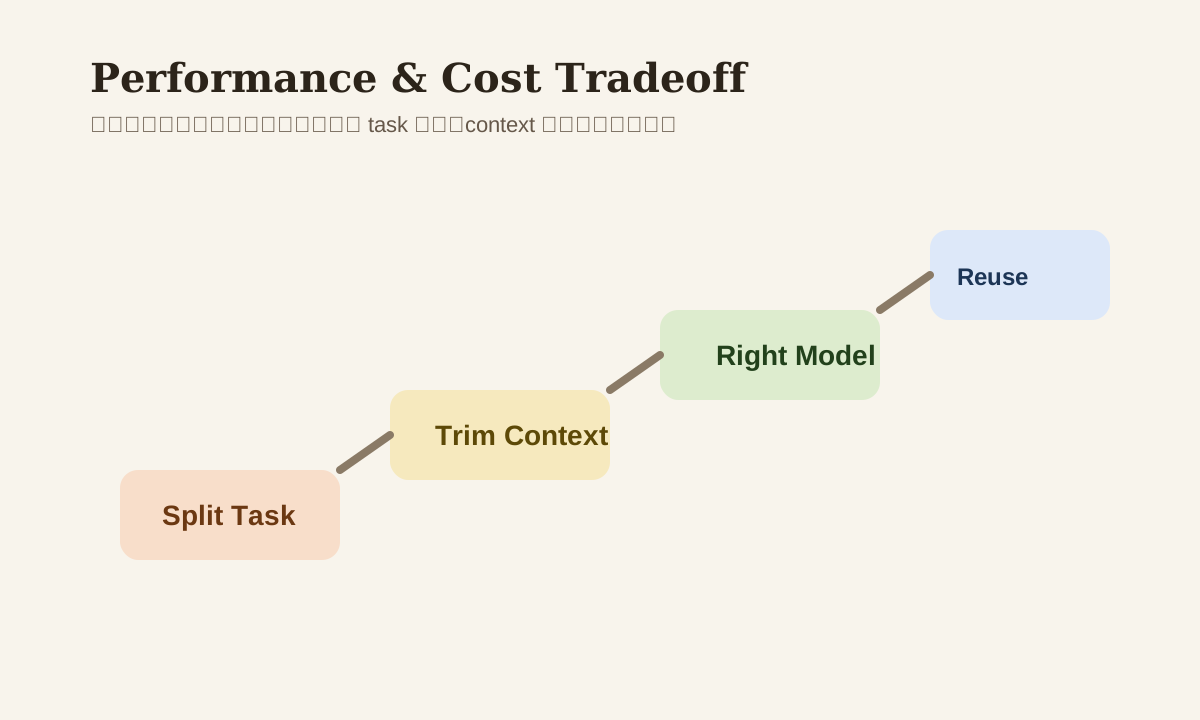
A Common Optimization Path
long task
  -> split into smaller tasks
  -> trim context
  -> choose cheaper model where possible
  -> reduce verbose output
  -> reuse validated assets
This sequence beats staring at model pricing tables.
Common Mistakes
| Mistake | Problem | Better Approach |
|---|---|---|
| Switch models at first sign of slowness | Root cause might be context length | Diagnose first |
| Use the strongest model for everything | Costs spiral out of control | Tier tasks by complexity |
| More context = better | Actually slower and messier | Use precise references |
| Full explanations every time | Huge token waste | Limit output length |
Practice
Look back at your most recent "slow or expensive" AI coding session:
- Was the task too big, or was the context too long?
- Were there stages you could've split apart?
- Were there steps that could've used a smaller model?
- Were there unnecessary lengthy explanations?
Answer these 4 questions clearly, and your performance/cost optimization stops being a vague feeling — it becomes something you can actually act on.
📚 Related resources
❓ Common questions
Open a question to review the practical answer.
When AI coding feels slow, what should I diagnose before swapping models?
Decompose "slow" first — at least 5 sources: "(1) model itself is slow (2) context too long (3) task too big (4) too many tool calls (5) over-explanation requested." Swapping models only addresses #1, but in real work 60% of slowness comes from #2 and #3 — once context hits 50K tokens or one task asks for 5 things, no model saves you. Diagnose first.
If the AI bill is exploding, what are the 4 most common cost drivers?
(1) long context — tokens balloon fast; (2) bloated prompt — info irrelevant to the current task; (3) wasted rounds — endless rework; (4) high-tier model overuse — most expensive model for trivial completion. Bill blow-ups almost never come from per-token pricing — they come from undisciplined workflow. GPT-4 vs GPT-3.5 is 20x per token, but 5 rounds vs 1 round is a bigger multiplier.
Which tasks fit a small model, and which need the top-tier one?
Three tiers: simple completion / copy edits / PR summaries fit small or mid-tier; multi-file refactor / long-context reading fits mid-to-high tier; high-risk reasoning (architecture, cross-service integration, security-sensitive logic) earns the top tier + human review. One-line rule: don't burn the expensive model on repetitive low-risk tasks — same dollars deliver 10x ROI at decision points.
How do I get AI to output less and skip unnecessary explanation?
Add three constraints at the end of the prompt: "Give the minimal patch; no long explanations; only flag risks and verification when necessary." Default AI dumps long principle explanations + multiple versions + restatements of context you already know — half the tokens go to politeness. Those three lines slash output by 50-70% and double the speed.
How do I turn high-frequency AI tasks into reusable assets to cut long-term cost?
Five asset types: snippets (IDE blocks), shell scripts (CLI automation), prompt templates (reusable prompts), local utilities, cached context summaries (digest of large files). Rule: any task you ran 3 times deserves an asset. Example: instead of asking AI for commit messages each time, alias a shell command to a local script. Shifts "ask every time" to "ask only at critical steps."