
Security & Privacy Best Practices
The most dangerous thing about AI writing code isn't that it'll produce a bug — it's that it'll drag secrets, PII, or sensitive data into prompts, logs, repos, or PRs without you noticing. Vibe Coding is fast. But the faster you go, the easier it is to skip basic security and privacy hygiene.
So this page isn't about generic "be careful about security" advice. It's about specific risk points and the minimum guardrails you need.
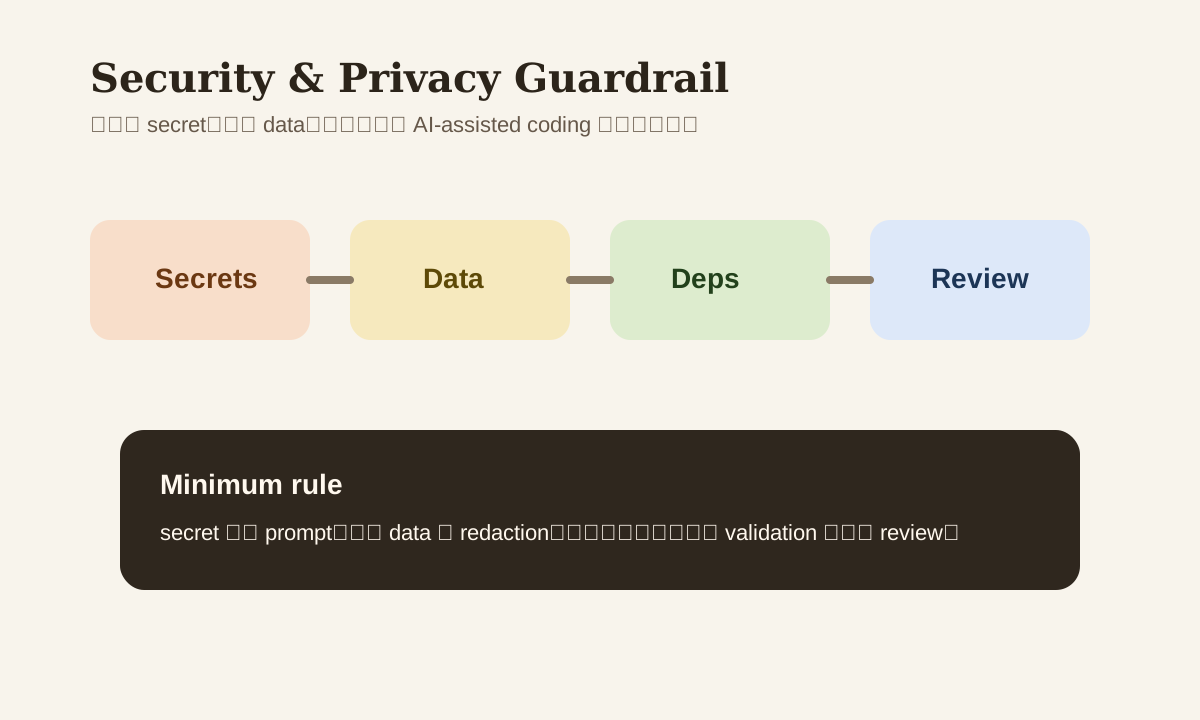
The Most Common Risks Aren't Hacker-Level Attacks — They're Everyday Mistakes
In real projects, these show up way more often:
- Pasting API keys directly into the conversation
- Copying
.envcontents to AI - Dropping raw customer data samples into a prompt
- Adding dependencies without checking license or maintenance status
- Letting AI modify permission logic without boundary validation
None of these are "advanced security" — but any one of them can cause serious problems on a team.
Step 1: Secrets Never Go Into Prompts
The most basic rule:
- Don't paste real API keys
- Don't paste real database passwords
- Don't paste
.pemfiles, tokens, or cookies - Don't paste full
.envfiles
If you need to describe your environment, use placeholders:
OPENAI_API_KEY=YOUR_API_KEY
DATABASE_URL=YOUR_DATABASE_URL
AI needs the structure and usage patterns, not your actual secrets.
Step 2: Redact Real Data Before Sharing
A lot of people debugging features will casually paste user data, support tickets, or contract snippets to AI. The safer approach — redact first:
- Names -> User A
- Emails -> masked
- Order IDs -> mock ID
- Contract amounts -> ranges or fake data
If you paste raw business data into a chat and then try to talk about your privacy policy, you've already got the order wrong.
Step 3: Be Extra Careful When AI Touches Auth/Permission Logic
Some code areas just aren't suited for fully trusting AI:
- Login / auth
- Role / permission
- Payment
- Admin operations
- Data export
That doesn't mean AI can't help. But these areas need:
- Clear acceptance criteria upfront
- Minimal changes only
- Boundary testing
- Human review
Step 4: "It Runs" Doesn't Mean You Should Add the Dependency
AI loves to casually add packages. The risk is that it won't necessarily check:
- Whether the package is still maintained
- Whether the license works for you
- Whether there's a lighter alternative
- Whether you're pulling in a heavy dependency for one small feature
A safer prompt:
If you need to add a dependency, state:
- Version
- License
- Maintenance status
- Why it's worth adding
- Whether there's a built-in or lighter alternative
Step 5: Logs Can Be Leak Points Too
Many teams know not to paste secrets, but forget that logs can also leak:
- Error logs printing full request bodies
- Debug logs recording raw user input
- AI output being written verbatim into monitoring systems
Better principles:
- Log only necessary metadata
- Mask sensitive inputs
- When debugging, replay the structure — you don't need the full raw content
A Minimum Security Checklist
- No real secrets in prompts
- Sample data has been redacted
- High-risk logic has human review
- New dependencies checked for license and maintenance status
- Logs don't contain unnecessary sensitive raw data
Common Mistakes
| Mistake | Problem | Better Approach |
|---|---|---|
"Just letting AI look at .env" | Secret is already exposed | Use placeholders |
| Real user samples are easiest to debug with | High privacy risk | Redact first |
| Dependency works so it's fine | Supply chain risk ignored | Check license / maintenance |
| Hand off security logic entirely to AI | High regression cost | Set clear boundaries + stronger review |
Practice
Look back at your most recent AI-assisted code change:
- Did you paste any real secrets or business data?
- Did you add any new dependencies?
- Did you touch auth / permission / payment logic?
- Was there sufficient validation and human review?
If even one of these four you can't answer confidently, the security bar on that change wasn't high enough.
📚 Related resources
❓ Common questions
Open a question to review the practical answer.
What's the most dangerous security slip in AI-assisted coding?
Not advanced attacks — daily mistakes of pasting things that shouldn't enter the prompt. Five high-frequency slips: (1) real API keys; (2) full .env contents; (3) raw customer data samples; (4) new dependencies without checking license / maintenance; (5) AI modifying permission logic without boundary verification. These cause more team incidents than actual hacks.
If I must describe my env config to AI, how do I phrase it safely?
Use placeholders for real secrets: `OPENAI_API_KEY=YOUR_API_KEY`, `DATABASE_URL=YOUR_DATABASE_URL`, `STRIPE_SECRET=YOUR_STRIPE_KEY`. AI needs the structure and usage (which env vars, field names, where they're used) — not your actual key. "Real values make AI more accurate" is a myth: AI only cares about schema, real values trade leakage risk for zero upside.
When debugging needs real business data, how do I redact properly?
Four fields to always redact: names → User A / User B, emails → masked or fake, order IDs → mock IDs, contract amounts → ranges or dummy numbers. Rule: redact before pasting, never "paste first to see how it looks." Vibe Coding's speed is the upside, but privacy leaks don't roll back — get the order wrong and no policy update saves you afterward.
Which code areas should never be fully trusted to AI?
Five high-risk zones: (1) login / auth; (2) role / permission; (3) payment; (4) admin operation; (5) data export. Not that AI can't help — these zones require a hardened flow: lock acceptance criteria → demand minimal changes → run boundary tests → human review. All 4 steps mandatory. The cost of an AI mistake here isn't a bug-fix — it's user data / money / trust gone.
AI loves adding dependencies — how do I block supply-chain risk?
Force 5 disclosures in the prompt: "If adding a dependency, state: (1) version (2) license (3) maintenance status (4) why it's worth adding (5) any built-in or lighter alternative." Default AI will "just install one," but when asked these 5 it often changes its mind and recommends a native API or a smaller lib. This single prompt blocks 3 years of future dependency rot.