
Write Your First Prompt
The most common mistake people make when first using AI to write code isn't that they don't know how to ask — it's that they ask like they're having a casual chat. The vaguer you are, the more likely AI gives you something that "looks like it could work" but falls apart in a real project.
Your first prompt doesn't need advanced techniques. What matters is spelling out the task, the boundaries, and how you'll know it's done.
Why Your First Prompt Matters
Because it shapes your entire first impression of AI coding.
If your first prompt is:
Write me a function.
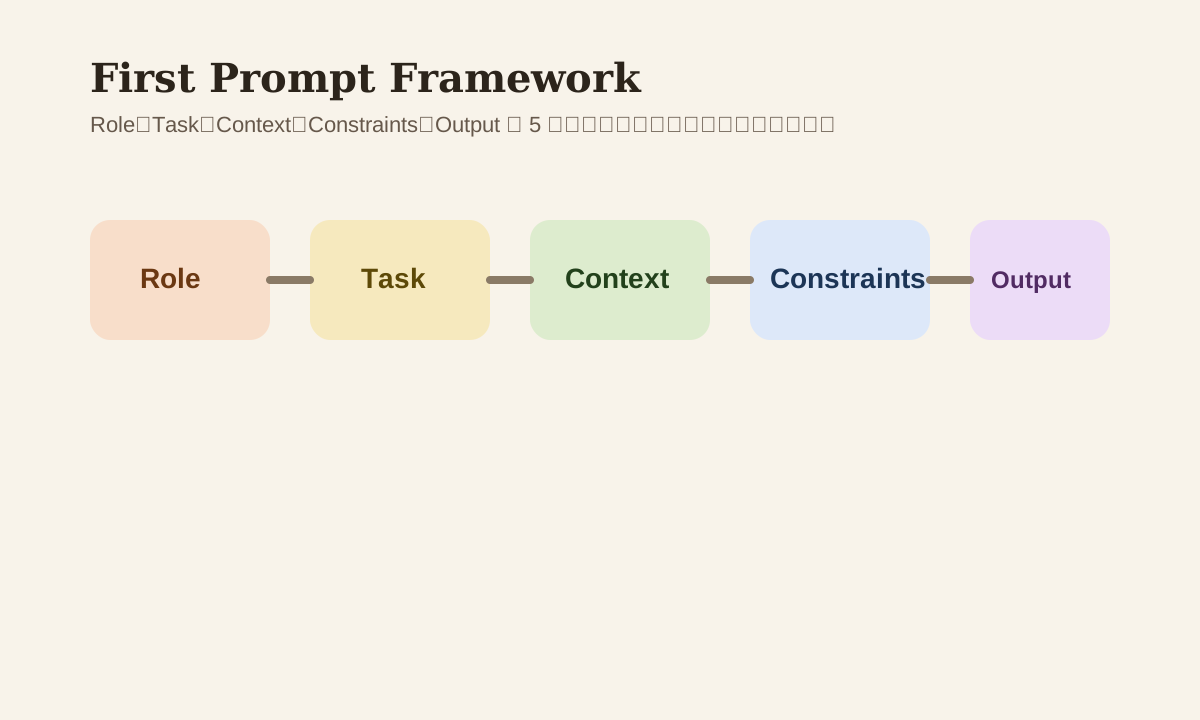
AI has nothing to work with but guesses. But if you specify the role, task, context, constraints, and expected output, the results get dramatically more consistent.
A Good-Enough Prompt Skeleton
Don't overthink your first prompt. This skeleton is all you need:
[Role]
You're a senior frontend engineer experienced with Next.js + TypeScript.

[Task]
Implement a function that deduplicates a string array and sorts it alphabetically.

[Context]
The code goes in `utils/array.ts`. The project uses ESLint + Prettier.

[Constraints]
- Don't mutate the original array
- Keep type definitions
- Return an empty array for empty input

[Output]
- Give me the complete code
- Briefly explain the time complexity
- Describe how to verify it
The benefit: AI doesn't have to guess your environment, and it won't make up assumptions on its own.
The 5 Most Important Prompt Elements
| Element | Why it matters |
|---|---|
| Role | Gives AI a working identity, reduces style drift |
| Task | Makes it clear what actually needs to happen |
| Context | Tells it where the code lives — which project, which file |
| Constraints | Stops it from adding random dependencies or changing styles |
| Output | Controls the return format so you can use it directly |
Prompts without context and constraints are the ones that go off the rails most often.
The One Thing Worth Adding: Examples
If you can provide input/output examples, consistency goes way up.
Example
Input:
["b", "a", "b"]

Expected output:
["a", "b"]
For AI, concrete examples are much harder to misinterpret than abstract descriptions.
How to Use This in Cursor / Claude Code
You don't need to write your prompt like a research paper. A more practical approach:
- Open the target file
- Paste in your prompt
- Have AI give you a plan or code
- Run it immediately to verify
The most important step here isn't generation — it's running it right away. Otherwise you'll easily fall into "looks fine = is fine" thinking.
First Prompt Pitfalls
| Pitfall | What happens | Fix |
|---|---|---|
| Goal only, no context | Code clashes with project style | Add file / stack / style info |
| Too many requirements at once | Output becomes a mess | Split into 2-3 steps |
| No constraints | AI adds dependencies or restructures | Declare off-limits areas first |
| No acceptance criteria | You can't tell if it's actually done | Specify how to verify |
A More Reliable Iteration Approach
Don't try to nail it in one shot on the first round. Try asking this way instead:
Don't write code yet.
First tell me your implementation approach, what edge cases you see, and how I should verify the result.
This lets you check whether the direction is right before any code gets written.
A Minimal First Exercise
Don't start with a complex feature. Pick something small like:
- Write a utility function
- Add a loading state to a button
- Extract a piece of repeated logic
- Explain an error message
These tasks are good because:
- Results are easy to verify
- The blast radius is small
- They help you build the right rhythm for working with AI
Practice
Try it right now:
- Pick a small task
- Write a prompt using
Role + Task + Context + Constraints + Output - Add an input/output example
- Have AI give you a plan first, then code
If you can run through these 4 steps smoothly, your first prompt is already way ahead of most people's "just ask whatever" starting point.
📚 Related resources
❓ Common questions
Open a question to review the practical answer.
Why does "write me a function" almost never produce usable code?
Because AI can only guess your stack, file path, naming style, and acceptance bar — output usually "looks fine" but breaks once dropped into the repo. Fix it by spelling out 5 things: Role (senior React engineer), Task (dedup + sort a string array), Context (utils/array.ts, ESLint + Prettier), Constraints (don't mutate input), Output (full code + time complexity).
Which of the 5 prompt elements (Role/Task/Context/Constraints/Output) do beginners forget most?
Context and Constraints. Beginners usually write only the Task, so AI invents dependencies, drifts in code style, or drops files in the wrong folder. Context tells AI which file and stack it lives in; Constraints set red lines (no new deps, don't change prop signatures, keep type definitions). Add both and first-pass usable output jumps from 30% to 80%.
Why does adding one input/output example beat a paragraph of abstract description?
Because examples have no ambiguity. "Dedup and sort" can mean preserve first occurrence, sort by ASCII, or sort by locale. But one line — `["b", "a", "b"] → ["a", "b"]` — leaves only one valid reading. The single highest-leverage add to a first prompt is 1-2 input/output pairs; sharper than 5 lines of prose.
On the first round, should I ask for a plan first or jump straight to code?
Ask for the plan first. Say something like "don't write code yet — tell me your approach, the edge cases involved, and how I'd verify it." Reading a plan takes 30 seconds and catches wrong-direction answers, far cheaper than letting AI generate a full patch and discovering it missed the point. Lock direction, then ship code.
What kind of task should a beginner pick for their very first Vibe Coding round?
Pick from 4 small tasks: (1) write a utility function; (2) add a loading state to a button; (3) extract a duplicated block; (4) explain an error message. They share three traits — easy to verify, narrow blast radius, clear rules — so you can judge correctness in 30 seconds. Don't open with "build a login system"; even veterans crash on that scope.