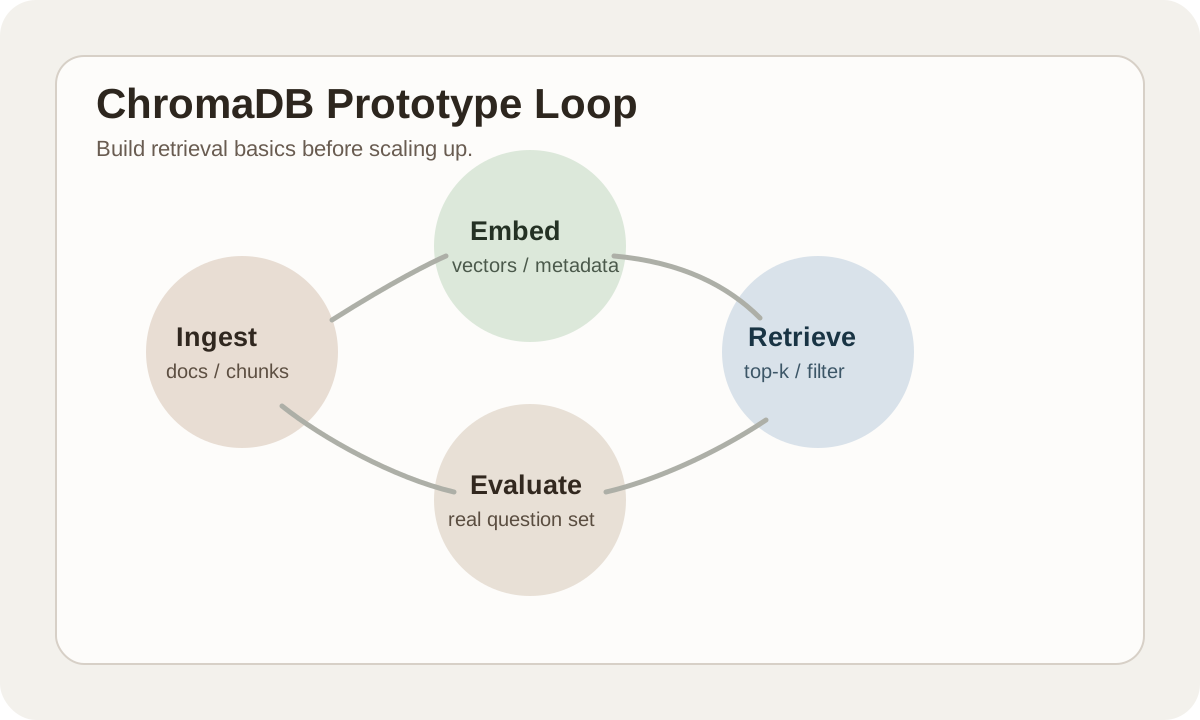
ChromaDB 简介
ChromaDB 是一个开源的向量数据库,以简单易用著称。它可以在本地运行,无需复杂配置,特别适合快速原型开发和中小规模的 RAG 应用。
#为什么使用 ChromaDB?
#1. 极简使用
几行代码即可开始:
pythonimport chromadb client = chromadb.Client() collection = client.create_collection("my_collection")
#2. 零配置部署
- 无需服务器
- 无需 Docker
- 嵌入式运行
- 开箱即用
#3. 丰富的集成
与主流 LLM 框架无缝集成:
- LangChain
- LlamaIndex
- Haystack
- OpenAI
#核心概念
#Collections (集合)
类似于数据库中的表:
pythonimport chromadb client = chromadb.Client() # 创建集合 collection = client.create_collection("documents") # 获取已有集合 collection = client.get_collection("documents") # 获取或创建 collection = client.get_or_create_collection("documents") # 删除集合 client.delete_collection("documents")
#存储数据
pythoncollection.add( documents=["这是第一个文档", "这是第二个文档"], metadatas=[{"source": "a"}, {"source": "b"}], ids=["id1", "id2"] )
#查询数据
pythonresults = collection.query( query_texts=["相关的查询"], n_results=5 ) print(results["documents"]) # 匹配的文档 print(results["distances"]) # 相似度距离
#快速开始
#安装
bashpip install chromadb
#基础使用
pythonimport chromadb # 创建客户端 client = chromadb.Client() # 创建集合 collection = client.create_collection("my_docs") # 添加文档(自动生成向量) collection.add( documents=[ "Python 是一种编程语言", "JavaScript 用于网页开发", "机器学习是 AI 的一个分支" ], ids=["doc1", "doc2", "doc3"] ) # 查询 results = collection.query( query_texts=["什么是编程语言"], n_results=2 ) print(results["documents"]) # [['Python 是一种编程语言', 'JavaScript 用于网页开发']]
#持久化存储
python# 使用持久化客户端 client = chromadb.PersistentClient(path="./chroma_data") # 数据会自动保存到磁盘 collection = client.get_or_create_collection("my_docs")
#高级功能
#使用 Metadata 过滤
pythoncollection.add( documents=["文档1", "文档2", "文档3"], metadatas=[ {"category": "tech", "year": 2024}, {"category": "science", "year": 2023}, {"category": "tech", "year": 2023} ], ids=["1", "2", "3"] ) # 按 metadata 过滤 results = collection.query( query_texts=["查询"], where={"category": "tech"}, n_results=10 ) # 复杂过滤 results = collection.query( query_texts=["查询"], where={ "$and": [ {"category": "tech"}, {"year": {"$gte": 2023}} ] } )
#自定义 Embedding
pythonfrom chromadb.utils import embedding_functions # 使用 OpenAI openai_ef = embedding_functions.OpenAIEmbeddingFunction( api_key="your-api-key", model_name="text-embedding-3-small" ) collection = client.create_collection( name="my_docs", embedding_function=openai_ef )
#更新和删除
python# 更新文档 collection.update( ids=["id1"], documents=["更新后的内容"], metadatas=[{"updated": True}] ) # 删除文档 collection.delete(ids=["id1", "id2"]) # 按条件删除 collection.delete(where={"category": "old"})
#与 LangChain 集成
pythonfrom langchain_community.vectorstores import Chroma from langchain_openai import OpenAIEmbeddings # 创建向量存储 vectorstore = Chroma.from_texts( texts=["文档1", "文档2"], embedding=OpenAIEmbeddings(), persist_directory="./chroma_db" ) # 相似性搜索 docs = vectorstore.similarity_search("查询", k=3) # 作为检索器 retriever = vectorstore.as_retriever()
#与 LlamaIndex 集成
pythonimport chromadb from llama_index.vector_stores.chroma import ChromaVectorStore from llama_index.core import VectorStoreIndex # 创建 Chroma 客户端 client = chromadb.PersistentClient(path="./chroma_db") collection = client.get_or_create_collection("docs") # 创建向量存储 vector_store = ChromaVectorStore(chroma_collection=collection) # 创建索引 index = VectorStoreIndex.from_vector_store(vector_store)
#性能优化
#批量操作
python# 批量添加 collection.add( documents=large_document_list, # 一次添加多个 ids=id_list )
#索引配置
pythoncollection = client.create_collection( name="my_docs", metadata={"hnsw:space": "cosine"} # 使用余弦相似度 )
#ChromaDB vs 其他向量数据库
| 特性 | ChromaDB | Pinecone | Milvus |
|---|---|---|---|
| 部署 | 本地/嵌入式 | 云托管 | 自托管 |
| 易用性 | ⭐⭐⭐⭐⭐ | ⭐⭐⭐⭐ | ⭐⭐⭐ |
| 规模 | 中小型 | 大规模 | 大规模 |
| 成本 | 免费 | 按量付费 | 免费/商业 |
| 生产就绪 | 开发/小规模 | ✅ | ✅ |
选择建议:
- 原型开发 → ChromaDB
- 生产环境大规模 → Pinecone/Milvus
- 预算有限 + 中等规模 → ChromaDB
#下一步
- 快速开始 - 详细入门教程
- Collections - 深入了解集合
提示:ChromaDB 适合开发和中小规模应用,大规模生产环境考虑 Pinecone 或 Milvus。