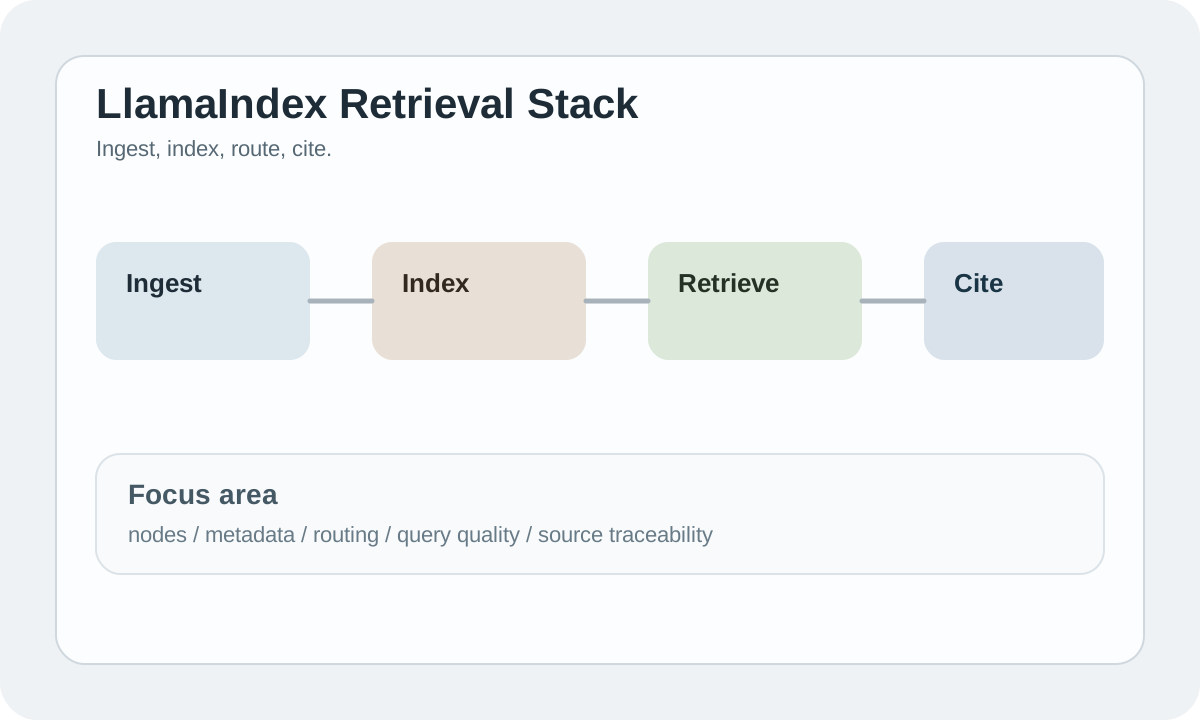
LlamaIndex 简介
LlamaIndex 是专注于数据索引和检索的 LLM 框架,特别适合构建 RAG (Retrieval-Augmented Generation) 应用。它简化了将私有数据与大语言模型连接的过程。
#为什么使用 LlamaIndex?
#1. 专注 RAG 场景
LlamaIndex 专为知识库场景优化:
- 简化的数据索引流程
- 强大的检索能力
- 多种查询模式
- 丰富的数据连接器
#2. 丰富的数据源支持
支持 100+ 种数据源:
- 文档:PDF、Word、Markdown
- 数据库:SQL、MongoDB
- API:Notion、Slack、Discord
- 网页:URL、Sitemap
#3. 灵活的索引策略
| 索引类型 | 特点 | 适用场景 |
|---|---|---|
| VectorStore | 语义相似度 | 通用问答 |
| Summary | 摘要索引 | 文档总结 |
| Tree | 树状结构 | 层次数据 |
| Keyword | 关键词匹配 | 精确查询 |
#快速开始
#安装
bashpip install llama-index pip install llama-index-llms-openai # OpenAI 支持 pip install llama-index-embeddings-openai
#第一个示例
pythonfrom llama_index.core import VectorStoreIndex, SimpleDirectoryReader # 1. 加载文档 documents = SimpleDirectoryReader("./data").load_data() # 2. 创建索引 index = VectorStoreIndex.from_documents(documents) # 3. 创建查询引擎 query_engine = index.as_query_engine() # 4. 查询 response = query_engine.query("这个项目是做什么的?") print(response)
就这么简单!LlamaIndex 自动处理了:
- 文档解析
- 文本分割
- 向量嵌入
- 索引存储
- 相关性检索
- 答案生成
#核心概念
#1. Documents 和 Nodes
pythonfrom llama_index.core import Document from llama_index.core.node_parser import SentenceSplitter # 创建文档 doc = Document(text="这是文档内容...") # 分割成节点 parser = SentenceSplitter(chunk_size=1024) nodes = parser.get_nodes_from_documents([doc])
#2. Index (索引)
pythonfrom llama_index.core import VectorStoreIndex # 从文档创建索引 index = VectorStoreIndex.from_documents(documents) # 从节点创建索引 index = VectorStoreIndex(nodes) # 持久化索引 index.storage_context.persist("./storage") # 加载已有索引 from llama_index.core import StorageContext, load_index_from_storage storage_context = StorageContext.from_defaults(persist_dir="./storage") index = load_index_from_storage(storage_context)
#3. Query Engine (查询引擎)
python# 基础查询 query_engine = index.as_query_engine() # 自定义参数 query_engine = index.as_query_engine( similarity_top_k=5, # 检索 top 5 相关文档 response_mode="tree_summarize" # 响应模式 ) # 流式输出 query_engine = index.as_query_engine(streaming=True) response = query_engine.query("问题") for text in response.response_gen: print(text, end="")
#4. Chat Engine (对话引擎)
pythonchat_engine = index.as_chat_engine() response = chat_engine.chat("你好") print(response) response = chat_engine.chat("继续上面的话题") print(response) # 重置对话 chat_engine.reset()
#高级功能
#多种数据加载器
pythonfrom llama_index.readers.web import SimpleWebPageReader from llama_index.readers.notion import NotionPageReader # 网页 web_docs = SimpleWebPageReader().load_data( ["https://example.com/page1", "https://example.com/page2"] ) # Notion notion_docs = NotionPageReader(integration_token="...").load_data( page_ids=["page_id_1", "page_id_2"] )
#自定义 LLM 和 Embedding
pythonfrom llama_index.llms.anthropic import Anthropic from llama_index.embeddings.openai import OpenAIEmbedding from llama_index.core import Settings # 使用 Claude Settings.llm = Anthropic(model="claude-3-5-sonnet-20241022") # 自定义 Embedding Settings.embed_model = OpenAIEmbedding(model="text-embedding-3-small")
#向量数据库集成
pythonimport chromadb from llama_index.vector_stores.chroma import ChromaVectorStore # Chroma chroma_client = chromadb.PersistentClient(path="./chroma_db") chroma_collection = chroma_client.get_or_create_collection("my_collection") vector_store = ChromaVectorStore(chroma_collection=chroma_collection) # 使用向量存储创建索引 index = VectorStoreIndex.from_vector_store(vector_store)
#LlamaIndex vs LangChain
| 特性 | LlamaIndex | LangChain |
|---|---|---|
| 核心定位 | RAG 专精 | 通用框架 |
| 学习曲线 | 较平缓 | 较陡峭 |
| 数据索引 | ⭐⭐⭐⭐⭐ | ⭐⭐⭐ |
| Agent 能力 | ⭐⭐⭐ | ⭐⭐⭐⭐⭐ |
| 生态系统 | 专注数据 | 更广泛 |
选择建议:
- 构建知识库问答 → LlamaIndex
- 需要复杂 Agent → LangChain
- 两者可以结合使用
#最佳实践
#1. 优化分块策略
pythonfrom llama_index.core.node_parser import SentenceSplitter # 根据内容调整分块大小 parser = SentenceSplitter( chunk_size=512, # 较小的块更精确 chunk_overlap=50 # 重叠保持上下文 )
#2. 使用 Metadata
pythonfrom llama_index.core import Document doc = Document( text="文档内容", metadata={ "source": "manual.pdf", "category": "技术文档", "date": "2024-01-01" } )
#3. 混合检索
pythonfrom llama_index.core.retrievers import QueryFusionRetriever # 结合多种检索策略 retriever = QueryFusionRetriever( [vector_retriever, keyword_retriever], num_queries=4 )
#下一步
提示:LlamaIndex 发展迅速,查看 官方文档↗ 获取最新 API。