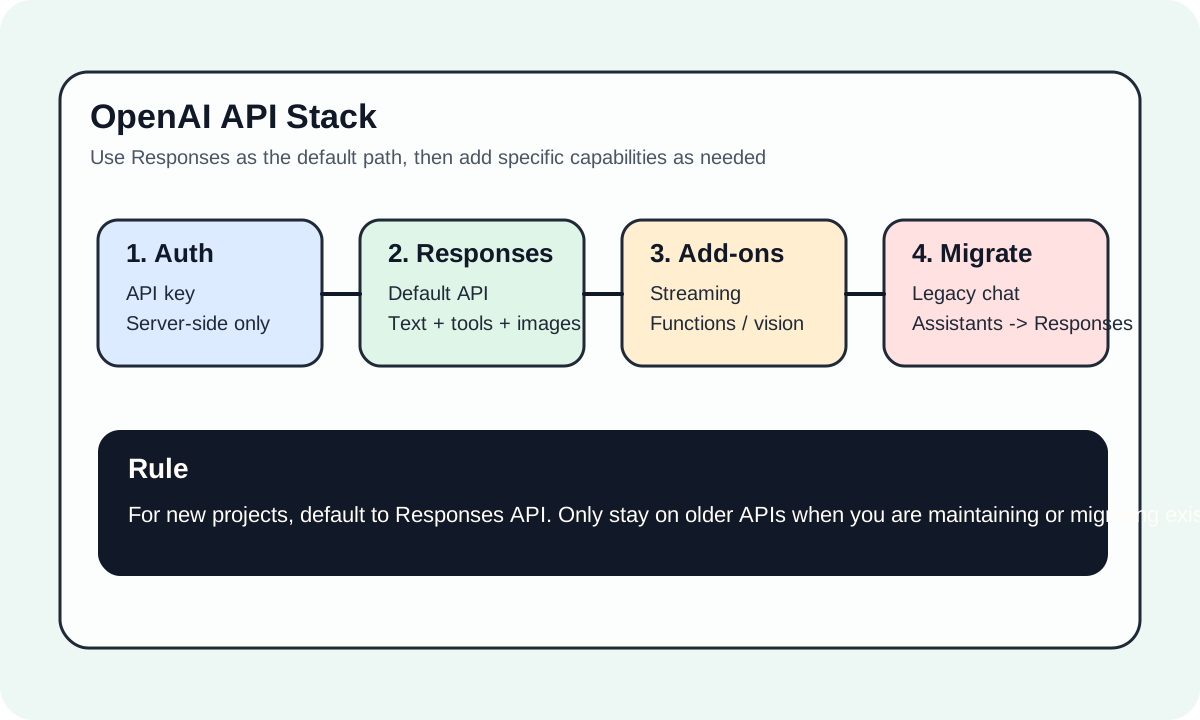
OpenAI API 简介
OpenAI API 是最广泛使用的 AI API 之一,提供 GPT-4、GPT-3.5、DALL-E、Whisper 等模型的访问。本指南将帮助你快速上手 OpenAI API 开发。
#为什么使用 OpenAI API?
#1. 强大的模型能力
| 模型 | 能力 | 特点 |
|---|---|---|
| GPT-4 Turbo | 文本生成 | 最强推理能力 |
| GPT-4 Vision | 图像理解 | 多模态处理 |
| GPT-3.5 Turbo | 文本生成 | 高性价比 |
| DALL-E 3 | 图像生成 | 高质量图片 |
| Whisper | 语音识别 | 多语言支持 |
| TTS | 语音合成 | 自然语音 |
#2. 完善的开发体验
- 官方 SDK (Python, Node.js)
- 详细的文档和示例
- 活跃的开发者社区
- 稳定的服务质量
#3. 灵活的计费方式
按使用量付费,无最低消费:
| 模型 | 输入价格 | 输出价格 |
|---|---|---|
| GPT-4 Turbo | $10/M tokens | $30/M tokens |
| GPT-3.5 Turbo | $0.5/M tokens | $1.5/M tokens |
#快速开始
#1. 获取 API Key
- 注册 OpenAI 账号↗
- 访问 API Keys 页面↗
- 点击 "Create new secret key"
- 保存好你的 API Key
安全提示:API Key 只显示一次,请妥善保存。永远不要在前端代码中暴露 API Key。
#2. 安装 SDK
Python:
bashpip install openai
Node.js:
bashnpm install openai
#3. 第一次调用
Python 示例:
pythonfrom openai import OpenAI client = OpenAI(api_key="your-api-key") response = client.chat.completions.create( model="gpt-4-turbo-preview", messages=[ {"role": "system", "content": "你是一个有帮助的助手。"}, {"role": "user", "content": "用 Python 写一个快速排序算法"} ] ) print(response.choices[0].message.content)
Node.js 示例:
typescriptimport OpenAI from 'openai'; const openai = new OpenAI({ apiKey: process.env.OPENAI_API_KEY, }); async function main() { const response = await openai.chat.completions.create({ model: 'gpt-4-turbo-preview', messages: [ { role: 'system', content: '你是一个有帮助的助手。' }, { role: 'user', content: '用 TypeScript 写一个快速排序算法' }, ], }); console.log(response.choices[0].message.content); } main();
#核心 API
#Chat Completions
最常用的 API,用于对话和文本生成:
pythonresponse = client.chat.completions.create( model="gpt-4-turbo-preview", messages=[ {"role": "system", "content": "系统提示"}, {"role": "user", "content": "用户消息"}, {"role": "assistant", "content": "助手回复"}, {"role": "user", "content": "继续对话"} ], temperature=0.7, # 创造性 0-2 max_tokens=1000, # 最大输出长度 stream=True # 流式输出 )
#Function Calling
让模型调用自定义函数:
pythontools = [ { "type": "function", "function": { "name": "get_weather", "description": "获取指定城市的天气", "parameters": { "type": "object", "properties": { "city": { "type": "string", "description": "城市名称" } }, "required": ["city"] } } } ] response = client.chat.completions.create( model="gpt-4-turbo-preview", messages=[{"role": "user", "content": "北京今天天气怎么样?"}], tools=tools, tool_choice="auto" )
#Embeddings
将文本转换为向量,用于语义搜索:
pythonresponse = client.embeddings.create( model="text-embedding-3-small", input="这是一段需要向量化的文本" ) embedding = response.data[0].embedding
#Vision (图像理解)
GPT-4 Vision 可以理解图像:
pythonresponse = client.chat.completions.create( model="gpt-4-vision-preview", messages=[ { "role": "user", "content": [ {"type": "text", "text": "这张图片里有什么?"}, { "type": "image_url", "image_url": {"url": "https://example.com/image.jpg"} } ] } ] )
#最佳实践
#1. API Key 安全
python# ❌ 错误:硬编码 API Key client = OpenAI(api_key="sk-xxx...") # ✅ 正确:使用环境变量 import os client = OpenAI(api_key=os.getenv("OPENAI_API_KEY"))
#2. 错误处理
pythonfrom openai import OpenAI, APIError, RateLimitError try: response = client.chat.completions.create(...) except RateLimitError: print("达到速率限制,请稍后重试") except APIError as e: print(f"API 错误: {e}")
#3. 流式输出
对于长文本生成,使用流式输出提升用户体验:
pythonstream = client.chat.completions.create( model="gpt-4-turbo-preview", messages=[{"role": "user", "content": "写一篇长文章"}], stream=True ) for chunk in stream: if chunk.choices[0].delta.content: print(chunk.choices[0].delta.content, end="")
#4. Token 计算
使用 tiktoken 预估 token 数量:
pythonimport tiktoken encoding = tiktoken.encoding_for_model("gpt-4") tokens = encoding.encode("Hello, world!") print(f"Token 数量: {len(tokens)}")
#常见问题
#API 调用失败?
- 检查 API Key 是否正确
- 确认账户余额充足
- 检查网络连接(可能需要代理)
#响应太慢?
- 减少 max_tokens
- 使用 GPT-3.5 代替 GPT-4
- 启用流式输出
#超出速率限制?
- 实现重试机制
- 使用指数退避
- 升级账户 tier
#下一步
- 快速开始 - 详细的入门教程
- Function Calling - 学习函数调用
- Embeddings - 构建语义搜索
提示:OpenAI 经常更新模型,关注 官方更新日志↗ 了解最新功能。