
AI 工作流与协同
把 AI 接入邮件/日历/知识库与自动化平台,构建端到端流程
把 AI 接入邮件/日历/知识库与自动化平台,构建端到端流程
一份能用于真实工作的模板,包含真实输入、明确输出格式和人工复核点。
用真实任务跑通一次,核对关键事实,并记录使用前后的时间。
单点提效当然有价值,但真正拉开效率差距的,通常不是“AI 帮我写一封 email”,而是把 AI 接进 daily tools,形成可重复执行的 workflow。问题在于,很多 automation 一开始看起来很酷,上线两周后就暴露出 input 脏、output 不稳、handoff 不清的毛病。
我们更建议先把 AI workflow 做成“可控的小系统”,而不是“能跑就行的 demo”。
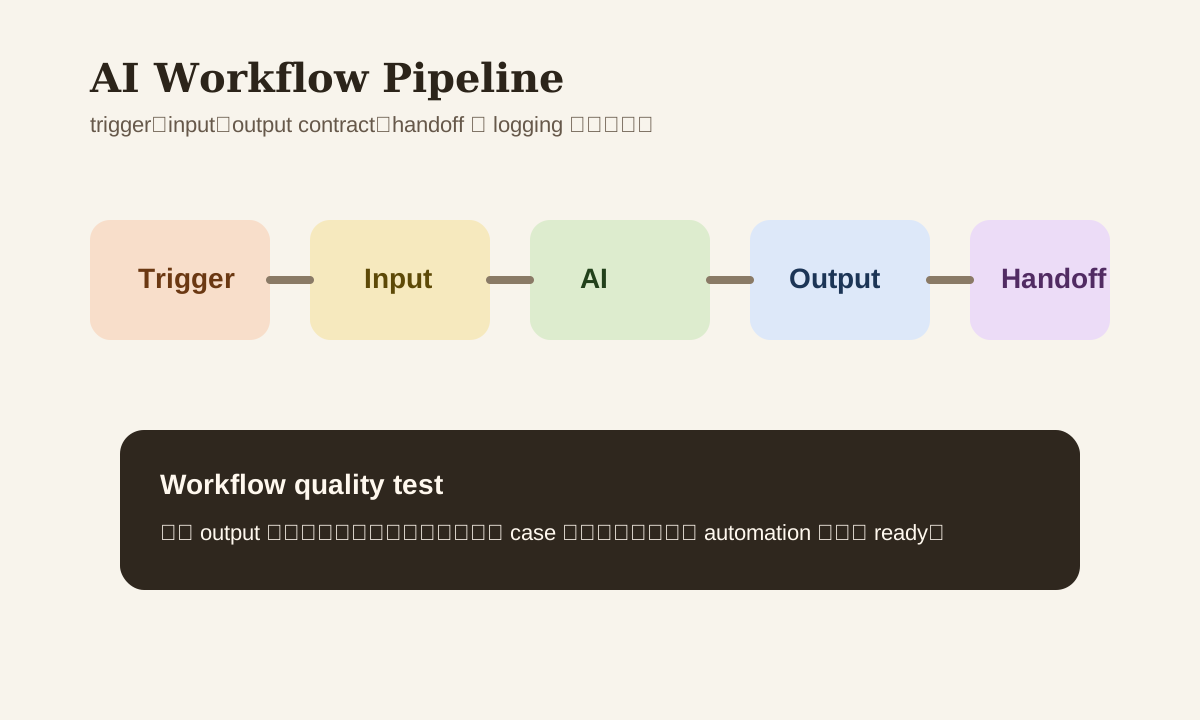
一个好 Workflow 的标准
不是能自动跑就算好。一个可上线的 AI workflow,至少要有这 5 个特征:
- trigger 清晰
- input 干净
- output 结构稳定
- 异常能 handoff
- 有 log 能回查
缺任何一个,后面都容易在 scale 时出问题。
常见 Workflow 场景
| Workflow | 触发方式 | 产出 | 风险点 |
|---|---|---|---|
| email -> summary -> task | 新邮件进入 inbox | summary、deadline、next action | 意图识别错 |
| meeting -> notes -> follow-up | meeting 结束或 transcript ready | action items、owner、timeline | 漏关键决定 |
| form -> classification -> routing | 表单或工单提交 | priority、category、assignee | 错误分派 |
| KB update -> digest -> notify | knowledge base 更新 | digest、change summary | 内容误读 |
第 1 步:先定义 Trigger
trigger 不清楚,是很多 automation 一开始就出问题的根源。
比如“有新邮件就 summary”通常太粗;更好的 trigger 是:
- inbox 里出现报价相关关键词
- 指定 folder 里的 meeting transcript 更新
- 某个 form status 变成
new - KB 里特定 space 有新页面发布
trigger 越清晰,后面 workflow 越稳。
第 2 步:Input 要先瘦身
不要为了“保险”把所有内容都传给 AI。
更好的做法是只传当前 task 真正需要的字段。
Example
不好的 input:
把整封邮件线程 + 所有附件 + CRM 原始记录都发给 AI
更好的 input:
subject
latest reply
sender
deadline if any
related link
这样不仅 cost 更低,privacy risk 也更可控。
第 3 步:Output 要有 Contract
如果 output 只是“一段看起来不错的 prose”,automation 下一步通常接不住。
所以建议尽量要求 AI 输出固定字段,例如:
{
	"intent": "follow_up",
	"priority": "medium",
	"deadline": "2026-03-18",
	"next_action": "reply_with_quote"
}
这类 output contract 对 workflow 稳定性非常关键。
第 4 步:异常场景必须有 Handoff
所有 AI workflow 都应该假设:总会有一些 case 不适合自动处理。
最常见的 handoff 条件包括:
- confidence 低
- 输出缺关键字段
- 涉及投诉、合同、财务、HR
- source 不足
- risk flag 被命中
如果没有 handoff,系统出错时就只能“继续错下去”。
工具怎么选
不是所有 workflow 都要自己写 code。
常见组合包括:
- Zapier / Make / n8n
- Slack / Teams / 飞书 automation
- OpenAI / Claude API
- Notion / Confluence / Google Drive
- Jira / Asana / Linear / CRM
选型时重点看:
| 维度 | 为什么重要 |
|---|---|
| integration coverage | 能不能接你现有 stack |
| error handling | 失败后能不能 retry / alert |
| logging | 出问题时能不能回放 |
| permission control | 谁能看到什么 data |
| cost control | run 多了会不会失控 |
一个实际可落地的 3-step Workflow
Case: meeting -> notes -> task
- transcript ready
- AI 提取 summary、action items、owner、deadline
- 同步到 task board,并把 low-confidence item 发给人工确认
这个 workflow 看起来简单,但已经涵盖了 trigger、input、output contract 和 handoff。
监控什么
一条 AI workflow 上线后,至少追这些指标:
- run count
- success rate
- avg latency
- manual handoff rate
- top failure reasons
否则你只会知道“它有在跑”,不知道“它到底稳不稳”。
常见误区
| 误区 | 问题 | 更好的做法 |
|---|---|---|
| 一开始就做复杂 end-to-end automation | 出错点太多,难排查 | 先做 3-step workflow |
| input 全量传 | cost 高、risk 大 | 只传必要字段 |
| output 不结构化 | 下一步系统接不住 | 定义 JSON / table contract |
| 没有 handoff | 异常 case 无法兜底 | 预设人工介入条件 |
Practice
选一个你最常重复的 office task,按下面格式设计:
- trigger 是什么
- input 需要哪些字段
- output contract 长什么样
- 什么情况必须 handoff
先把这 4 件事写清楚,再开始接 tool。这样做出来的 workflow 会比“先连再说”稳定很多。