
Agent Framework Overview
"Agents aren't special — the ones that can think, act, and reflect on their own are." But when it comes to real-world deployment, the common questions are: how do you choose between Workflows and Agents? Which frameworks fit which scenarios? This page breaks down the key decisions and gives you a quick-reference comparison of the major frameworks.
1. The Difference Between Workflows and Agents
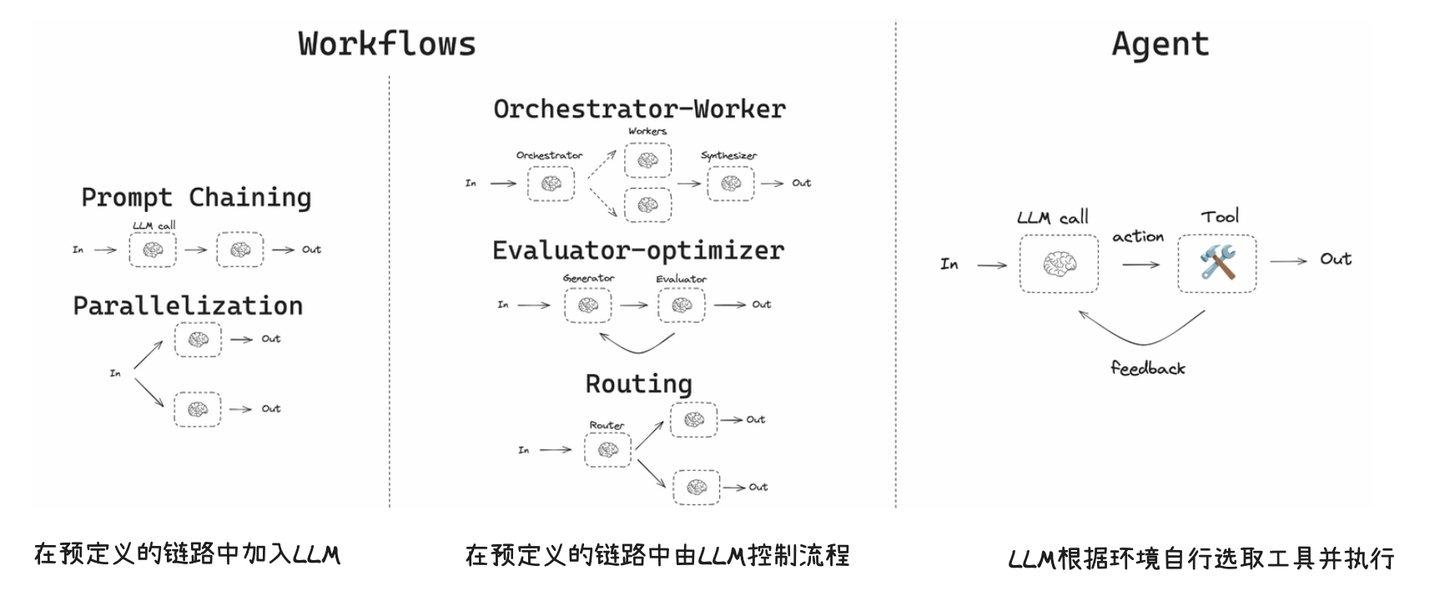
First things first: not every scenario needs an Agent.
- Workflow: Steps are fixed, branches are limited, and you can enumerate all paths ahead of time. Something like "user submits form -> validate -> generate report -> send email" — every step is predetermined.
- Agent: Requires clarification during conversation, dynamic decision-making, cross-system coordination, and paths that can't be fully predicted. Something like "check this customer's refund status" — which system to query, whether you need extra info, and how to handle the result all require the AI to figure out on its own.
Our experience from real projects: 80% of scenarios work fine with Workflows. Only the ones where paths are genuinely unpredictable actually need Agents. Many teams jump straight to Agents, then discover they're hard to debug, expensive to run, and tough to control — and end up going back to Workflows anyway because they're more stable.
The decision criteria are simple:
- Fixed steps -> Workflows are more stable, cheaper, and easier to control.
- Long-tail, variable paths -> Agents handle the "ask a question -> look something up -> then decide" flow better.
2. Framework Selection (Based on Popularity & Ecosystem)
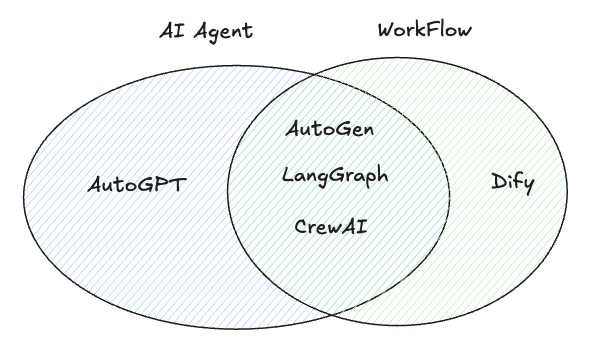
Based on community traction and ecosystem maturity, here are the 5 common frameworks:
| Framework | Ecosystem Traits | Best For |
|---|---|---|
| AutoGPT | High autonomy, rich tooling | General-purpose task automation |
| LangGraph | Graph structure, controllable | Step-by-step process tasks |
| Dify | Low-code, platform-style | Medium-complexity business apps |
| CrewAI | Multi-agent orchestration | Role-based collaboration |
| AutoGen | Multi-agent conversation | Multi-role collaboration & observability |
3. Framework Comparison Summary
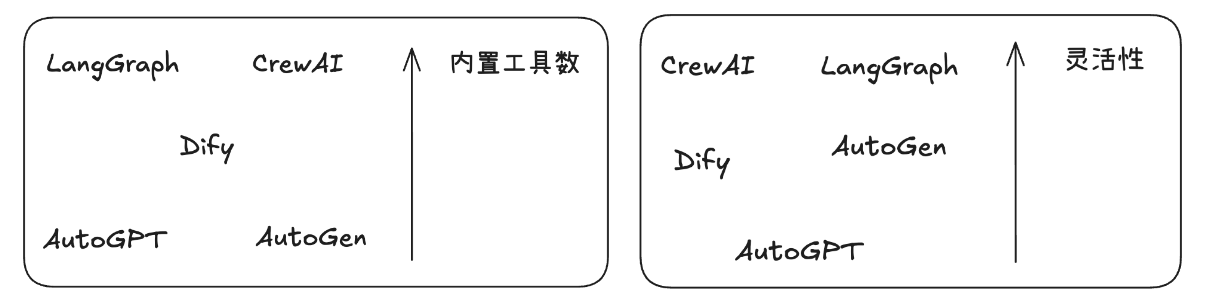
This comparison table is based on our team's actual experience using these frameworks in real projects — it's not just a documentation summary:
| Framework | Best For | Strengths | Weaknesses | Our Recommendation |
|---|---|---|---|---|
| AutoGPT | Complex general tasks | High autonomy, task decomposition, rich tools | Expensive, less controllable | Good for exploration and prototyping, not recommended for production |
| LangGraph | Decomposable processes | Observable, debuggable, controllable | Limited autonomy | Top pick for production — controllability and debuggability are must-haves |
| Dify | Medium-complexity apps | Low barrier, quick to start | Broad but not deep | Great for MVP validation, especially when the team doesn't have dedicated AI engineers |
| CrewAI | Role-based collaboration | Strong tool ecosystem, flexible | Some capabilities need filling in | Worth trying for multi-agent collaboration scenarios |
| AutoGen | Multi-agent conversation | Native multi-agent support | Ecosystem still growing | Backed by Microsoft — bullish long-term, but docs and examples are limited right now |
4. When Should You Use an Agent?
An Agent is usually the better fit when:
- The problem can't be fully enumerated and paths are uncertain.
- You need to query and combine data across multiple systems dynamically.
- The conversation requires clarification, negotiation, and decision-making.
And the flip side: if you can draw a complete flowchart where every branch is accounted for — just use a Workflow. Don't over-engineer with Agents.
5. Real-World Scenario: Branch Explosion in Customer Service
This is an actual situation we ran into on an e-commerce project, and it's quite representative.
Workflows hit "branch explosion" with long-tail problems: a single "my package hasn't arrived" case might require combining logistics status, policy windows, user tier, address issues, and promo rules. A fixed workflow becomes complex and unmaintainable. We initially built this with a rules engine — 200+ rules, and every time we changed one we worried about breaking the others.
We eventually switched to an Agent pattern, splitting responsibilities like a team:
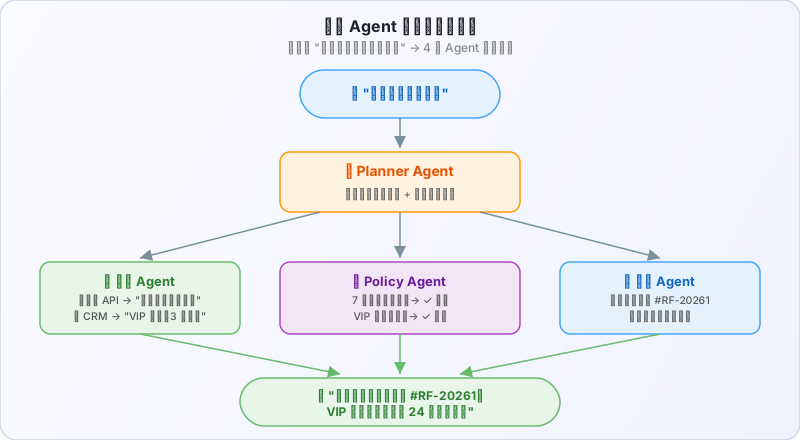
- Planner decomposes intent and clarifies ("Are you checking shipping or requesting a refund?")
- Tool Agent queries logistics/payment/CRM (each calling its own APIs)
- Policy Agent reasons about compliance policies ("Is this order within the 7-day no-questions-asked return window?")
- Execution Agent operates on tickets and closes the loop
Results after the switch: rules maintenance cost dropped 70%, long-tail issue resolution went from 45% to 82%. But API call costs went up about 3x — that trade-off depends on your business value calculation.
6. Framework Quick Reference
6.1 AutoGPT
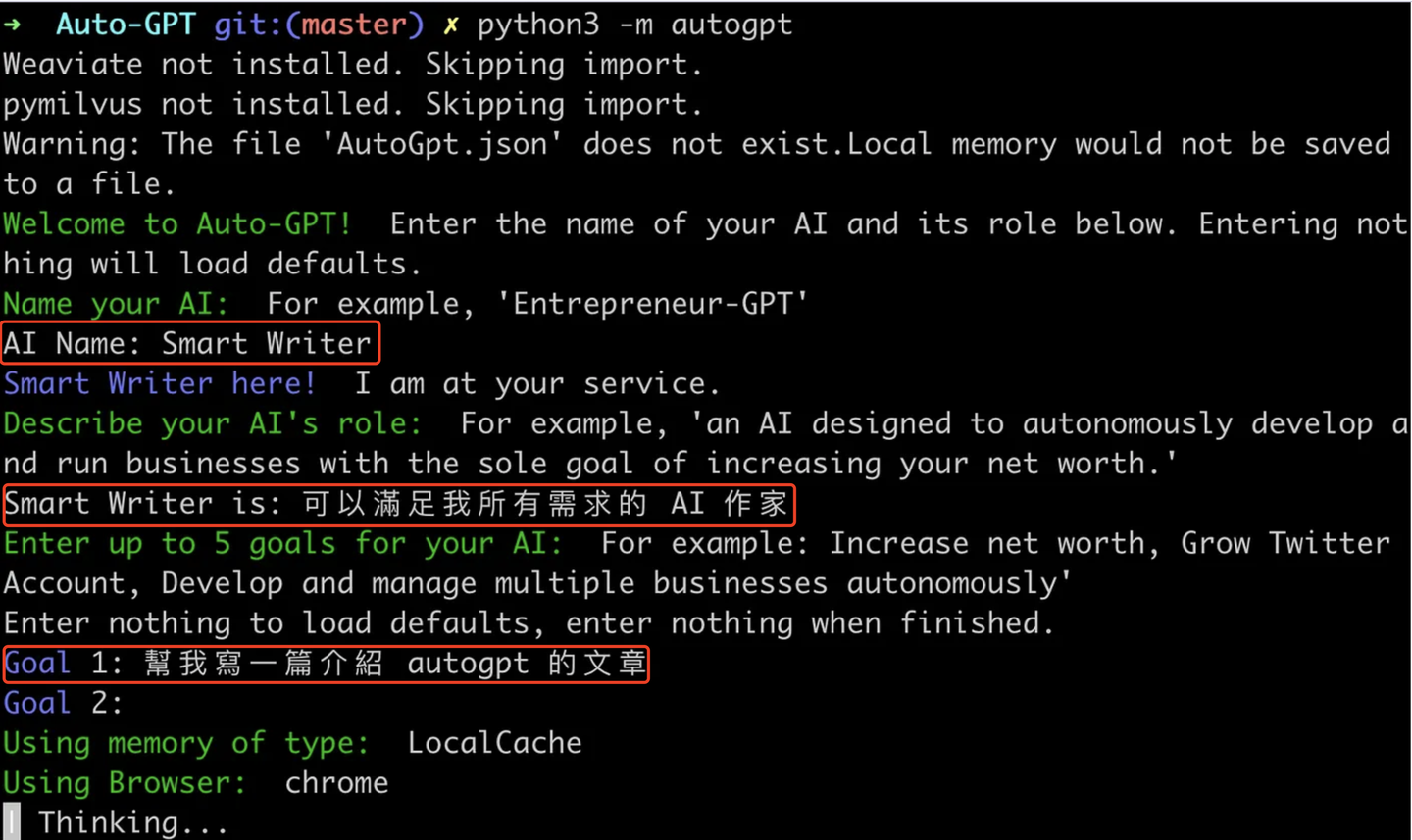
Positioning: High-autonomy Agent framework, strong at task decomposition and multi-step execution.
Strengths:
- Goal-driven, automatic subtask decomposition
- Rich tool interfaces, good for complex chain-of-tasks
Weaknesses:
- Longer tasks tend to drift from context — we tested a 10-step task where by step 7 the model had "forgotten" the original goal
- Cost and execution efficiency need careful management, a single complex task can easily burn 10K+ tokens
6.2 LangGraph
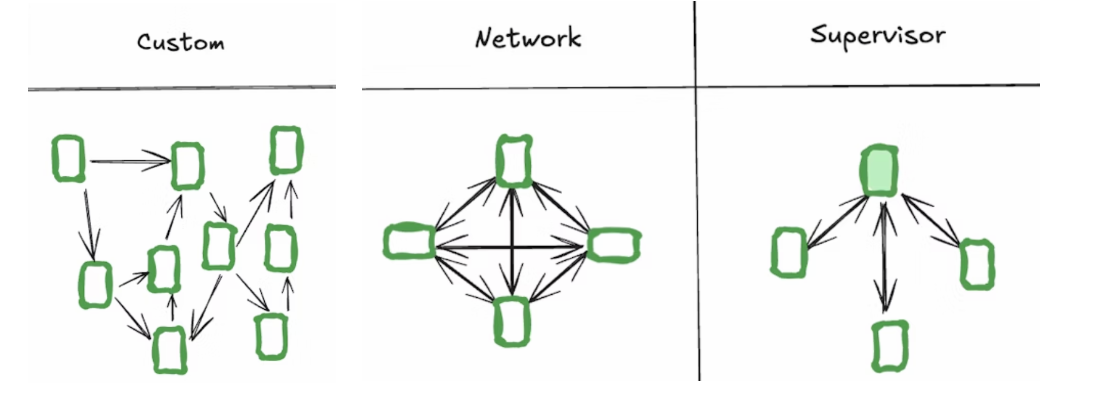
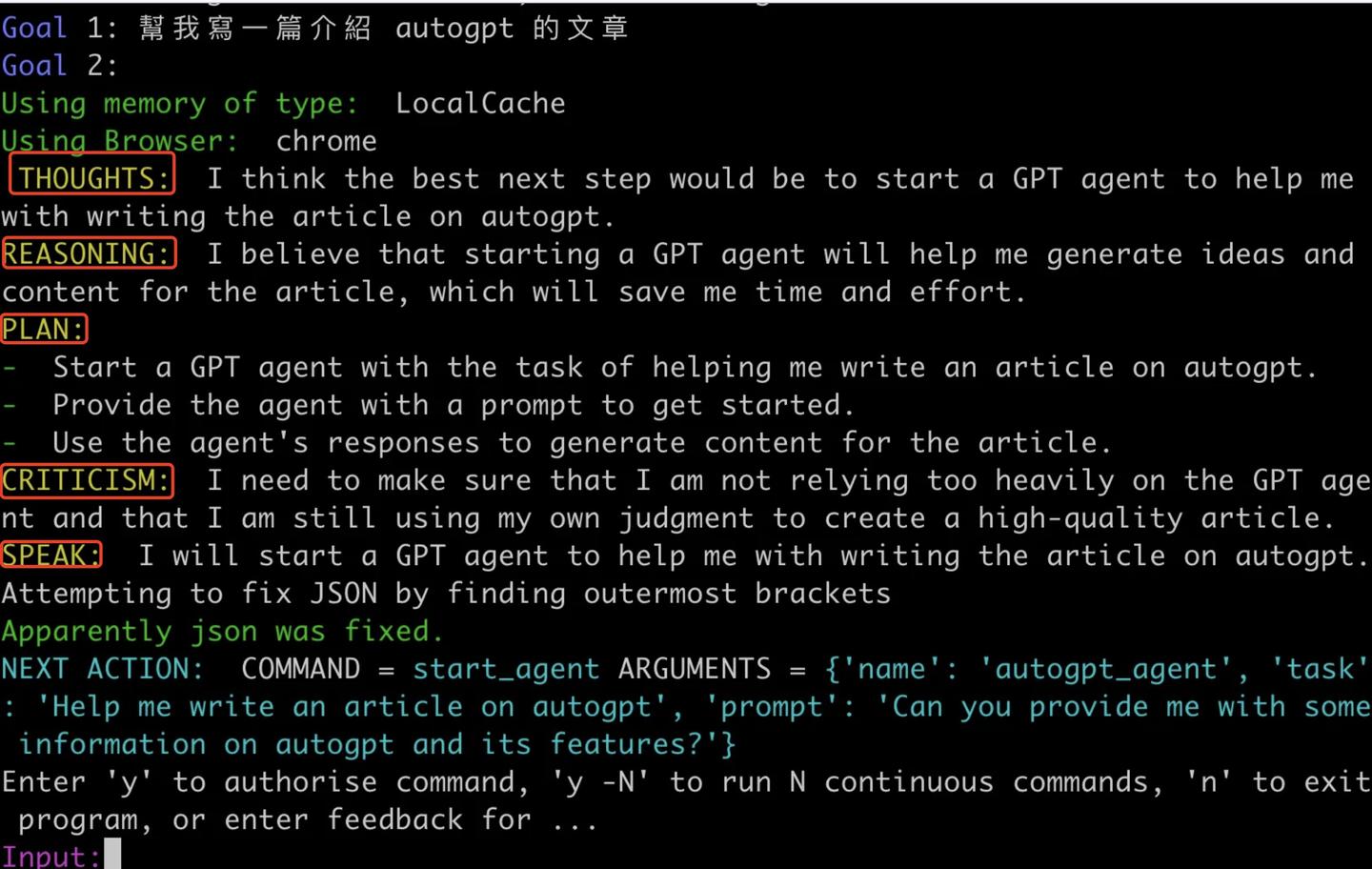
Positioning: Graph-structure orchestration framework, emphasizing controllable flow and observability.
Strengths:
- Clear structure, controllable process — what each node does and how transitions work is explicit
- Easy to debug, supports persistent state — when production issues come up you can quickly pinpoint which node broke
Weaknesses:
- Limited autonomy — if your scenario needs the Agent to decide its own next step, LangGraph requires extra design work
- Pre-built patterns have limited flexibility
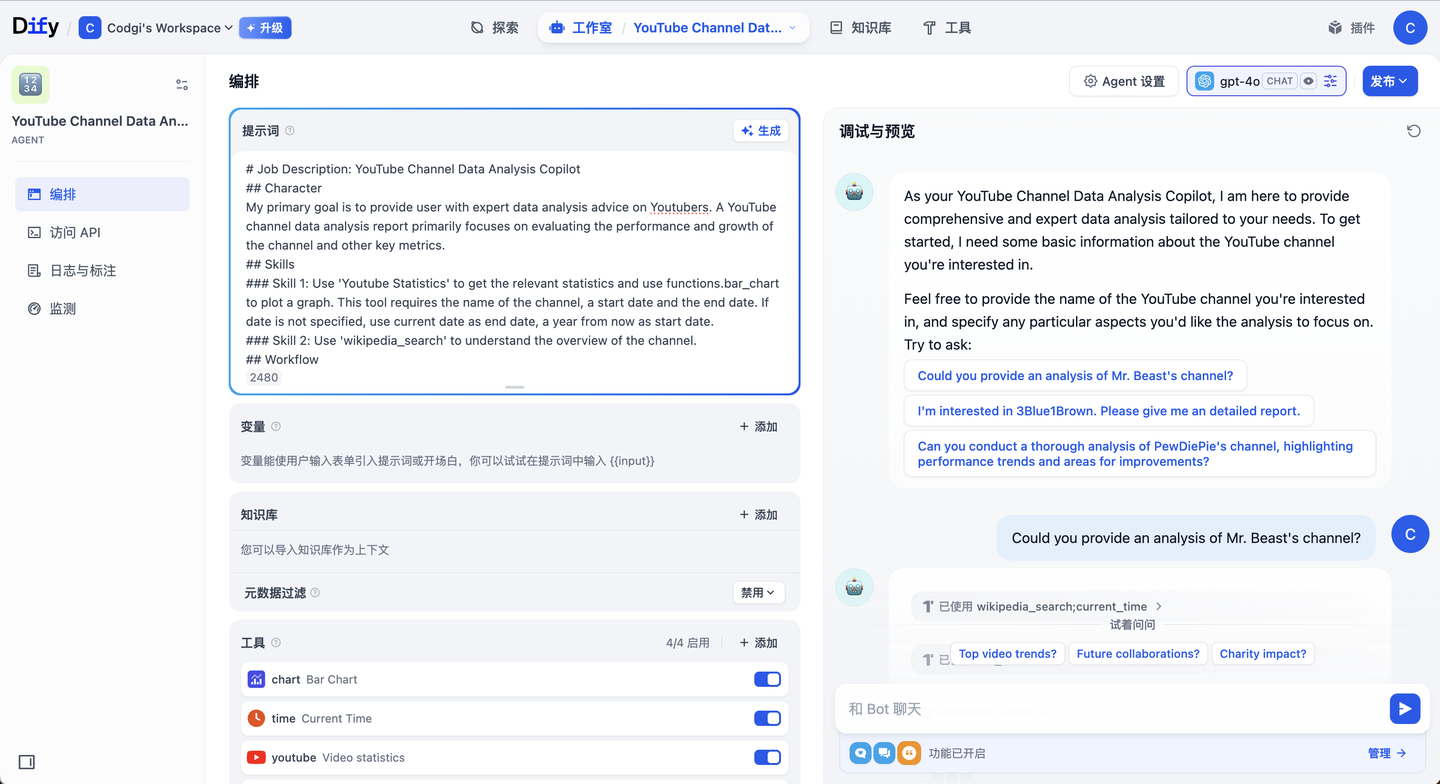
6.3 Dify
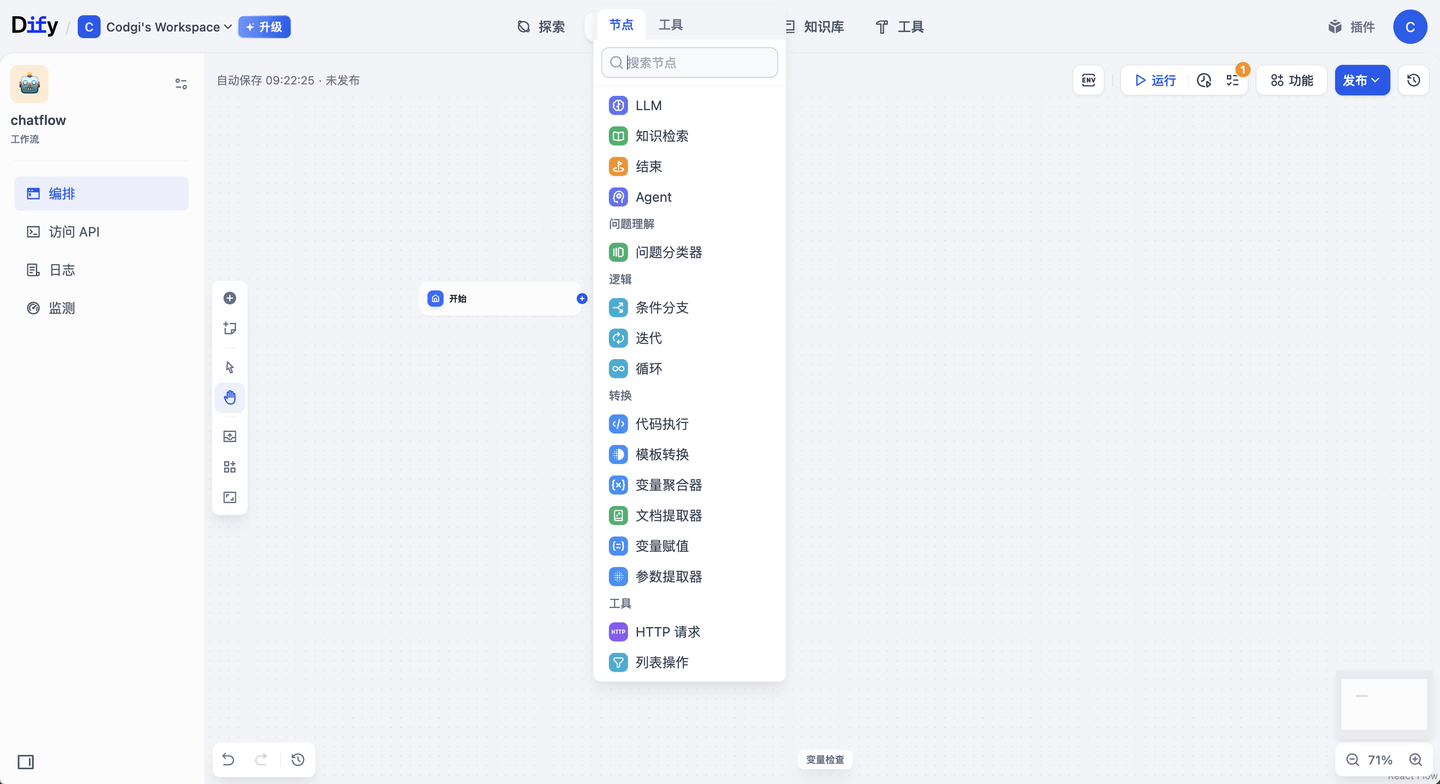
Positioning: Low-code AI application platform, focused on fast delivery.
Strengths:
- Quick to learn, easy model and tool integration — drag and drop to build a RAG app
- Good for medium-complexity applications
Weaknesses:
- Heavy-duty applications need careful complexity trade-offs
- Deep customization requires secondary development — e.g., custom retrieval strategies or complex Agent collaboration logic
6.4 CrewAI
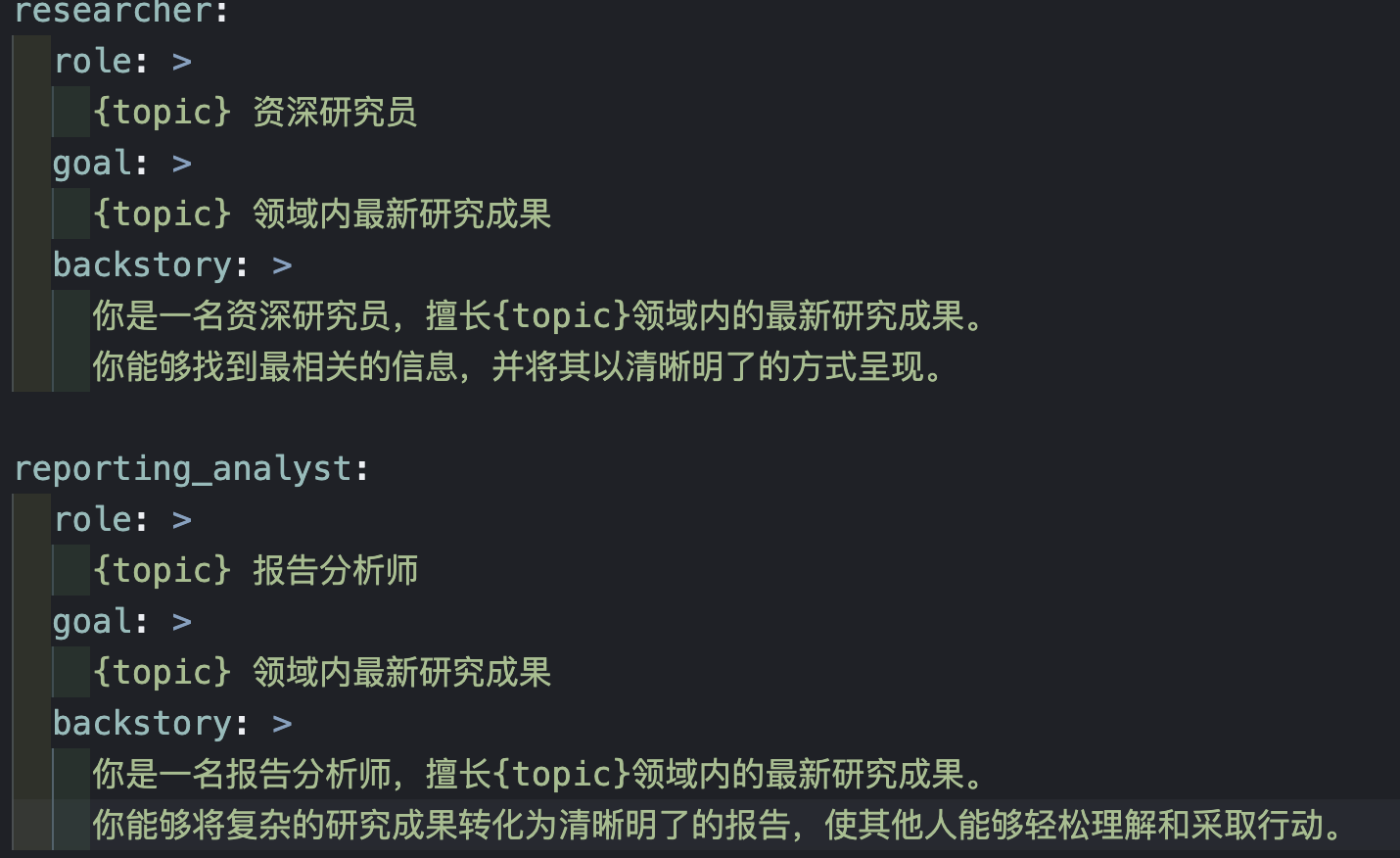
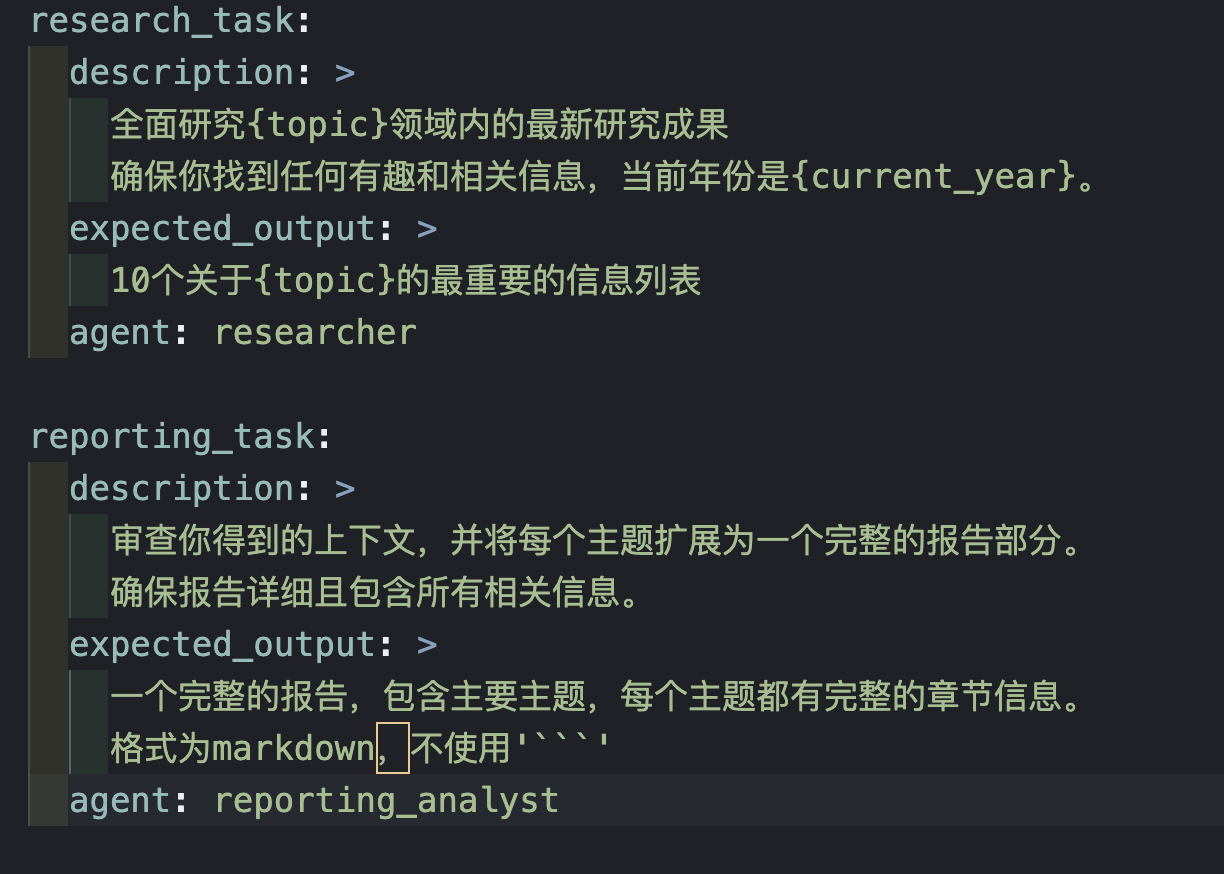
Positioning: Multi-agent collaboration framework, emphasizing role division.
Strengths:
- Rich ecosystem integrations
- Good for task exploration and collaboration — "Researcher" gathers info, "Analyst" summarizes, "Editor" polishes output
Weaknesses:
- Certain capabilities (like code sandboxing) need to be added separately
6.5 AutoGen
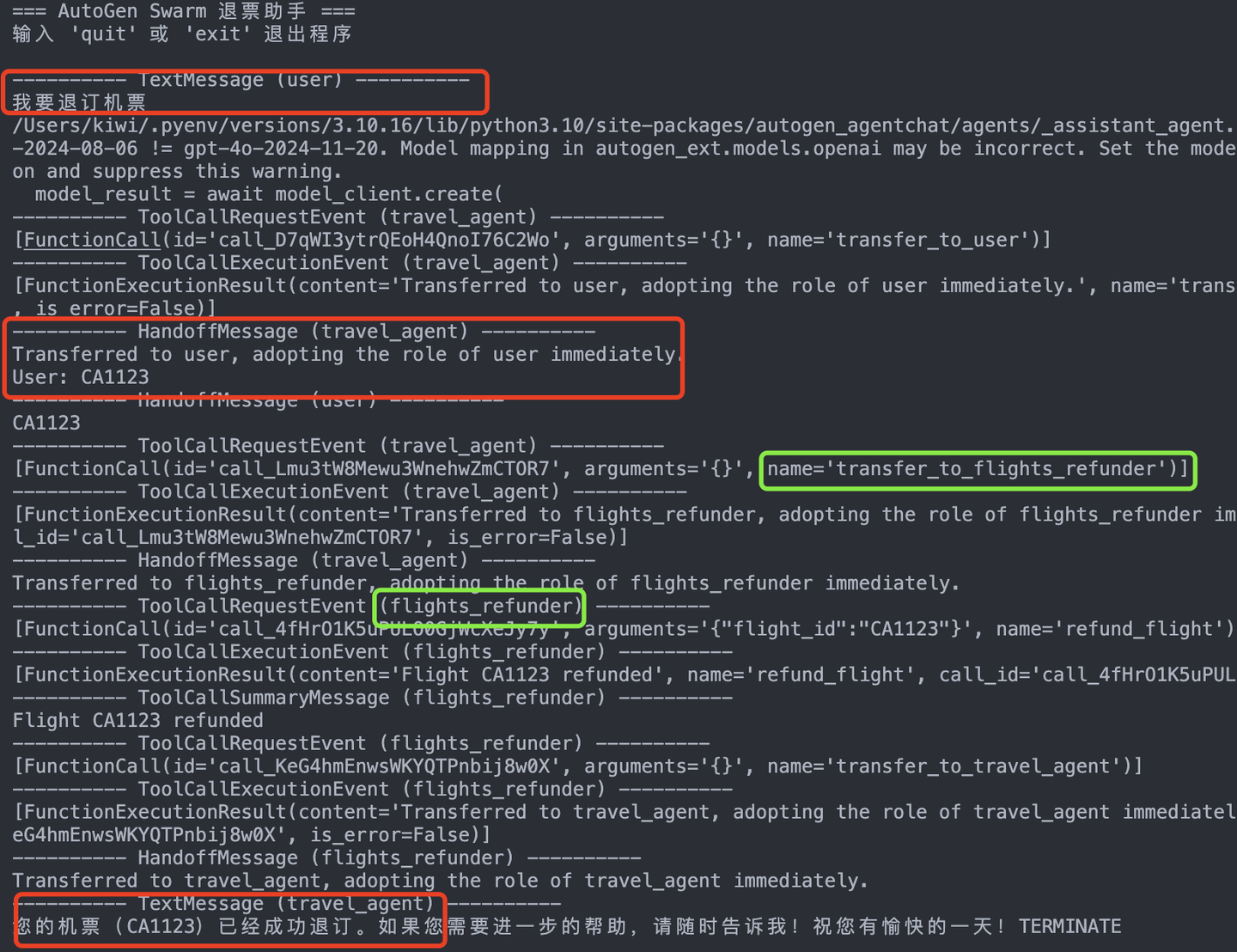
Positioning: Microsoft's open-source multi-agent conversation framework, emphasizing collaboration and observability.
Strengths:
- Native multi-agent support
- Flexible conversation flow control
Weaknesses:
- Ecosystem is still maturing, docs and examples lag behind established frameworks — but Microsoft is investing heavily, and the 2025 update cadence has clearly accelerated
7. Summary
Before picking a framework, answer one question: is your scenario a Workflow or an Agent?
Workflows fit "enumerable, predictable, controllable" processes; Agents fit "dynamic decision-making, cross-system collaboration, clarification and negotiation" complex problems.
For production Agents, our recommendation is LangGraph first — controllability and debuggability matter more than flexibility in production. For quick idea validation, Dify has the fastest onboarding. For multi-Agent collaboration research, both CrewAI and AutoGen are worth exploring.
The final choice comes down to three factors: task shape (Workflow vs Agent), team capability (do you have AI engineers?), and operating cost (Agent API calls typically run 3-5x the cost of Workflows).
📚 Related resources
❓ Common questions
Open a question to review the practical answer.
How do I decide whether my project needs a Workflow or an Agent?
Rule of thumb: 80% of cases work fine as Workflow. Decision criteria — can you fully enumerate the steps? Is the branching finite? Can you draw the full flowchart up front? If yes to all, use Workflow (more stable, cheaper, more controllable). Reach for Agent only when the path can't be pre-specified, the conversation needs clarifying turns, and the task spans multiple systems dynamically ("check this customer's refund status"). Many teams jump to Agent first, hit debug pain + cost + reliability issues, and roll back to Workflow before things stabilize.
Among AutoGPT, LangGraph, Dify, CrewAI, and AutoGen — which one for production?
For production, LangGraph wins — graph-based orchestration, observable, debuggable, persistent state; every node's job and transitions are explicit. AutoGPT is highly autonomous but pricey and weak on control — fine for prototypes, risky for prod. Dify is low-code and fast to start — good for MVP validation or teams without dedicated AI engineers. CrewAI fits multi-agent role-collaboration scenarios. AutoGen has Microsoft's long-term bet but its 2025 docs and case studies still trail. The chapter author's hands-on take: in production, control and debuggability matter more than flexibility.
How much more does Agent cost vs Workflow, and when is it worth it?
Agent API cost is typically 3-5× Workflow. Real case from the chapter: an ecom customer service team migrated from a rule engine (200+ rules) to an Agent mode (Planner + tool Agents + Policy Agent + executor) — rule maintenance dropped 70%, long-tail resolution rate jumped from 45% to 82%, but API spend grew about 3×. The trade-off comes down to business value — does long-tail coverage + saved engineering hours offset the extra tokens? Clearly not for standard flows; worth it for complex customer service or multi-system coordination.
Why does AutoGPT drift on long tasks?
Context management can't keep up. The chapter author tested a 10-step task — by step 7, AutoGPT had "forgotten" the original goal, because every step's reasoning + tool output piles up in the context window, diluting the original instruction further with each turn. That's also why one complex task burns 10K+ tokens. Fixes: switch to a framework like LangGraph with explicit state management, or summarize completed steps periodically to free context, or split the task into multiple independent agent runs (each starts with a clean context).
How exactly do you split a customer-service system from a rules engine into multi-agent collaboration?
The chapter's real ecom case splits into four roles: (1) Planner — clarifies intent ("do you want shipping status or a refund?"); (2) tool Agents — each calls its own logistics/payment/CRM API; (3) Policy Agent — reasons over compliance rules ("is this order within the 7-day return window?"); (4) executor Agent — handles tickets and closes the loop. The split divides by "decision type" not "functional module" — each Agent gets a clean context and a single responsibility. Far more maintainable than cramming 200+ rules into one Agent.