
Multimodal & Tool Chains
Multimodal Tooling
Multimodal AI is easy to turn into a "just pass everything" feature. But in production, things break fast: image understanding is flaky, OCR costs add up, video is slow, audio pipelines are a pain, and tool schemas blow up the moment they get complex. The real job of an AI engineer isn't adding more modalities -- it's turning each modality into a controllable product capability.
So this page isn't a model catalog. It's about how to pick, integrate, and control multimodal tooling.
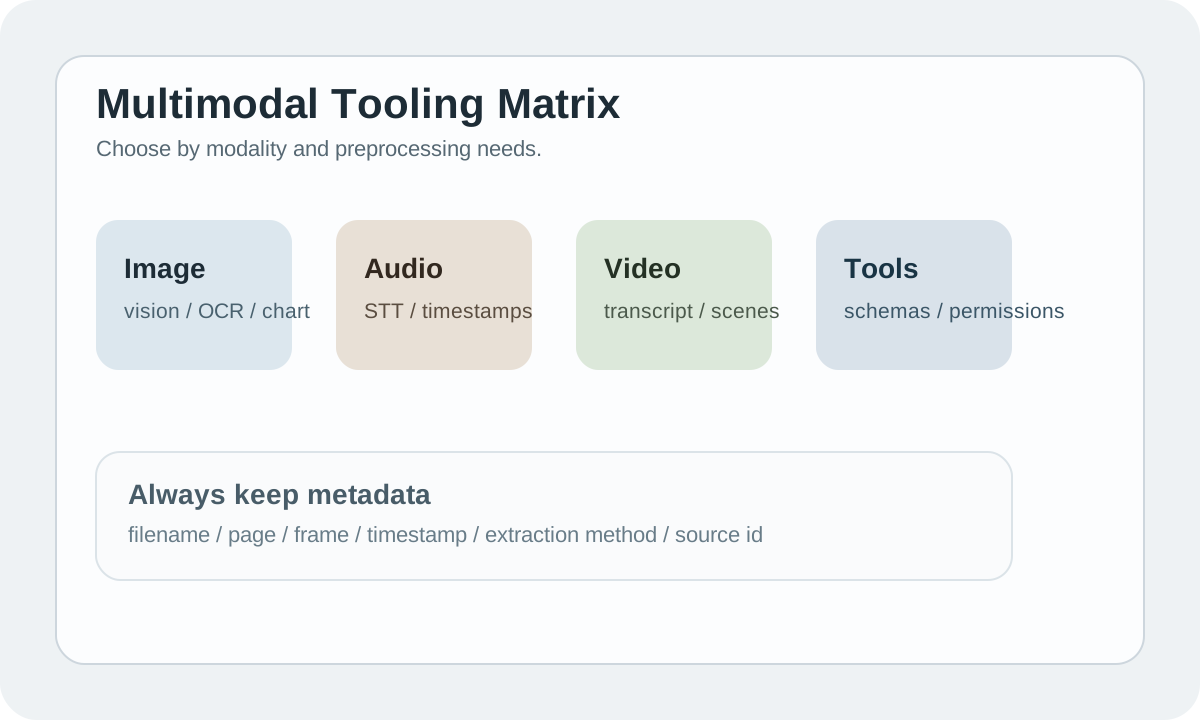
Bottom line: break down modalities first, then pick tools
A lot of teams see a model that supports vision / audio / video and immediately want to throw everything at it.
A more reliable sequence:
- Identify which input types you actually need to handle
- Decide whether to use native multimodal understanding or convert to text first
- Then choose between a general model and specialized tools
Not every multimodal task should go straight to one big model.
Different modalities, completely different engineering problems
| Modality | Common tasks | Engineering focus |
|---|---|---|
| image | OCR, caption, UI understanding, chart Q&A | resolution, OCR quality, region reference |
| audio | STT, meeting notes, TTS | noise, speaker, chunk, timestamp |
| video | transcript, scene summary, event extraction | frame sampling, long duration, cost |
| files | PDF, slides, spreadsheet, repo | parsing, metadata, page mapping |
| tools | web search, DB query, code exec | schema, permission, latency, safety |
Treat these as one category and you'll end up with something expensive and unstable.
A more realistic tool selection logic
| Scenario | More stable approach |
|---|---|
| Simple image understanding | vision-capable LLM |
| High-quality OCR | OCR first, then hand off to a text LLM |
| Meeting transcript | STT first, then summarize / extract action items |
| Long video analysis | transcript + scene summary, not frame-by-frame |
| Structured chart/table understanding | specialized parser + LLM explanation |
Many multimodal systems that actually work well in production do so because they preprocess first, rather than feeding raw input directly to the model.
Metadata is the lifeline of multimodal systems
The moment you're dealing with images, audio, video, or PDFs, metadata becomes critical.
At minimum, keep:
- filename / source id
- page / frame / timestamp
- chunk order
- extraction method
- confidence if available
Without these, citation, review, and debugging all become extremely painful.
Multimodal RAG isn't just dumping files into a vector store
A more reliable approach typically looks like:
extract text / OCR / transcript
  -> add metadata
  -> embed/index
  -> retrieve by source-aware chunks
  -> generate with citations
Especially for images and video, what's actually retrievable is usually not raw pixels but:
- OCR text
- caption
- scene summary
- timestamped transcript
That's why multimodal RAG is more like a data pipeline than a model feature.
Tool integration: schema and permissions are the core
Whenever you're connecting external tools, don't just ask "can I call it?"
Focus on:
| Question | Why it matters |
|---|---|
| Is the tool schema clear? | Unclear schemas lead to frequent misuse |
| Is the domain / DB scope restricted? | Prevents unauthorized or dirty queries |
| How are timeout and retry configured? | Tool calls easily slow down the chain |
| How is output fed back to the model? | Avoids context pollution and format mess |
Once a multimodal system starts calling tools, stability gets noticeably harder.
UX: don't forget to show users what the system actually saw
This one's important.
Many users upload a file and have no idea what the system actually extracted.
Better multimodal UX typically shows:
- upload status
- file / duration / page limits
- extracted summary preview
- citation to page / timestamp
- error on unsupported input
If users can't tell what the system "saw," they won't trust it.
Testing can't rely on text samples alone
Multimodal eval needs to be split by modality at minimum.
| Test item | Why test it separately |
|---|---|
| noisy image / OCR | real images won't always be clean |
| noisy audio | meeting environments are often terrible |
| long video | cost and latency spike unexpectedly |
| chart / slide understanding | structural misreads are very common |
| tool-augmented output | once tools are involved, failure modes multiply |
Testing a multimodal feature only with ideal samples is basically not testing at all.
The most underestimated costs
Multimodal costs aren't just about model calls.
They also include:
- OCR / STT preprocessing costs
- Large file storage and transfer costs
- More complex logging and debugging costs
- Higher eval and human review costs
If you only budget for LLM API calls, you'll significantly underestimate the total.
Practice
Take a multimodal feature you're building and answer these 4 questions first:
- What modality is the real input?
- Would converting to text first be more stable?
- Which metadata fields need to be preserved?
- How will you handle citation and error UX?
Get these 4 answers nailed down before you start wiring up models and tools.
📚 Related resources
❓ Common questions
Open a question to review the practical answer.
Should a multimodal system pipe every input directly into one big model?
No. The stable pattern is: split by modality first, then decide the path. Simple images go through a vision LLM; high-quality OCR should run OCR first then text LLM; meeting audio runs STT first, then summary; long video uses transcript + scene summary, never frame-by-frame. Multimodal systems that stay reliable do preprocessing first — turning raw pixels/audio into text with metadata, not dumping raw blobs into the model.
What metadata must I keep when building multimodal RAG?
At minimum five fields: filename / source id, page / frame / timestamp, chunk order, extraction method, confidence (if available). Without these, citation, review, and debugging all break — when a user asks "which page of the PDF is this from?" and you can't answer, trust dies. For images/video, what's actually retrievable is rarely raw pixels — it's OCR text, captions, scene summaries, timestamped transcripts. Metadata is the lifeline.
Which cost is most underestimated in real multimodal systems?
Preprocessing plus long-tail ops. LLM call price is the surface — OCR/STT preprocessing, large-file storage and bandwidth, harder logging and debugging, plus pricier eval and human review usually dwarf model calls. One long-video transcript pipeline costs cents per run, but at 10k/day with retries and review, monthly cost lives in a totally different bracket. Teams that budget only for LLM tokens always overrun.
What's the easiest thing to miss in multimodal feature UX?
Showing the user what the system actually saw. After uploading a PDF / image / audio file, users have no idea what was extracted — this black box destroys trust fast. Minimum surface: upload status, file/duration/page limits, extracted summary preview, citation to page/timestamp, clear errors for unsupported input. Letting users verify "what I uploaded matches what you parsed" is the floor of multimodal UX.
Why can't multimodal feature testing rely on clean samples only?
Real-world inputs are never clean. Eval must split by modality: noisy image/OCR, noisy audio (meeting rooms are loud), long video (cost and latency spike), chart/slide understanding (structure is easiest to misread), tool-augmented output (error types multiply once tools enter). Multimodal systems tested only on ideal samples get destroyed in week one — blurry scans, subway voice notes, 200-page PDFs are the norm.