
AI Product & UX
AI Product UX
AI UX tends to land at one of two extremes: either it's built like a regular form product that completely ignores model uncertainty, or it's a flashy demo that piles on "smart vibes" while users have no idea what to trust. Good AI product UX isn't about making the interface look AI-powered -- it's about giving users control and trust inside a system that's inherently uncertain.
So this page isn't about visual mockups. It's about how AI engineers and product/design teams should design more reliable AI UX patterns together.
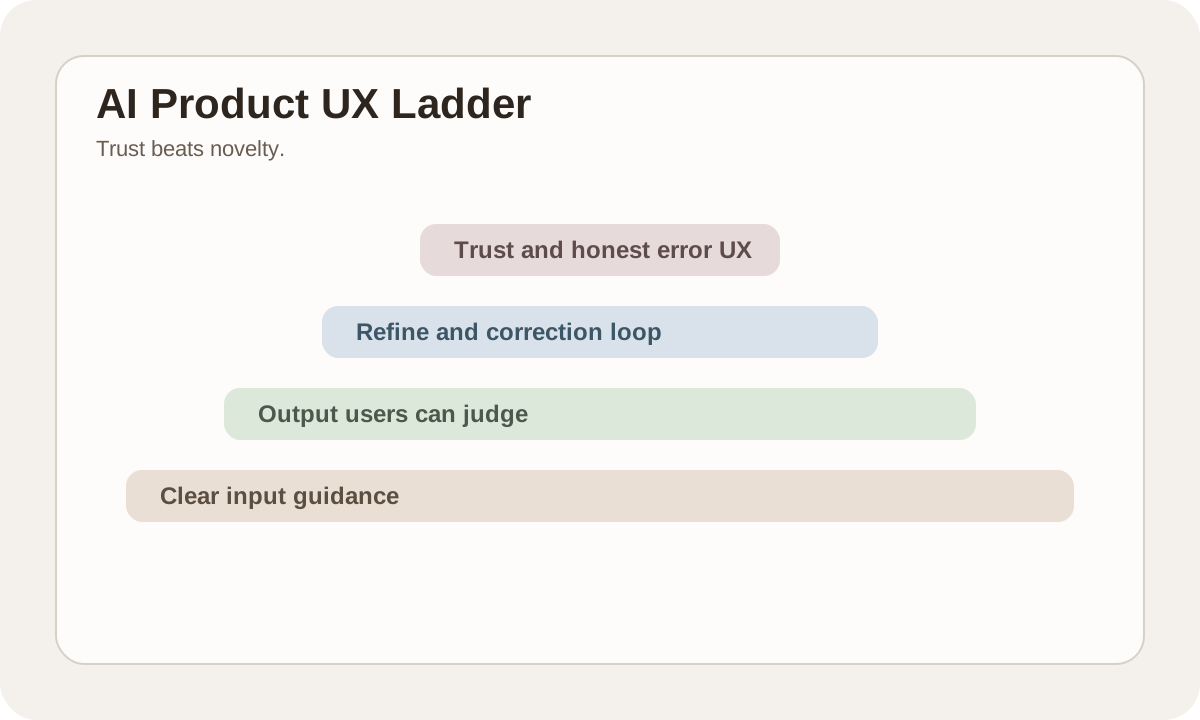
Bottom line: AI UX is about trust, not novelty
Whether users stick with an AI feature usually comes down to 4 things:
- Do they know what the feature can and can't do?
- Can they tell why an output is worth trusting?
- Can they fix results without starting over?
- Is the system honest when it fails?
Get these 4 right and you'll beat fancy animations every time.
The biggest difference between AI UX and traditional UX
| Traditional product | AI product |
|---|---|
| Output is relatively certain | Output is probabilistic |
| Users form stable expectations easily | Users tend to over- or underestimate capability |
| Errors are usually obvious | Errors can "look correct" |
| Flows are more linear | Often needs refine, retry, review |
So AI UX can't just copy traditional form thinking.
Input UX: help users provide enough context
Many "the model sucks" complaints are actually input design problems.
Better input UX typically provides:
| Mechanism | Purpose |
|---|---|
| prompt template / starter | Reduces blank-input anxiety |
| constraints hint | Tells users about length, format, scope |
| file / source preview | Shows users what context the system has |
| scope clarification | Asks follow-ups when info is lacking instead of guessing |
AI features shouldn't assume users will write great prompts on their own.
Output UX: make results judgeable
An AI output should at minimum let users answer:
- Is this based on what I gave it?
- Did it cite a source?
- Can I directly edit this part?
- If I'm not satisfied, how do I refine?
That's why these patterns matter:
- streaming
- citation
- confidence / limitation cues
- quick refine actions
Refine loops matter more than "regenerate"
A regenerate button alone usually isn't enough.
Better AI UX provides low-friction correction paths like:
| Action | User feeling |
|---|---|
| shorter / longer | Quick length control |
| more formal / more casual | Quick tone adjustment |
| fix structure | Keep content, reorganize |
| ask follow-up | Add more context when needed |
These refine loops noticeably improve the user's sense of control.
Error UX must be honest
The most dangerous AI UX pattern is disguising failure as "looks like it worked."
More reliable error design should:
- Show a clear error when a provider fails -- don't pretend the model is still thinking
- Admit uncertainty when sources are insufficient
- Show partial results for partial success
- Provide a human escalation path for high-risk scenarios
AI UX failure isn't just an experience problem -- it's a trust problem.
Citation and source UX: critical for high-value scenarios
In knowledge-heavy scenarios, users don't just want answers. They want to know:
- What's the source?
- Which passage was cited?
- Is it outdated?
Source UX is painful to build upfront. But once it's in place, user trust goes up significantly.
Memory and personalization need user control
An AI system remembering user preferences is valuable. But it shouldn't be a black box.
A more reliable approach makes these things explicit:
| Question | How to surface it in UX |
|---|---|
| What did it remember? | Visible preference summary |
| How long will it keep it? | Retention / privacy explanation |
| Can I clear it? | Clear / reset action |
| Is it personal or shared context? | Visible context boundary |
The stronger the memory, the clearer the boundaries need to be.
The metrics AI UX should actually track
| Metric | Why it matters |
|---|---|
| task success rate | Did users actually finish their task? |
| refine rate | Are users actively correcting or forced to retry? |
| abandonment rate | Did users give up midway? |
| feedback score | How's the subjective experience? |
| source click / review rate | Are users verifying results? |
Only looking at usage volume without tracking refine and abandonment won't tell you if UX is actually good.
Practice
Take one of your current AI features and check these 4 things:
- Do users know the feature's boundaries?
- Is the output judgeable and correctable?
- Are errors honest?
- Is there a usable refine loop?
Get these 4 right and your AI UX is starting to mature.
📚 Related resources
❓ Common questions
Open a question to review the practical answer.
What is the biggest difference between AI product UX and traditional UX?
Outputs shift from deterministic to probabilistic — users routinely over- or under-estimate capability, errors can "look correct", and the flow becomes refine / retry / review instead of linear. Classical form thinking does not transplant. The core of AI UX is trust, not novelty: do users know the feature's limits, can they read the output, can they correct it, and is the system honest when it fails.
Why is a single regenerate button not enough?
Regenerate makes every click a blind reroll and kills the sense of control. A better refine loop offers low-friction adjustments: shorter / longer for length, more formal / more casual for tone, fix structure to preserve content while reorganizing, ask follow-up to fill in context. These local adjustments raise user control and retention noticeably compared with starting over.
What is the cardinal sin of AI product error UX?
Disguising failure as success — it damages trust more than a clean provider outage. The four rules: when the provider fails say so, do not fake "thinking"; when sources are thin admit uncertainty; on partial success show the partial result; for high-stakes scenarios provide a path to human escalation. AI UX failure is not just an experience problem, it is a trust problem, and a user lost to a faked success rarely returns.
What memory controls must an AI feature give users?
Four things must be visible: (1) what was remembered — a visible preference summary; (2) for how long — a retention / privacy explanation; (3) whether it can be cleared — a clear / reset action; (4) personal vs. shared context — a visible boundary. The stronger the memory, the more clearly the boundary must be drawn, otherwise users feel they are dealing with a black box and trust decreases instead of growing.
Beyond usage volume, what metrics should an AI feature track?
Five from the chapter: task success rate (did the task actually complete), refine rate (active correction vs. forced retry), abandonment rate (mid-flow drop-off), feedback score (subjective), and source click / review rate (are users verifying the answer). Watching only DAU / call count masks real experience under retry noise — refine and abandonment expose problems much faster.