
AI Workflows & Team Collaboration
Connect AI to email, calendar, knowledge bases, and automation platforms for end-to-end workflows
Connect AI to email, calendar, knowledge bases, and automation platforms for end-to-end workflows
A reusable work template with realistic input, a defined output format and a human review point.
Run one real task, verify the critical facts and record the before-and-after time.
Point-by-point efficiency gains are fine, but the real productivity gap comes from plugging AI into your daily tools to form repeatable workflows. Here's the thing though — many automations look great in week one, then fall apart by week three with dirty inputs, unstable outputs, and unclear handoffs.
Build AI workflows as "controllable small systems," not "it runs so it ships" demos.
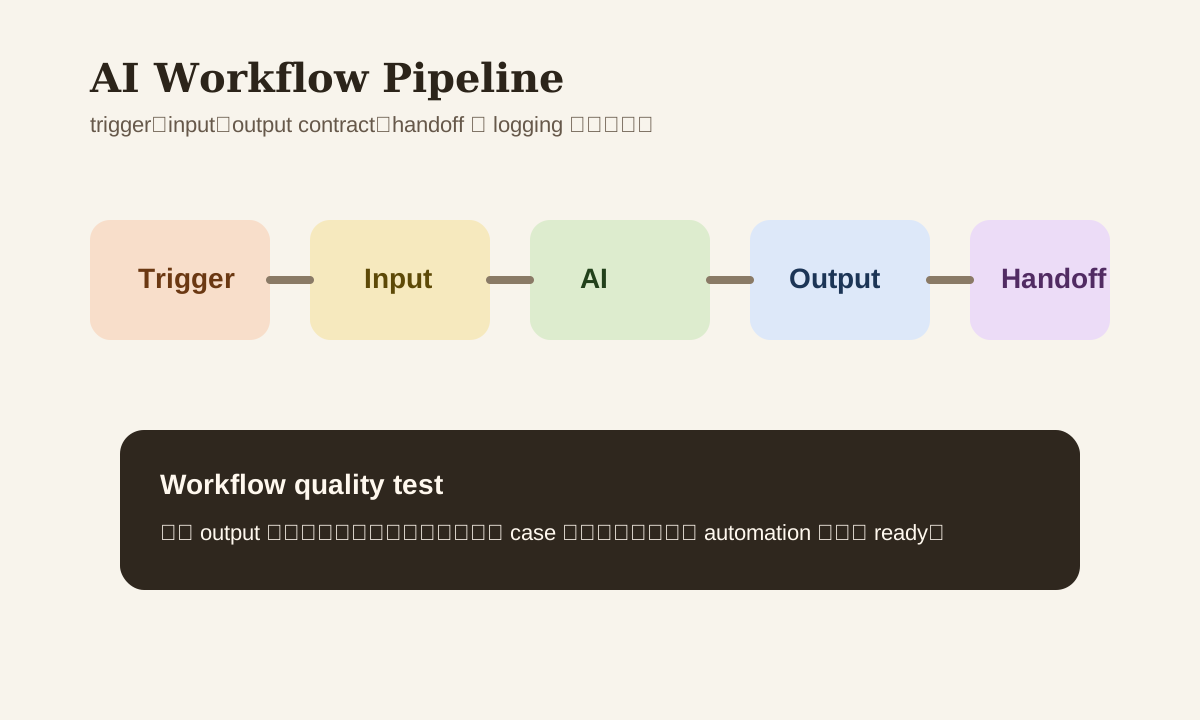
What Makes a Good Workflow
Just running automatically doesn't mean it's good. A production-ready AI workflow needs at least these 5 traits:
- Clear trigger
- Clean input
- Stable output structure
- Exception handling via handoff
- Logs you can review
Miss any one of these and you'll hit problems at scale.
Common Workflow Scenarios
| Workflow | Trigger | Output | Risk |
|---|---|---|---|
| email -> summary -> task | New email hits inbox | summary, deadline, next action | Intent misread |
| meeting -> notes -> follow-up | Meeting ends or transcript ready | action items, owner, timeline | Missing key decisions |
| form -> classification -> routing | Form or ticket submitted | priority, category, assignee | Wrong routing |
| KB update -> digest -> notify | Knowledge base updated | digest, change summary | Content misread |
Step 1: Define the Trigger
An unclear trigger is why many automations break from the start. "Summarize every new email" is usually too broad. Better triggers:
- Inbox email contains quote-related keywords
- Meeting transcript updates in a specific folder
- A form status changes to
new - A specific KB space publishes a new page
The clearer the trigger, the more stable everything downstream.
Step 2: Slim Down the Input
Don't send everything to AI "just in case." Only pass the fields the current task actually needs.
Example
Bad input:
Send the entire email thread + all attachments + raw CRM records to AI
Better input:
subject
latest reply
sender
deadline if any
related link
Lower cost, lower privacy risk.
Step 3: Outputs Need a Contract
If the output is just "a nice-looking paragraph of prose," the next step in automation usually can't process it. Require AI to output fixed fields:
{
	"intent": "follow_up",
	"priority": "medium",
	"deadline": "2026-03-18",
	"next_action": "reply_with_quote"
}
This kind of output contract is critical for workflow stability.
Step 4: Exceptions Must Have a Handoff
Every AI workflow should assume: some cases won't be suitable for automated processing. Common handoff conditions:
- Low confidence
- Missing key output fields
- Involves complaints, contracts, finance, or HR
- Insufficient source material
- Risk flag triggered
Without handoff, when the system gets it wrong, it just keeps getting it wrong.
Tool Selection
Not every workflow requires custom code. Common combos:
- Zapier / Make / n8n
- Slack / Teams / Feishu automation
- OpenAI / Claude API
- Notion / Confluence / Google Drive
- Jira / Asana / Linear / CRM
Key factors when choosing:
| Factor | Why it matters |
|---|---|
| Integration coverage | Can it connect to your stack |
| Error handling | Can it retry / alert on failure |
| Logging | Can you replay when things break |
| Permission control | Who can see what data |
| Cost control | Will costs spiral at scale |
A Practical 3-Step Workflow
Case: meeting -> notes -> task
- Transcript ready
- AI extracts summary, action items, owner, deadline
- Sync to task board, send low-confidence items for human confirmation
This workflow looks simple but already covers trigger, input, output contract, and handoff.
What to Monitor
After an AI workflow goes live, track at least these metrics:
- Run count
- Success rate
- Avg latency
- Manual handoff rate
- Top failure reasons
Otherwise you only know "it's running" — not "is it actually stable."
Common Mistakes
| Mistake | Problem | Better Approach |
|---|---|---|
| Building complex end-to-end automation first | Too many failure points | Start with 3-step workflows |
| Sending all input data | High cost, high risk | Only pass necessary fields |
| Unstructured output | Next system can't process it | Define JSON / table contract |
| No handoff | No safety net for edge cases | Set human intervention rules |
Practice
Pick your most frequently repeated office task and design it with this format:
- What's the trigger
- Which input fields are needed
- What does the output contract look like
- When must it handoff to a human
Get these 4 things nailed down before connecting any tools. Workflows built this way are far more stable than "connect first, figure it out later."