
AI Meeting Notes & Minutes
Transcription + AI to generate minutes, decisions, and action items
Transcription + AI to generate minutes, decisions, and action items
A reusable work template with realistic input, a defined output format and a human review point.
Run one real task, verify the critical facts and record the before-and-after time.
Making meetings productive isn't just "throw the recording at AI and get notes." What actually determines a meeting's value is: did the agenda get focused beforehand, did action items get followed up, and were unresolved items clearly flagged.
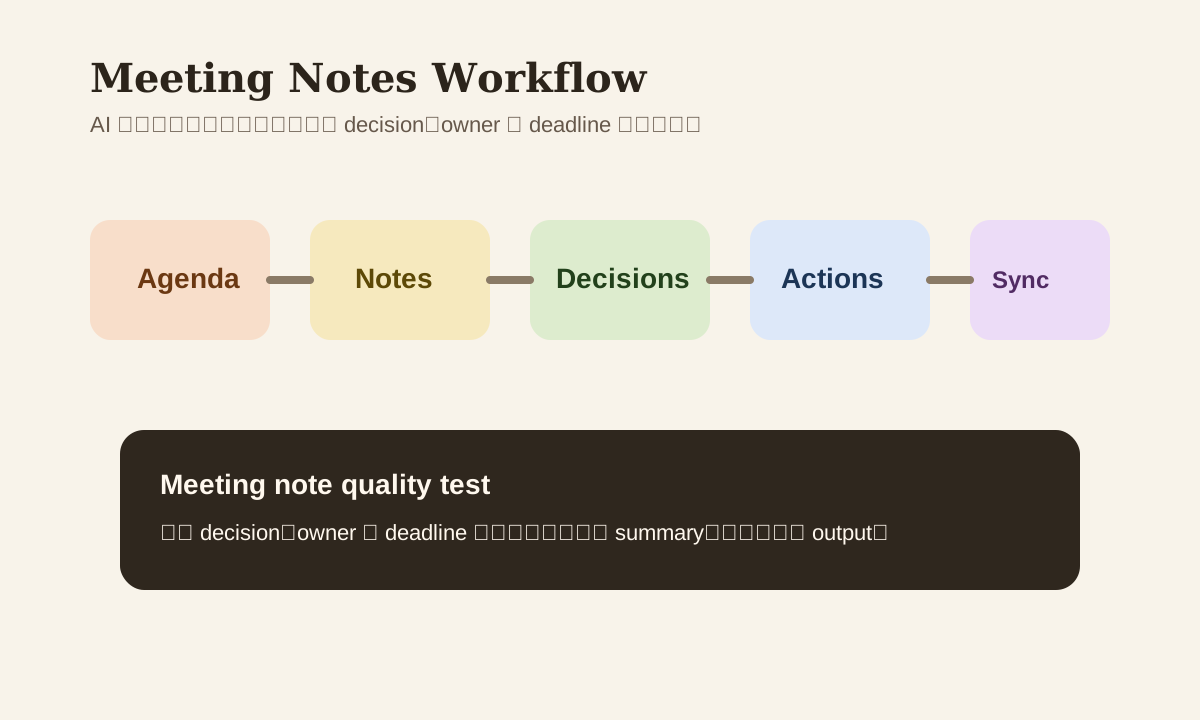
The most valuable thing AI does for meeting notes isn't summary. It's turning "agenda -> recording -> decisions -> follow-up" into a repeatable process.
Why Most Meeting Notes Are Useless
The problem isn't that nobody writes notes. It's that notes get written and nobody reads them again. Here's why:
- Summary only, no decisions
- Decisions without an owner
- Owner without a deadline
- Action items without risk flags or follow-up cadence
If AI just compresses a transcript into a paragraph of prose, none of these problems go away.
Step 1: Use AI to Shape the Agenda Before the Meeting
A better meeting usually starts at the agenda stage. Have AI help you organize:
- Meeting goal
- Key questions
- Expected decisions
- Who needs to speak
- Time allocation per topic
Example prompt
Help me draft a 30-minute weekly project sync agenda.

Participants:
- PM
- design
- backend
- QA

Output:
- meeting goal
- agenda by topic
- each topic owner
- expected decision
Step 2: During the Meeting, Record Facts — Don't Rush to Conclusions
If the raw notes are messy, the final summary will be messy too. During the meeting, focus on capturing these fact blocks:
- What happened
- Who made what judgment
- Which points reached agreement
- Which points are still pending
If you've got Zoom, Meet, or Teams transcripts, great. If not, jot down the key points manually, then hand them to AI for structuring.
Step 3: Post-Meeting Output Should Be Action Format, Not Just Summary
Structure your meeting notes like this:
| Section | Purpose |
|---|---|
| Meeting info | Topic, time, participants |
| Decisions | Confirmed items |
| Open questions | Pending issues |
| Action items | Task, owner, deadline |
| Risks | Blockers needing follow-up |
This format is way more actionable than "write a meeting summary paragraph."
A Prompt You Can Reuse Directly
You are a meeting assistant. Structure meeting notes from the following transcript.

Output format:
1. meeting info
2. key decisions
3. open questions
4. action items
5. risks / blockers

Requirements:
- If information is uncertain, mark it as `to be confirmed`
- Do not add conclusions that weren't actually discussed
- Action items must include owner and deadline (mark `to be added` if missing)
Step 4: Action Items Are the Real Output of Meeting Notes
Many teams write thorough meeting notes but have weak follow-up. A more reliable approach is converting action items directly into:
- Jira / Asana / Trello tasks
- Notion action database entries
- Slack / Teams follow-up posts
If you can connect this step to a workflow, the value of your meeting notes goes way up.
Handling Long Transcripts
Transcripts over an hour tend to cause these problems:
- AI misses the second half
- Mixes small talk with real decisions
- Can't tell who the actual owner is
Better approach:
- Chunk by topic first
- Summarize each chunk separately
- Merge into final notes
Same idea as document summarization — significantly reduces content confusion.
Common Mistakes
| Mistake | Problem | Better Approach |
|---|---|---|
| Dump transcript and call it done | AI might fabricate conclusions | Require to be confirmed labels |
| Notes are just a summary | Can't execute on them | Add decision / action / risk structure |
| No owner or deadline | Nobody follows up | Make those fields mandatory |
| Notes never enter a system | They go stale fast | Push to task board or KB |
A More Reliable Meeting Workflow
agenda prep
  -> transcript / notes
  -> structured summary
  -> action items
  -> task sync / follow-up
Productive meetings aren't about pretty notes. They're about action items getting executed clearly.
Practice
Grab a recent meeting transcript or set of notes:
- Have AI output structured meeting notes
- Have AI separately extract action items
- Check if owner / deadline are missing
- Sync to a task board or handover note
Once you do this, meeting notes stop being just "archived records" and become part of your workflow.