
AI Email & IM Communication
Draft, edit, and translate emails with ChatGPT/Claude/Copilot — control tone and format
Draft, edit, and translate emails with ChatGPT/Claude/Copilot — control tone and format
A reusable work template with realistic input, a defined output format and a human review point.
Run one real task, verify the critical facts and record the before-and-after time.
Email and IM are among the easiest things to speed up with AI — and also the easiest to screw up. A lot of people have AI draft an email, barely edit it, and hit send. The problem is, AI trips up most often on tone, facts, and commitment boundaries.
We'd recommend using AI as a communication copilot: it drafts, rewrites, summarizes, and does risk checks. But final send still needs a human sign-off.
Why This Page Can't Just Be About "Writing Prompts"
People searching for this content aren't looking for an abstract prompt framework. They want to solve specific problems:
- How to write a follow-up email without sounding too pushy
- How to have AI adjust tone without changing facts
- How to summarize long email threads into action items
- How to write short IM messages that aren't rude
So this page gives you workflows, templates, and risk checks — not just "provide enough context."
Which Communication Tasks AI Handles Best
| Task | AI fit | Why |
|---|---|---|
| draft email | High | Clear format, fast iteration |
| rewrite tone | High | Great for formal / concise / friendly variants |
| long thread summary | High | Quick action item extraction |
| bilingual communication | High | Good for EN/ZH switching and tone adjustment |
| sensitive external commitment | Low | Tends to over-commit, must review |
Step 1: Give Context First, Then Let AI Draft
The worst way to ask:
Help me write an email to follow up with a client.
AI can only guess from that. Better input includes at minimum:
- Who's receiving it
- What your relationship is
- The purpose of this message
- Whether there's a deadline
- What absolutely can't be wrong
Example prompt
Help me write a follow-up email.

Background:
- Recipient: potential client, procurement manager
- Sent a proposal last week
- I want to confirm this week if they're moving forward

Requirements:
- tone: professional but not pushy
- Don't make price or timeline commitments
- Output: subject + body
- Also provide a more concise version
Step 2: Have AI Do a Tone Check Too
Many people only ask AI to write content but never ask it to check tone. A more reliable approach is adding a second pass:
Check this email for the following issues:
- Too aggressive
- Too vague
- Over-commits
- Missing next step
This second pass is often worth more than the first draft.
Common Scenario Templates
1. Follow-up
Suggested structure:
- Brief reminder
- Restate what was previously sent
- Provide next step
- Leave room for reply
2. Apology / Recovery
Suggested structure:
- Acknowledge the issue
- Explain the impact
- Give corrective action
- Provide a timeline for the next update
3. Internal Summary
Great for turning long threads into:
Context
Decision
Action items
Owner
Deadline
4. IM / Group Message
Better as short sentences, bullets, and clear CTAs. Don't write email-style long paragraphs.
Practical Bilingual Communication
Overseas Chinese teams run into mixed EN/ZH scenarios all the time. Don't just ask for "translation." You should also specify:
- Is the audience a native speaker
- Should technical terms be preserved
- Is this a formal email or casual IM
Example
Rewrite the content below as an English email for an external stakeholder.

Requirements:
- Keep technical terms
- Avoid overly long sentences
- Tone: professional, clear, no over-promising
How to Make Long Thread Summaries Actually Useful
Summarizing a long email thread into "one paragraph" usually isn't helpful. Better to output:
| Field | Purpose |
|---|---|
| Context | What happened |
| Current status | Where things are stuck |
| Action items | What you need to do next |
| Owner | Who's responsible |
| Deadline | When it needs to be done |
| Risks | What's still unconfirmed |
This structure fits perfectly into task boards, handover notes, or daily updates.
Security & Risk Check
Email / IM communication looks low-risk but still causes frequent problems:
- Pasting customer PII into a public AI tool
- AI adding unconfirmed timelines on its own
- Turning internal opinions into external commitments
- Tone that's too marketing-heavy or defensive
Minimum Checklist
- Is there sensitive data that needs redaction
- Are there numbers, prices, or timelines that need confirmation
- Did AI write any commitments the company hasn't agreed to
- Are the subject line and CTA clear
A More Reliable Communication Loop
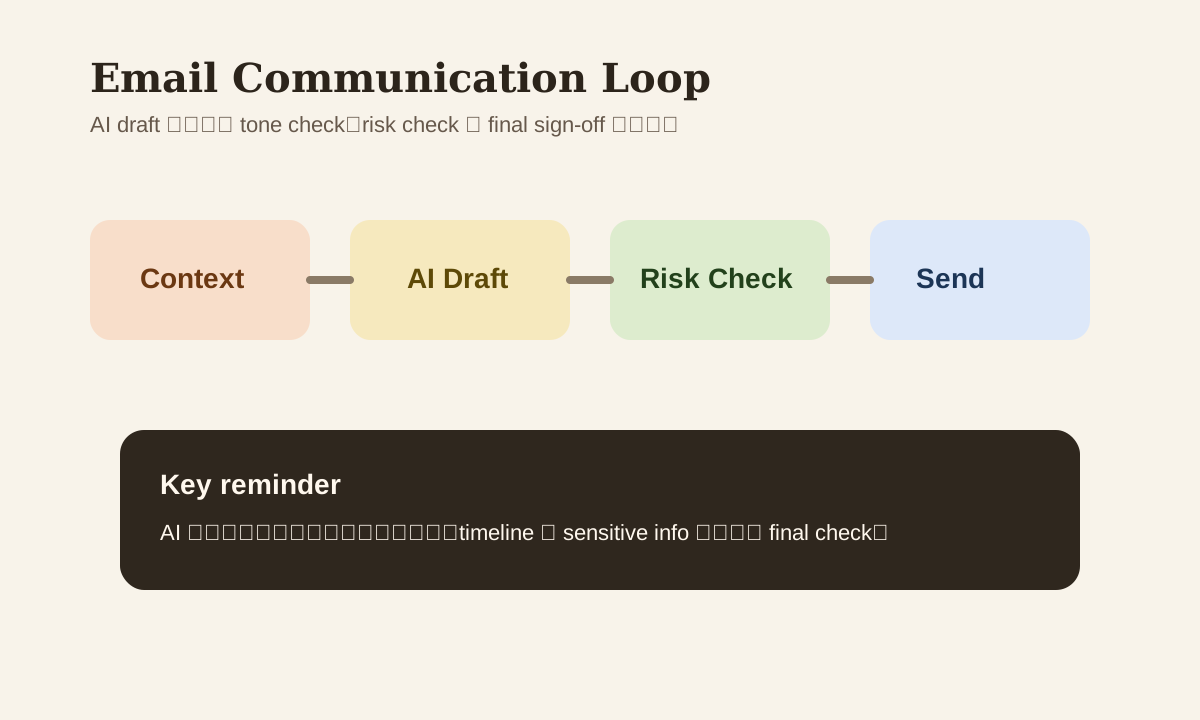
context input
  -> AI draft
  -> tone / risk check
  -> human edit
  -> send
For high-risk external messages, add a manager or legal review layer.
Common Mistakes
| Mistake | Problem | Better Approach |
|---|---|---|
| Just say "write me an email" | Not enough context, content drifts | Give audience, goal, boundary |
| Send right after drafting | Tone and facts may be off | Do a second-pass review |
| Thread summary as long prose | Hard to execute, hard to convert | Output in action-item format |
| Bilingual = sentence-by-sentence | Doesn't match the scenario tone | Specify audience and tone |
Practice
Take an email you actually need to send soon, and run this flow:
- Write clear context
- Have AI produce a formal + concise version
- Have AI do a tone / risk check
- Do your own final edit
This process usually produces much more reliable communication than "let AI write everything and send immediately."