
AI Spreadsheets & Data Cleaning
Use AI to write formulas, clean data, and generate reports with visualizations
Use AI to write formulas, clean data, and generate reports with visualizations
A reusable work template with realistic input, a defined output format and a human review point.
Run one real task, verify the critical facts and record the before-and-after time.
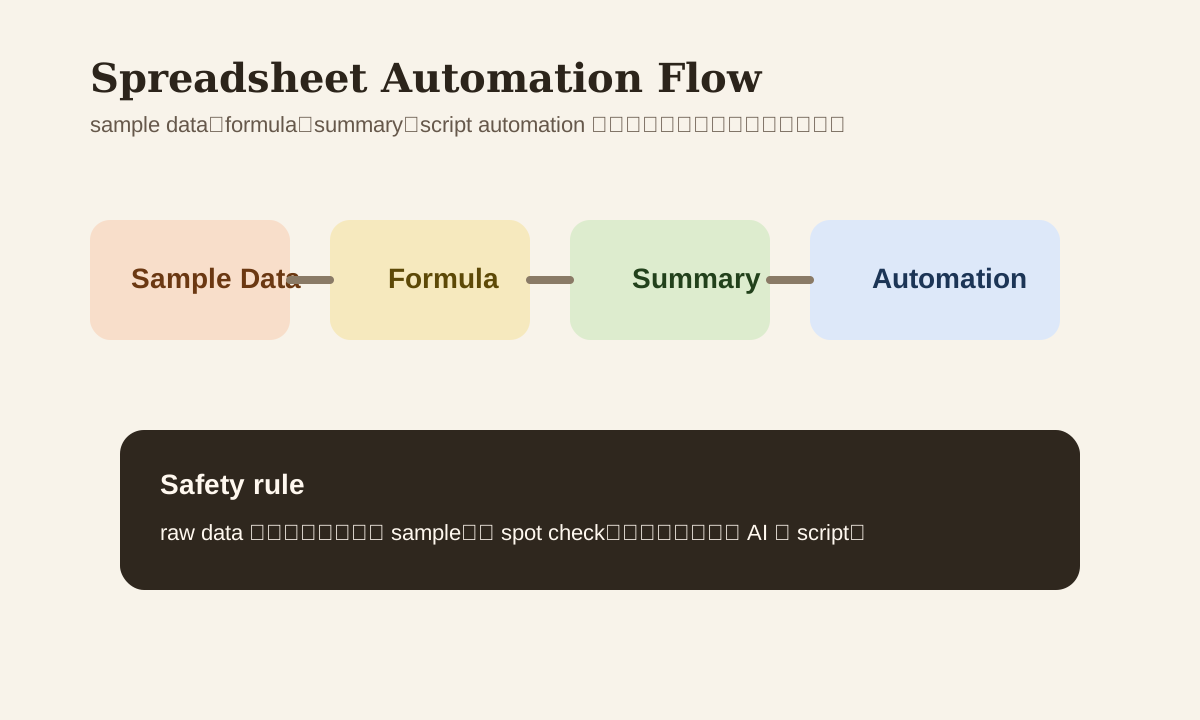
Excel, Google Sheets, WPS — spreadsheet work is a great fit for AI, but don't just treat it as a "formula generator." What really saves time isn't getting one formula. It's having AI handle the entire flow: formula, clean-up, summary, and automation.
Where most people get stuck is also consistent: unclear requirements, ambiguous column names, no sample data. Then AI can only guess. In spreadsheet scenarios, input clarity matters more than the model itself.
Why Spreadsheets Are Especially Good for AI
Because these tasks typically have 3 characteristics:
- Fixed structure
- High repetition
- Easy to verify results
That means AI isn't just useful for generating formulas. It's also good for:
- Data clean-up
- Column mapping
- Report summaries
- Script drafting
Step 1: Give Column Context When Asking for Formulas
The worst way to ask:
Write me a formula to count customer orders from the last 30 days.
AI will guess column names, date formats, and table structure. Better input should include at minimum:
- What each column is
- What a sample row looks like
- What output you want
- Whether you're using Excel or Google Sheets
Example prompt
Write me a Google Sheets formula.

Requirement:
- Count orders and total GMV per customer for the last 30 days

Columns:
- A = customer_name
- B = order_date
- C = amount

Output:
1. formula
2. explain
3. common edge case
4. Excel version
Step 2: Keep Raw Data When Doing Clean-up
AI is great at designing cleaning steps, but one rule you can't skip:
Don't overwrite raw data.
More reliable approach:
| Task | Recommended approach |
|---|---|
| Standardize dates | Write to a new column |
| Split names | Keep original column, split into first_name / last_name |
| Dedup | Copy to new sheet first |
| Company / domain extract | Output sample results for spot check first |
These steps seem conservative but genuinely prevent "AI corrupted my data" incidents.
Step 3: Summaries Are More Valuable Than Charts
Many people stop at "AI wrote me a formula." But for managers and stakeholders, what's actually valuable is:
- What went up this week
- Which segment dropped
- Which anomaly is worth following up
- What to do next
Example summary prompt
Based on this weekly sales data, output:
- 3 key findings
- 2 risk signals
- 3 recommended actions

Requirements:
- Write conclusion first
- Then supporting data
- If data is insufficient, mark as `to be confirmed`
Step 4: When Should AI Write a Script
When you find yourself repeatedly doing these things, single formulas aren't enough:
- Weekly report export cleanup
- Batch field standardization
- Auto-generating weekly summary text
- Syncing new rows to another system
At that point, have AI draft:
- Python / pandas script
- Apps Script
- VBA
- Automation webhook logic
But the right order is:
- Manually validate the rules first
- Then have AI write the script
- Verify with sample data
- Only then connect production data
Common Use Cases
| Use case | What AI can help with |
|---|---|
| sales report | formula + summary + chart suggestion |
| CRM export clean-up | dedup, field standardization, missing value check |
| HR spreadsheet | date standardization, field splitting, auto summary |
| ops dashboard | metric explanation, anomaly notes, next action |
A More Reliable Spreadsheet Workflow
sample data
  -> formula / clean-up logic
  -> spot check
  -> summary output
  -> optional script automation
The key: let AI help with "small verifiable steps" first. Don't start with the full dataset.
Common Mistakes
| Mistake | Problem | Better Approach |
|---|---|---|
| Just say "write a formula" | Not enough context, AI guesses wrong | Give columns and sample data |
| Modify original sheet | Hard to roll back if it breaks | Keep raw data |
| Only make charts, no summary | Manager may not understand | Add a business summary |
| Complex tasks using only formulas | Maintenance cost piles up | Upgrade to script / workflow |
Practice
Find a spreadsheet you're actually using right now:
- Have AI write 1 formula
- Have AI produce a manager-friendly summary
- Decide if this task is worth upgrading to a script
You'll realize: AI in spreadsheet scenarios isn't just about "writing functions" — it's about making your data work more reusable.