
AI Calendar & Task Management
Auto-schedule, remind, and summarize with Copilot, Slack AI, and more
Auto-schedule, remind, and summarize with Copilot, Slack AI, and more
A reusable work template with realistic input, a defined output format and a human review point.
Run one real task, verify the critical facts and record the before-and-after time.
The hardest part of time management was never "I don't know what to do." It's that information is scattered across email, IM, meeting notes, and calendar — so you know what needs doing but you're always a step behind. AI's biggest value here isn't deciding your life priorities. It's helping you consolidate scattered signals into executable tasks.
The practical approach: let AI handle capture, prioritize, and schedule. You do the final adjustment.
Why Time Management Tools Still Aren't Saving You
Because the problem usually isn't the tool — it's that input sources are too scattered:
- Email has follow-ups
- IM has ad-hoc tasks
- Meetings have action items
- Calendar only shows meetings, not actual work blocks
You don't need "more todo apps." You need a workflow that re-organizes all this information.
Step 1: Consolidate Task Inputs First
The first thing AI can do for you isn't scheduling — it's unifying inputs into a task list.
Common Input Sources
| Source | What AI can extract |
|---|---|
| action, deadline, owner | |
| IM / group chat | follow-up items, pending confirmations |
| meeting notes | action items, blockers |
| personal notes | ideas, reminders, to-process items |
Example prompt
Based on the following email / chat summary, organize into a task list.

Output fields:
- task
- priority
- deadline
- owner
- related link
- assumption (if deadline is inferred)
Step 2: Prioritize First — Otherwise AI Scheduling Is Pointless
Many people jump straight to "AI, schedule my week" without any priority layer. A more reliable approach is simple triage first:
- must do this week
- should do this week
- can defer
Without priorities, AI tends to pack your calendar with easy small tasks while squeezing out the important deep work.
Step 3: Scheduling Isn't Just Filling Empty Slots
This is the most common scheduling mistake. An empty slot on the calendar doesn't mean it's the right time for deep work.
Better scheduling should consider:
- Energy level
- Dependencies
- Meeting density
- Buffer time
Example scheduling prompt
Here are my tasks and scheduled meetings for this week.

Generate a weekly schedule:
- Preserve deep work blocks
- Leave 30 minutes of buffer each afternoon
- Schedule high-priority tasks during peak energy hours
- Output as table: date / time block / task / notes
Step 4: Meetings and Calendar Need to Be Linked
After many meetings end, the calendar has zero follow-up blocks. Action items just keep floating. AI is great at adding post-meeting:
- Follow-up blocks
- Prep blocks
- Stakeholder sync suggestions
This ability to "auto-convert action items into time blocks" is more useful than just writing notes.
Step 5: Daily / Weekly Reviews Can Calibrate Your Time Usage
If you consistently have AI summarize:
- What you completed today
- Which tasks got deferred
- Which blockers keep recurring
You'll start noticing:
- Whether you're stuck in reactive work loops
- Which task types are consistently underestimated
- Which meetings deliver too little value
So calendar management isn't just scheduling — it's also retrospective.
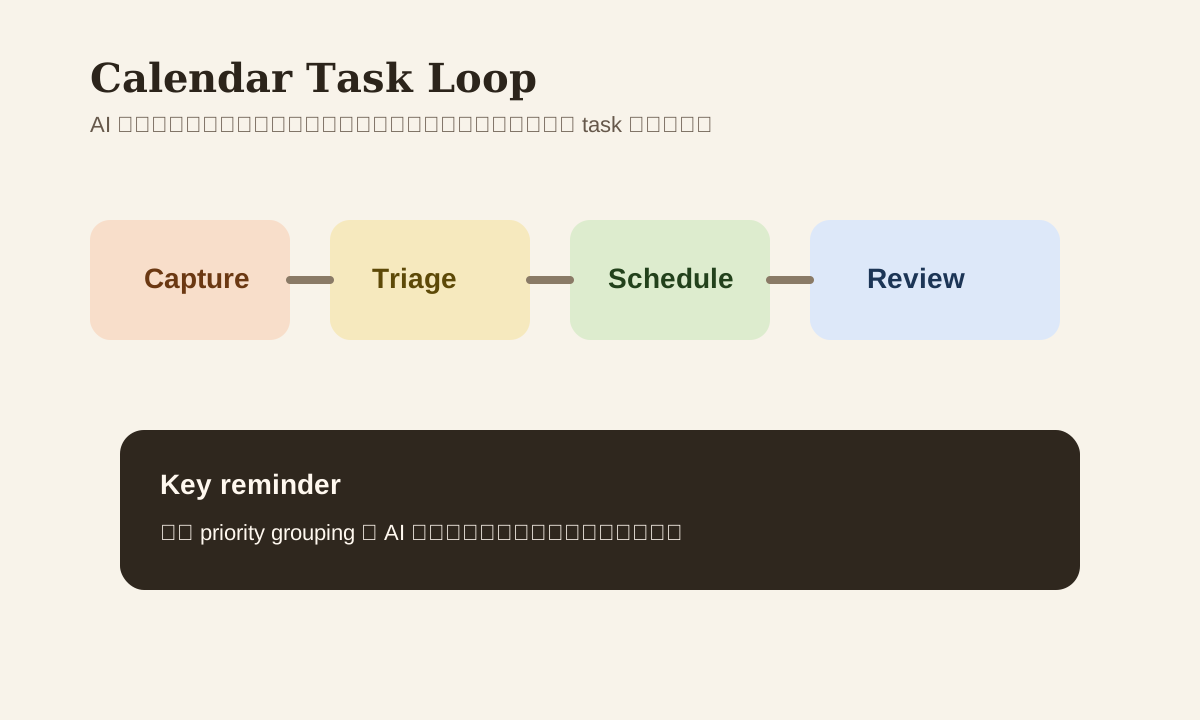
A More Reliable Workflow
email / IM / notes
  -> task extraction
  -> priority grouping
  -> calendar blocking
  -> end-of-day review
This creates a steadier rhythm than "remember stuff as it comes."
Common Mistakes
| Mistake | Problem | Better Approach |
|---|---|---|
| Jump straight to AI scheduling | No priorities means pretty but useless | Do task triage first |
| Calendar only has meetings | Real work time gets ignored | Add work blocks |
| No buffer | One interruption derails everything | Reserve daily buffer |
| Tasks only have titles, no deadline/owner | Hard to follow through | Use fixed output fields |
Practice
Take your current week's:
- Scheduled meetings
- Incomplete tasks
- Latest 10 pending follow-up emails / IMs
Hand all of it to AI, first organize into a task list, then generate a weekly schedule. The calendar you get will usually be more complete than manually dragging time blocks around.