
Data Insights & Visualization Copy
Upload CSV or reports — get insights, chart suggestions, and conclusion copy in one step
Upload CSV or reports — get insights, chart suggestions, and conclusion copy in one step
A reusable work template with realistic input, a defined output format and a human review point.
Run one real task, verify the critical facts and record the before-and-after time.
AI is great for lightweight data analysis. But it's also where things go wrong most easily: AI is very good at "telling a story that sounds reasonable." If your data is incomplete or your metric definitions are unclear, AI will still produce something that looks like a conclusion. That's the risk.
So this page isn't about "let AI analyze for you." It's about "let AI extract insights, explain charts, and generate next questions — within controlled boundaries."
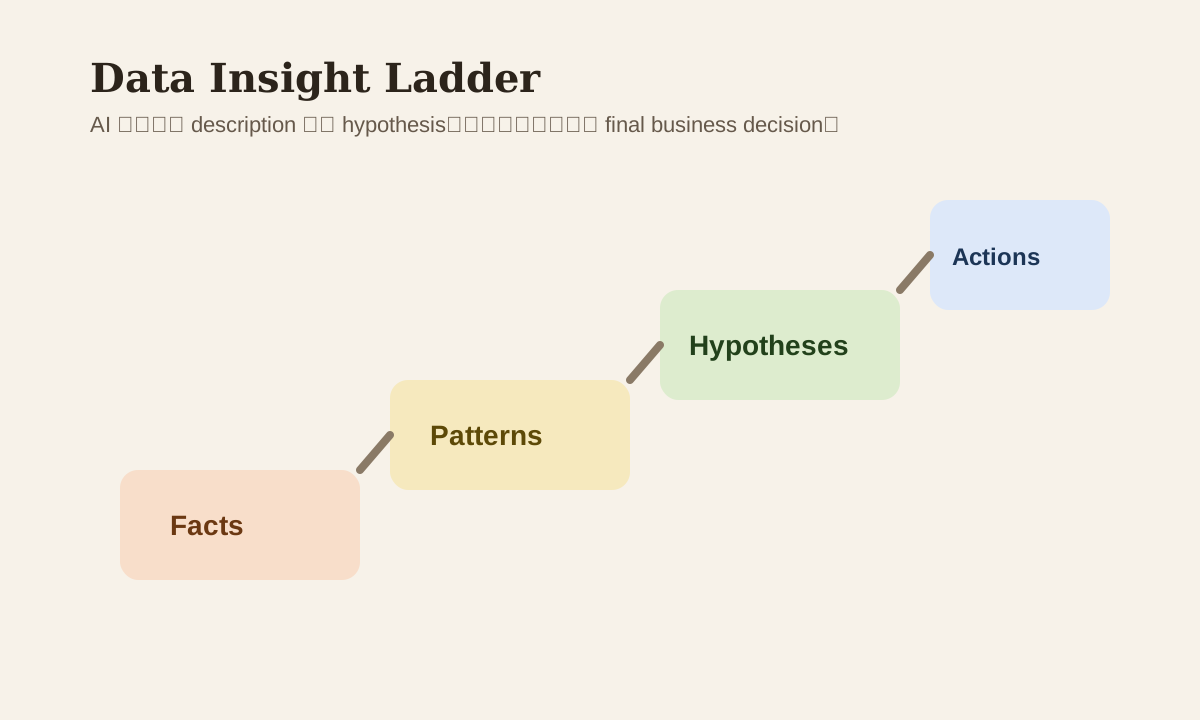
Which Analysis Layer AI Fits Best
Not every data task should be handed to AI directly. The better-suited layers:
| Layer | AI fit | Notes |
|---|---|---|
| data description | High | Explaining fields, summarizing trends |
| anomaly spotting | Med-high | Raising possible anomalies and hypotheses |
| chart suggestion | High | Recommending suitable visualizations |
| root cause conclusion | Med-low | Can propose hypotheses, shouldn't make final calls |
| final business decision | Low | Still needs human judgment |
Step 1: Define Metrics and Questions First
Many analyses fail not because AI isn't smart enough, but because you didn't tell it:
- What this metric means
- What the time range is
- What the unit is
- What question you're actually trying to answer
Example prompt
You are a data analyst assistant.

Background:
- Data is a weekly sales summary
- Time range: 2026 Q1
- Unit: AUD
- Goal: determine if growth is from volume or price

Output:
1. key findings
2. anomaly signals
3. chart suggestions
4. what to verify next
Step 2: Have AI Separate Fact, Hypothesis, and Action
This single step reduces misinterpretation the most. Require the output to split into three layers:
Facts:

Hypotheses:

Recommended actions:
This prevents AI from writing "possible cause" as "confirmed conclusion."
Step 3: Chart Suggestions Beat "Make Me a Chart"
For many office scenarios, what's actually useful from AI is:
- Recommending chart types
- Telling you which fields you need
- Giving you a storyline first
For example:
| Analysis goal | Recommended chart |
|---|---|
| Trend over time | line chart |
| Category comparison | bar chart |
| Proportion breakdown | stacked bar / pie (use cautiously) |
| Funnel changes | funnel |
| Outliers | line + annotation |
If AI just says "I suggest making a chart" without specifying fields and purpose, the practical value is low.
Step 4: Anomaly Detection Should Only Produce "Questions to Verify"
AI is good at flagging:
- Which segment dropped unusually
- Which time point had excessive volatility
- Which metric is inconsistent with others
But it shouldn't jump to a final root cause. Better phrasing:
List 3 possible anomalies,
and for each, specify what data needs further verification.
More reliable than "explain why it declined."
A Manager-Friendly Output Template
Executive summary:

3 key findings:

2 risk signals:

Recommended next steps:

Data limitations:
This structure works well for weekly reports, syncs, and leadership updates — it provides conclusions while being honest about uncertainty.
Common Mistakes
| Mistake | Problem | Better Approach |
|---|---|---|
| Ask AI for direct conclusions | Hypotheses disguised as facts | Separate facts / hypotheses |
| Don't define metrics | Analysis might use wrong definitions | Write definitions first |
| Only want summary, no limitations | Risks get hidden | Force data limitation output |
| Spot anomaly, declare root cause | Might just be sample noise | List verification path first |
Practice
Take a CSV or dashboard summary you've used recently:
- Tell AI the metric definitions and time range
- Have it output facts / hypotheses / actions
- Then have it add 3 questions that need verification
The insights you get this way are more reliable than pure "data storytelling."