
AI Measurement & Governance
Iterate AI workflows with metrics, audits, and feedback loops
Iterate AI workflows with metrics, audits, and feedback loops
A reusable work template with realistic input, a defined output format and a human review point.
Run one real task, verify the critical facts and record the before-and-after time.
After an AI workflow goes live, the scariest thing isn't mediocre initial results — it's that nobody knows whether it's actually getting better. Without governance and metrics, many teams bounce between "AI feels pretty useful" and "why is this month's cost so high."
Define success metrics, audit methods, and rollback conditions upfront. This makes the content more like real experience and more valuable for SEO, because it answers questions users actually search for.
First, Define What "Good" Means for This Workflow
If you don't define the goal clearly, all optimization efforts will drift. An AI workflow should answer at least 4 questions:
- Is it faster?
- Is it more accurate?
- Is it cheaper?
- Is it more stable?
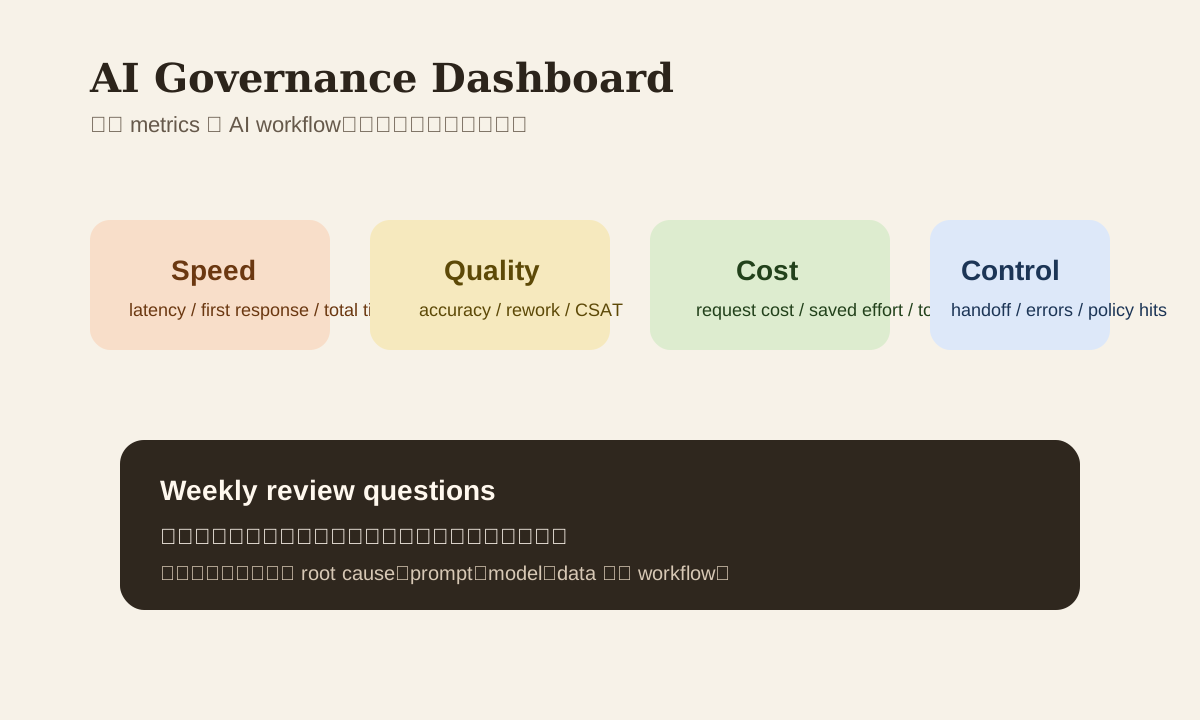
4 Metric Categories Worth Tracking
| Category | What to measure | Example |
|---|---|---|
| Speed | Latency, processing time, first response time | First reply dropped from 20 min to 5 |
| Quality | Accuracy, rework rate, satisfaction | % of AI summaries that humans re-edit |
| Cost | Per-request cost, token cost, time saved | Weekly manual effort saved |
| Control | Human handoff rate, error rate, policy hit rate | % of high-risk cases auto-routed to human |
Don't start by tracking a dozen metrics. Track these 4 categories first, then refine gradually.
A Dashboard Structure That Works
Weekly AI Dashboard
  -> total runs
  -> success rate
  -> avg latency
  -> avg cost per run
  -> human handoff rate
  -> top failure reasons
This doesn't need a complex BI system. Many teams get started with Google Sheets, Notion databases, Metabase, or an internal admin panel.
What to Log
If logging is incomplete, you won't be able to tell whether the problem is the prompt, the tool, or the model.
Log at minimum:
- Workflow name
- Model / version
- Prompt ID or template version
- Input length / output length
- Latency
- Success / failure
- Failure reason
- Whether it was handed off to a human
If sensitive data is involved, log metadata only — don't dump raw content into logs.
Audits Aren't Just Spot Checks — They Need Root Cause
Many teams say they review, but really they just glance at results occasionally. A useful audit should answer:
- Was it the model's fault, or the prompt's?
- Did retrieval pull the wrong context, or was the output format unstable?
- Is it a workflow design problem, or was user input too dirty?
A simple audit table
| Sample | Issue type | Root cause | Fix action |
|---|---|---|---|
| 001 | Summary missed key points | Prompt didn't ask for action items | Update template |
| 014 | Cost spike | Context too long | Add trimming / chunking |
| 023 | Unstable tone | No tone guide | Add style instruction |
| 031 | High-risk content sent | No approval gate | Add human handoff |
When to Switch Models vs. When to Fix the Prompt
Not every problem is solved by a more powerful model.
Fix prompt / workflow first when:
- Output format is unstable
- Missing audience, tone, or constraints
- Context is messy
- No clear success criteria
Consider switching models when:
- The task requires stronger reasoning
- Long document handling is consistently unstable
- Multi-step workflow error rate is clearly too high
- Same prompt, current model keeps scoring poorly
One line summary: fix the design first, then fix the model selection.
Handoff Rules Are the Most Important Part of Governance
You must be explicit: which cases can AI complete automatically, and which must go to a human.
| Scenario | Recommendation |
|---|---|
| Normal internal summary | Can auto-complete |
| External email draft | Human review advised |
| High-risk classification or complaint | Must handoff |
| Contract, finance, policy interpretation | Must handoff |
| Low-confidence output | Auto-route to human |
Automation without handoff rules is never stable enough.
How to Write Weekly Reports and Retros
A useful weekly report shouldn't just say "call volume grew 20%." What's more valuable:
- Which workflows are improving
- Which workflows show anomalies
- Why costs changed
- What you plan to change next week
Example retro framework
Issue:
Customer support summary missed escalation flag

Root cause:
Prompt didn't require risk level output

Fix:
Added `risk_level` field

Validation:
Replayed 20 samples, missed-flag rate decreased
Why This Page Matters from an SEO Perspective
The search intent is clear:
how to read AI metricsAI workflow governance checklisthow to audit AI automationbalancing AI cost and quality
Rather than vaguely saying "governance is important," providing dashboard structures, logging fields, handoff rules, and retro frameworks builds more trust with both search engines and users.
Practice
For your most-used AI workflow right now, write out:
- 1 speed metric
- 1 quality metric
- 1 cost metric
- 1 handoff rule
Then decide which 10 samples you'll review next week. Once you do this, governance actually starts working.